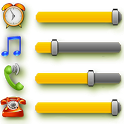
Volume Control Widget was a tools app developed by Serkun. It was removed from Google Play Aug 19, 2018 and is no longer available for download.
Download Statistics
Volume Control Widget had been downloaded 2.2 million times before it became unavailable.
User Ratings
Volume Control Widget was rated 4.29 out of 5 stars, based on 21 thousand ratings.
App Information
Volume Control Widget was free to download. The APK download size was 256.63 kB. The last available version was 2.2.1. The last update was on June 6, 2014.
Technical Requirements
Volume Control Widget required Android 2.3.3+ or higher. The app had a content rating of Everyone. The app had been available on Google Play April 2014.
Description
A-Volume Widget allows instantly see on your desktop and quickly adjust the current volume levels of alarm, media player, voice call, ringer and system notifications. Widget displays the current volume levels, regardless of the way in which they were set. The minimal widget size is only 1х1. Widget is resizable - you can increase it's size if you want (for Android 3.1+ only! Long touch on the widget and change it's size). Click on the Widget and set the volume level of any channel(s) in one touch! Vibrate mode setting supported. Quick open, set and close.
In "Settings" you can choose audio channels to display in the widget and channels to adjust. Also you can adjust border, hue and transparency of the widget's background to fit well your home screen theme.
Install it from the market, then install manually the widget to the desired location of the desktop in standard way for your device: - Long touch on your home screen or click the menu button; - Choose "Add"; - Click on "Widgets"; - Choose the A-Volume Widget.
If A-Volume Widget is not in the widgets list: - Make sure that it's installed into internal memory! Widgets do not work from SD card; - Restart your system.
NOTE: Starting from Android version 4.1.x (Jelly Bean) in the standard firmware channels "System", "Alert" and "Ringer" are tied. They can not be set separately. This is not the reason to blame the program. Just hide channels "System" and "Notifications" in the settings. At the same time, in some versions of firmware (e.g., in firmware Samsung), these channels are NOT tied. Therefore the program have the opportunity to display and to adjust them separately, if possible.
Recent changes: - Customization: border around widget is optional now. - Some bugs fixed
Get a detailed PDF report for Volume Control Widget with download trends, rating history,
and key performance statistics — useful for competitive research or tracking your own app.
Learn more
★★★★★
Love this app, second phone it's been on, can't live without it.
★★★★★
yes finally nasira yung pindutan ng volume ko and this app works very
good.. thankyou😊
★★★★★
This is what I search and I need. Cause my volume buttons was broke.. I
dont want to break my volume with my nails.. so yeah this is simple but
really work.
★★★★★
Very useful little app as I do not have volume rocker. No ads.
★★★★★
Beeps when adjusting volume but overall, great widget!
★★☆☆☆
Doesn't mute caller audio
★★☆☆☆
Works fairly well, except it will not separate notification volume from
ringer volume on Android Oreo phones.
★★☆☆☆
Haven't tested yet
Technologies used by Volume Control Widget
1 permissions
Subscribe to see full permission and library details
Back to top
AppBrain Intelligence premium content
Subscribe now to get full and unlimited access to AppBrain Intelligence.
You'll have access to:
Each subscription will automatically renew 3 days before the expiration date for
the same time period. Subscriptions can be cancelled at any time before the renewal.