360inAR is a lifestyle app developed by JUNJI IKEDA.
What is the rating of 360inAR?
360inAR has no ratings yet.
Is 360inAR free?
360inAR is free. The app size is 18.33 MB. The latest version available is 4.1. The last update was on January 13, 2026.
What are the requirements for 360inAR?
The app has a content rating of Everyone. The app has been available on the App Store since September 2022.
Description by JUNJI IKEDA(from the App Store)
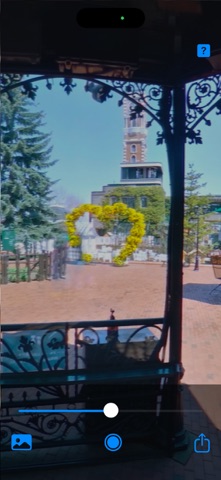
360inAR turns photos from your album into a semi-transparent AR sphere that appears in front of your iPhone or iPad. From the outside, the sphere is translucent—but when you scale it up and step inside, you can view the panorama without transparency, as if you’re surrounded by the image. For the best first experience, start in a relatively spacious area and walk while holding your device.
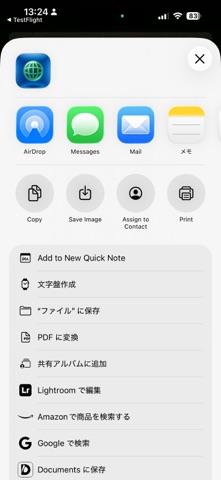
What’s New You can now export your AR sphere as a USDZ file. Save your creation and share it as an AR-ready object using the system share sheet. You can also choose the sphere texture format (JPG or PNG) and select the sphere size (20 cm or 3.6 m diameter).
Placement & Fine Tuning After the sphere appears, you can fine-tune its position for a comfortable AR experience. Because AR takes a bit of practice to understand the relationship between scale and distance, fine adjustments are designed to work near the initial placement. To place the sphere somewhere else, move to the desired location and triple-tap to reset the position.
How to Use
Gesture Controls •Pan (drag): Rotate the AR sphere •Pinch: Resize •Single tap: Stop rotation •Double tap: Double the size each time (resets after exceeding 50×) •Triple tap: Reset position •Long press: Fine-tune height and horizontal position
AR Specifications •No need to scan floors or walls •The AR sphere appears based on your iPhone/iPad position
AR Behavior in This Version •The AR sphere appears slightly below center so it sits near the middle of the display when you hold your iPhone/iPad naturally. If you hold the device at an upward •angle, the sphere may look cropped at the bottom of the screen. In that case, the sphere is positioned below your current view.
Each subscription will automatically renew 3 days before the expiration date for
the same time period. Subscriptions can be cancelled at any time before the renewal.