3DSeg/JointAngles is an overall app developed by Boyi Dai.
Download Statistics
User Ratings
3DSeg/JointAngles is rated 5.00 out of 5 stars. The rating is based on one rating ratings.
App Information
3DSeg/JointAngles is FREE to download. The APK download size is 5.02 MB. The latest version available is 1.0. The last update was on March 28, 2026.
Technical Requirements
The app has a content rating of Everyone. The app has been available on Google Play March 2026.
Description
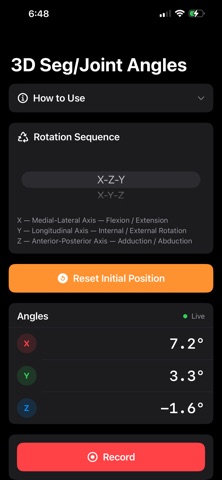
3D Seg/Joint Angles measures three-dimensional Cardan/Euler angles of body segments and joints using your iPhone's built-in motion sensors — no external hardware required.
Designed for biomechanics researchers, clinicians, physiotherapists, athletic trainers, and students, the app uses your iPhone's accelerometer, gyroscope, and magnetometer to compute the three rotational angles (about the X, Y, and Z axes) that describe how a body segment or joint has moved from a defined starting position.
HOW IT WORKS Place the iPhone on a body segment (e.g., thigh, shank, forearm). Press "Set Initial Position" to define the reference frame. The app then continuously reports the three angles — in degrees — that describe the 3D rotation from that starting position to the current position, in real time at 60 Hz.
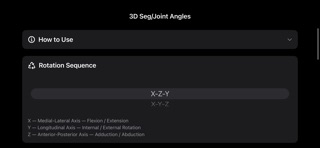
ROTATION SEQUENCES Six standard Cardan/Euler rotation sequences are supported: • X-Z-Y (default, recommended for most lower-limb joints) • X-Y-Z • Y-X-Z • Y-Z-X • Z-X-Y • Z-Y-X
Select the sequence that matches your anatomical convention. Angles are always displayed in X, Y, Z order regardless of the sequence chosen.
PHONE AXES • X axis — points to the right side of the phone (medial-lateral; flexion/extension) • Y axis — points toward the top of the phone (longitudinal; internal/external rotation) • Z axis — points out of the screen (anterior-posterior; abduction/adduction)
Positive and negative angle signs follow the right-hand rule applied to each physical axis of the phone.
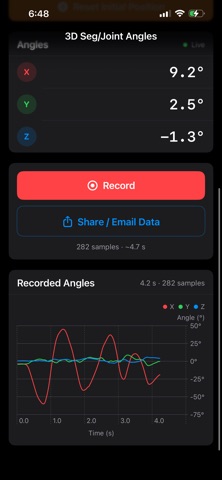
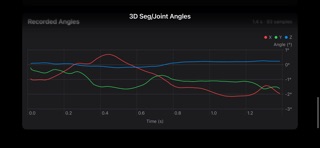
RECORDING AND EXPORT Start and stop recording with a single tap. After recording, the three angles are plotted over time directly in the app. Export the data as a CSV file via email, AirDrop, or any share destination for further analysis in Excel, MATLAB, or R.
KEY FEATURES • Real-time 3D angle display at 60 Hz • Six selectable Cardan/Euler rotation sequences • Calibrate to any starting position • Built-in angle time-series plot • CSV export via iOS Share Sheet • Works completely offline — no internet required • No account or login needed • All data stays on your device
IMPORTANT NOTES • For accurate results, hold the phone still during calibration • The Z axis requires the magnetometer to be valid — keep the phone away from strong magnetic fields • This app is intended for research, education, and rehabilitation purposes. It is not a certified medical device.
Each subscription will automatically renew 3 days before the expiration date for
the same time period. Subscriptions can be cancelled at any time before the renewal.