

Aaniiih Keyboard
Aaniiih Keyboard is made and published by The Language Conservancy, Inc. AppBrain is an independent app data site and isn't affiliated with The Language Conservancy, Inc. The app name, icon, screenshots and description belong to The Language Conservancy, Inc. and are shown as published on the App Store.
AppBrain's verdict
- Rating on App Store
- 5.00
- 1 ratings
- Last updated
- August 31, 2023
It doesn't have enough ratings yet to judge what users think.
Rankings
App Store top chartsApp Store Rankings for Aaniiih Keyboard
Competitors
Similar apps and more from The Language Conservancy, Inc.Alternatives to Aaniiih Keyboard






More from The Language Conservancy, Inc.






Releases
Updates seen on the App Store- Version
- 1.0
- Launched
- August 2023
No changelog data
User feedback
Ratings and reviews on the App StoreComments on Aaniiih Keyboard for iOS
We don't have enough comments to show example comments. Please check back later.
Technology
Found in the app by AppBrain- Price
- Free
- App size
- 17.0 MB
- Content rating
- Everyone
Technologies used by Aaniiih Keyboard
About the app and developer
About Aaniiih Keyboard
Aaniiih Keyboard is an education app developed by The Language Conservancy, Inc.
User Ratings
Aaniiih Keyboard is rated 5.00 out of 5 stars. The rating is based on one rating ratings.
App Information
Aaniiih Keyboard is freely available from the App Store. The app size is 17.04 MB. The latest version available is 1.0. The last update was on August 31, 2023.
Technical Requirements
The app has a content rating of Everyone. The app has been available on the App Store since August 2023.
Developer information for The Language Conservancy, Inc.
The Language Conservancy, Inc.
Address:
Store listing
By The Language Conservancy, Inc., from the App Store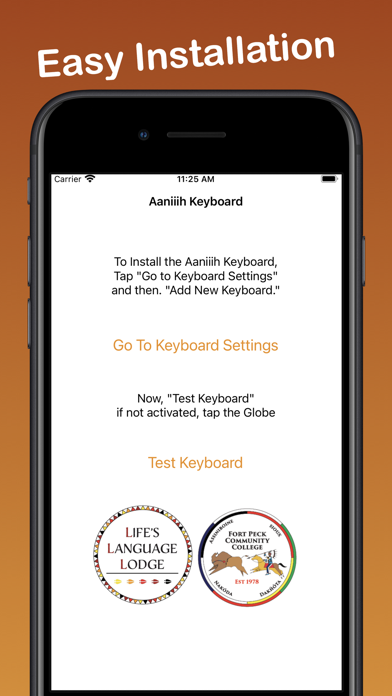


Description by The Language Conservancy, Inc. Written by the developer, not by AppBrain. Click to read.
Aaniiih Keyboard is the iOS app that let's you type correct Aaniiih into any text area on your iOS mobile device by simply switching into the Aaniiih Keyboard Layout.
1. Open the Aaniiih App
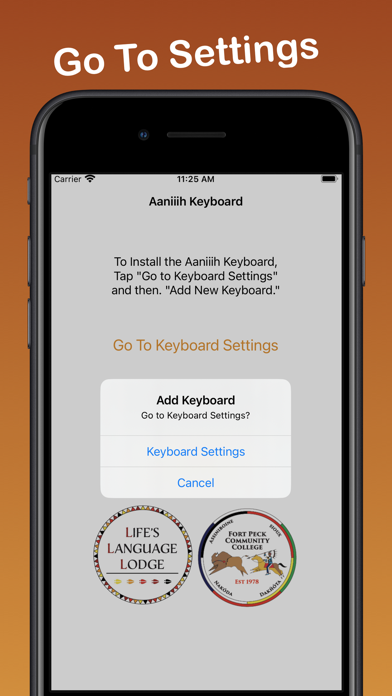
2. Select "Go to Keyboard Settings"
3. Select "Add New Keyboard"
4. Select "Aaniiih"
5. Go back to the App and "Test Keyboard"
6. Tap or Press and Hold the Globe to switch to the "Aaniiih Keyboard"
7. Longpress keys to see additional characters
Congratulations! Now you can type Aaniiih.
Once installed and selected as a keyboard option, you can switch between Aaniiih and English as you type emails, SMS, MMS, web content, and in any other text-input field. Simply press the GLOBE icon to switch.
This is the ultimate integrated Aaniiih app keyboard solution to help you type Aaniiih on Facebook, Twitter or wherever, accurately and with integrity.
Once installed and selected as a keyboard option, you can switch between Aaniiih and English as you type emails, SMS, MMS, web content, and any other text-input field.