

AI Video Editor
AI Video Editor is made and published by VIDEO EDITOR PTE. LTD. AppBrain is an independent app data site and isn't affiliated with VIDEO EDITOR PTE. LTD. The app name, icon, screenshots and description belong to VIDEO EDITOR PTE. LTD. and are shown as published on the App Store.
AppBrain's verdict
Established- Rating on App Store
- 3.32
- 19 ratings
- Last updated
- March 4, 2024
It doesn't have enough ratings yet to judge what users think.
Rankings
App Store top chartsApp Store Rankings for AI Video Editor
Competitors
Similar apps and more from VIDEO EDITOR PTE. LTD.Alternatives to AI Video Editor






More from VIDEO EDITOR PTE. LTD.




Releases
Updates seen on the App Store- Version
- 1.2.7
- Launched
- July 2017
No changelog data
User feedback
Ratings and reviews on the App StoreComments on AI Video Editor for iOS
We don't have enough comments to show example comments. Please check back later.
Technology
Found in the app by AppBrain- Price
- Free
- App size
- 42.2 MB
- Content rating
- Everyone
Technologies used by AI Video Editor
About the app and developer
About AI Video Editor
AI Video Editor is a graphics & design app developed by VIDEO EDITOR PTE. LTD.
What is the rating of AI Video Editor?
AI Video Editor is rated 3.32 out of 5 stars, based on 19 ratings.
Is AI Video Editor free?
AI Video Editor is free. The app size is 42.20 MB. The latest version available is 1.2.7. The last update was on March 4, 2024.
What are the requirements for AI Video Editor?
The app has a content rating of Everyone. The app has been available on the App Store since July 2017.
Developer information for VIDEO EDITOR PTE. LTD.
Address:
Store listing
By VIDEO EDITOR PTE. LTD., from the App Store


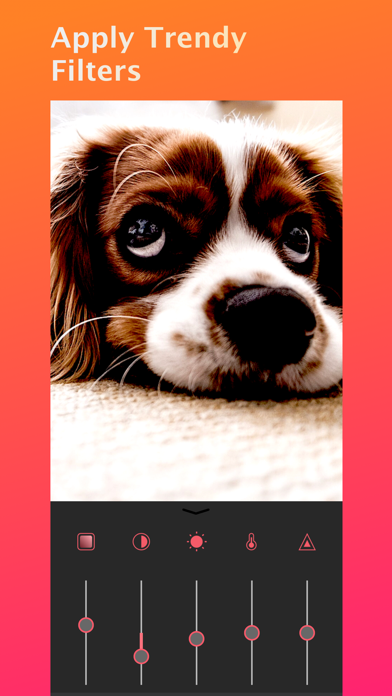

Description by VIDEO EDITOR PTE. LTD. Written by the developer, not by AppBrain. Click to read.
FEATURES:
-Crop, Trim, split, or duplicate video clips
- Blur background square video for instagram
- Merge videos
- Adjust video speed for a super slow motion or fast motion effect
- 13 beautifully filters
- Adjust Video brightness,satuartion,contrast,temperature,tint
- Cutstomize background color
- Adjust video sound volume
- Picture-in-Picture Video
- Picture-in-Picture Photo
- Volume control
- Reverse video tool
- Change video aspect ratio
- Move video/photo inside the square.
- Create and manage unlimited projects
- Auto save ensures that edits are never lost
Music & Sound Effects
- Add music & sound effects to video
- Lots of fun sound effects.
- Trim music & sound tracks with a fade in / out option
- Volume control
- Easy to sync sound and video with timeline features.
Text & Sticker
- add animated texts to photo & video
- add animated stickers to photo & video
- add Bubble text to photo & video
- Customize text font & color & background color
Share
- High video output resolution.
- Share to social apps, like Facebook, Youtube, Instagram, etc.
FEEDBACK
livecollage.us@gmail.com