

Alarm Clock HD
Alarm Clock HD is made and published by Impala Studios. AppBrain is an independent app data site and isn't affiliated with Impala Studios. The app name, icon, screenshots and description belong to Impala Studios and are shown as published on the App Store.
AppBrain's verdict
EstablishedLoved by users- Rating on App Store
- 4.53
- 104,292 ratings
- Last updated
- September 21, 2026
Users love it: 4.5 stars from 104,292 ratings.
Rankings
App Store top chartsApp Store Rankings for Alarm Clock HD
Competitors
Similar apps and more from Impala StudiosAlternatives to Alarm Clock HD


More from Impala Studios


Releases
Updates seen on the App Store- Version
- 4.5.9
- Launched
- November 2011
No changelog data
User feedback
Ratings and reviews on the App StoreComments on Alarm Clock HD for iOS
We don't have enough comments to show example comments. Please check back later.
Technology
Found in the app by AppBrain- Price
- Free
- App size
- 230.4 MB
- Content rating
- Everyone
Technologies used by Alarm Clock HD
About the app and developer
About Alarm Clock HD
Alarm Clock HD is an utilities app developed by Impala Studios.
User Ratings
Alarm Clock HD is rated 4.53 out of 5 stars. The rating is based on 100 thousand ratings.
App Information
Alarm Clock HD is freely available from the App Store. The app size is 230.36 MB. The latest version available is 4.5.9. The last update was on September 21, 2026.
Technical Requirements
The app has a content rating of Everyone. The app has been available on the App Store since November 2011.
Developer information for Impala Studios
Address:
Frequently asked questions about Alarm Clock HD
Is Alarm Clock HD free?
Yes. Alarm Clock HD is free on the App Store.
Is Alarm Clock HD still available?
Yes. Alarm Clock HD is on the App Store, and the last update we saw was on September 21, 2026.
How large is Alarm Clock HD?
Alarm Clock HD is 230.36 MB.
Is Alarm Clock HD suitable for children?
App Store rates the content of Alarm Clock HD as suitable for everyone.
How do people rate Alarm Clock HD?
Alarm Clock HD scores 4.53 out of 5 stars, from 104,292 ratings on the App Store.
Who made Alarm Clock HD?
Alarm Clock HD was developed by Impala Studios. It is listed in the utilities category on the App Store.
What are the best alternatives to Alarm Clock HD?
People looking at Alarm Clock HD also look at these utilities apps: Alarm Clock App: myAlarm Clock, Alarm Clock for Me - Wake Up!, One Touch Alarm Clock, Smart Alarm Clock - Waking Up, Loud Alarm Clock – the LOUDEST.
Store listing
By Impala Studios, from the App Store
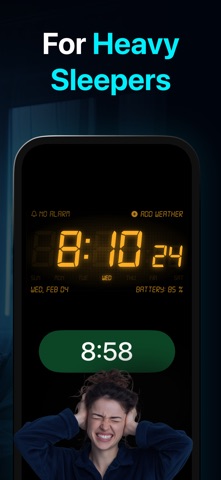


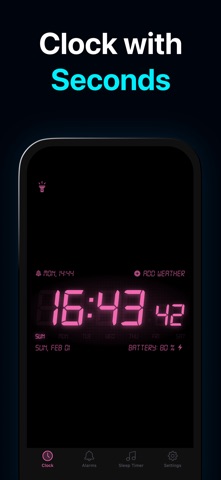

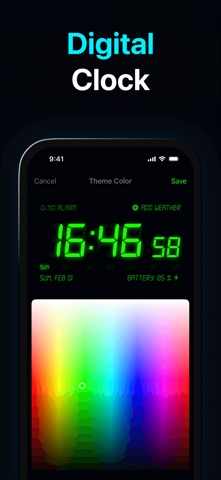

Description by Impala Studios Written by the developer, not by AppBrain. Click to read.
Alarm Clock HD is the app to help you enjoy restful sleep and wake up worry-free.
How Alarm Clock HD helps you sleep better:
• Unlimited Alarms: Apple Music or Alarm Sounds
• Customize Nightstand display colors
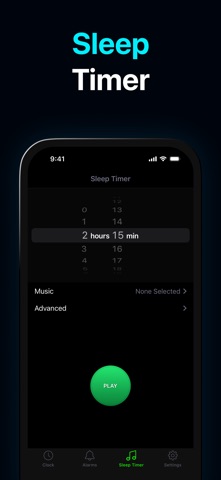
• Sleep Timer
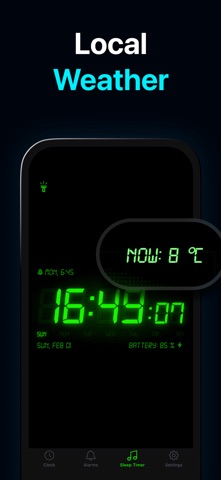
• Local Weather Information
• Instant Flashlight - shake the device
• Full watchOS 2 support
• Screen Saver - for devices with OLED display
WAKE UP ON TIME: Proper Alarm Settings
• Keep the app open and running always to have your alarm go off and play the sounds you’ve set for ‘Music'.
When your app is open, you can use the volume slider within the app. When the app is in the background, use the device volume to set your volume.
• Make sure your battery is charged and have your notifications turned on before you go to sleep, when the battery level goes below 30% it might not sound. This is due to prevent the device from dying and the alarm not going off.
• Keep your Apple Music available on your device
The music you can select consists of everything you have available on your ‘Apple Music' app on your device. If the music is saved on your iCloud, and not on the device itself, it won’t be available.
NEVER MISS AN ALARM
When you close the app and do not have it running in the background, the alarm will use the device volume instead and play the notification sound system.
The app will close itself automatically after 10 hours of inactivity. This is due to prevent the device from dying and the alarm not going off.
When your device is muted, set to ‘Do Not Disturb’, or your device volume is set to 0, the alarm won’t play properly. It will still show the notification without any sound. This is due to Apple’s restrictions as we are unable to access the app settings when the app is closed, only when it’s open or running in the background.
SUBSCRIPTION IN ALARM CLOCK HD
Upgrade to a Premium Membership and receive the following ongoing value:
• Ad-Free • News & X feeds (Twitter) • Premium Customer Support
Terms & Conditions: https://impalastudios.com/terms Privacy Policy: https://impalastudios.com/privacy
>> WE LOVE FEEDBACK
As always, we appreciate your feedback.
Please email us at support@impalastudios.com with any suggestions or questions, our support team is ready and happy to help.
WAKE UP YOUR WAY, EVERY DAY