

AppBrain's verdict
Established- Rating on App Store
- 4.63
- 30 ratings
- Last updated
- September 14, 2023
- Size
- 3.63 MB
It doesn't have enough ratings yet to judge what users think.
User feedback
Ratings and reviews on the App StoreComments on Album Organizer - Timeflower for iOS
We don't have enough comments to show example comments. Please check back later.
Store listing
By Guojie Zeng, from the App StoreDescription by Guojie Zeng Written by the developer, not by AppBrain. Click to read.
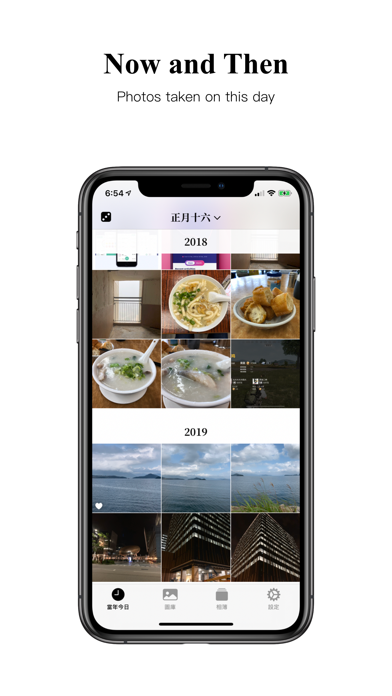
"On This Day" photos support the Chinese calendar.
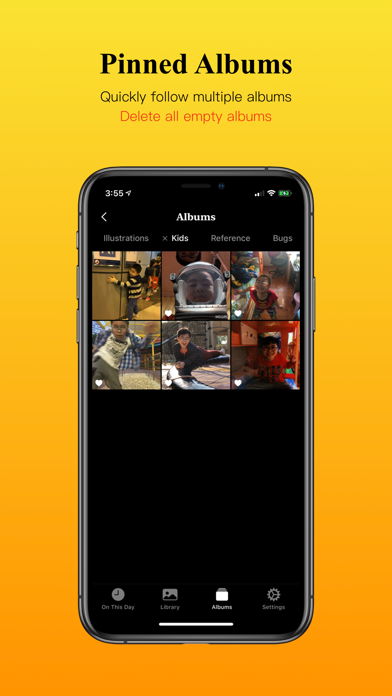
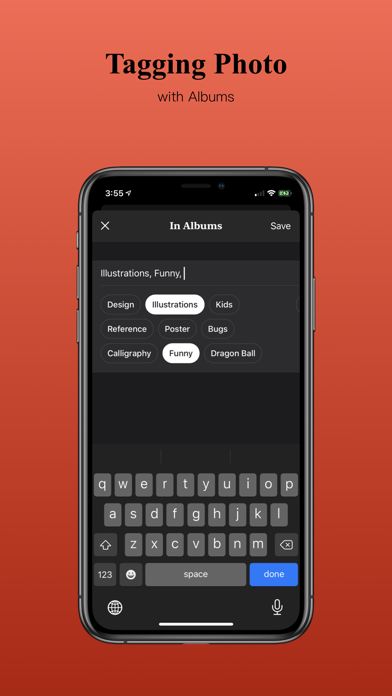
The easy and simple way to collect receipts, tickets, or design ideas: just take a photo with the built-in camera or save the image from a webpage to your photo library—you probably already doing this, but it is hard to find it back when you need it later?—use Timeflower to categorize the photos: add the photo to albums, just like tagging, you can quickly add a photo to multiple albums. After that, the albums can be shown on Photos app or Timeflower app, only it is quicker to browse them on Timeflower app: You can pin some albums, or search albums by keyword. Timeflower is the best and simple way to collect and organize photos, without the need of another cloud storage, or a categorizing system only accessible by a special app.
Pin Media Types(Smart Albums), Smart Albums including Recents, Favorites, Screenshots, Selfies, Panoramas, etc.
Delete Empty Albums. Clear up albums by removing empty albums created by other apps.
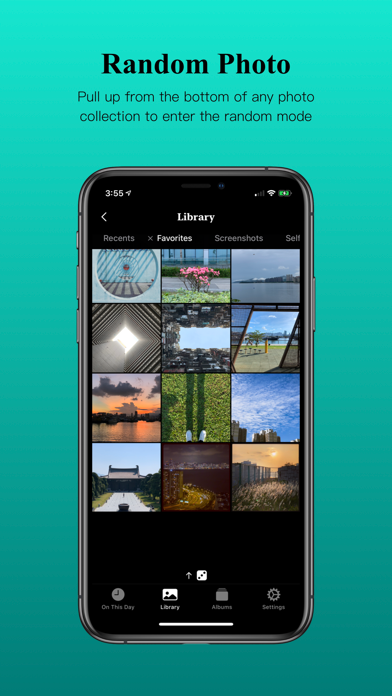
Random photo: pull up from the bottom of any albums to enter the Random mode, scroll left or right to pick another random photo. Favorite the photo if you like it or delete the obsolete one. Or add the photo to albums.
Or share the photo to Instagram Stories.
Or hide the photo. Hidden photos can be found in the "Hidden" album, and the "Hidden" album can be set to show or hide in the Settings app (just like the Photos app).
Use Face ID or Touch ID to unlock the app.
Simple photo widgets: Select a photo or an album in Timeflower app, create a widget with it. For album widgets, the photo with change randomly every 15 minutes on Home Screen.
Dark mode and Light mode.
Split view and multiple windows on iPad.
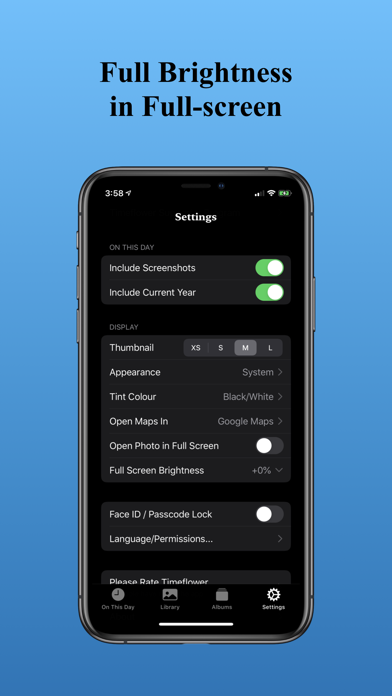
Option to increase brightness in full-screen: Increase the brightness when a photo opened in full screen, so you can see it with more detail and colors, and when you exit the full-screen mode, the display return to the normal brightness. Convenience to show off your photos to others nearby.
Timeflower respects your privacy. It doesn't collect any of your data, doesn't use any analytics SDKs, doesn't use third-party libraries. And a benefit of this approach, you can see the size of the app is relatively small.
Timeflower is free to use, but you can support the development of the app with a subscription. Please support me in bringing more of my ideas to life.
Terms of Use: https://timeflower.app/terms
Safety and technology
Found in the app by AppBrain- Price
- Free
- App size
- 3.63 MB
- Content rating
- Everyone
Technologies used by Album Organizer - Timeflower
Releases
Updates seen on the App Store- Version
- 2023.1
- Launched
- April 2019
No changelog data
Alternatives
Similar apps and more from Guojie ZengAlternatives to Album Organizer - Timeflower



More from Guojie Zeng


Rankings
App Store top chartsApp Store Rankings for Album Organizer - Timeflower
About the app and developer
About Album Organizer - Timeflower
Album Organizer - Timeflower is a photo & video app developed by Guojie Zeng.
What is the rating of Album Organizer - Timeflower?
Album Organizer - Timeflower is rated 4.63 out of 5 stars, based on 30 ratings.
Is Album Organizer - Timeflower free?
Album Organizer - Timeflower is free. The app size is 3.63 MB. The latest version available is 2023.1. The last update was on September 14, 2023.
What are the requirements for Album Organizer - Timeflower?
The app has a content rating of Everyone. The app has been available on the App Store since April 2019.
Album Organizer - Timeflower is made and published by Guojie Zeng. AppBrain is an independent app data site and isn't affiliated with Guojie Zeng. The app name, icon, screenshots and description belong to Guojie Zeng and are shown as published on the App Store.
Developer information for Guojie Zeng
Address:
Frequently asked questions about Album Organizer - Timeflower
Is Album Organizer - Timeflower free?
Yes. Album Organizer - Timeflower is free on the App Store.
Is Album Organizer - Timeflower still available?
Yes. Album Organizer - Timeflower is on the App Store, and the last update we saw was on September 14, 2023.
How large is Album Organizer - Timeflower?
Album Organizer - Timeflower is 3.63 MB.
Is Album Organizer - Timeflower suitable for children?
App Store rates the content of Album Organizer - Timeflower as suitable for everyone.
How do people rate Album Organizer - Timeflower?
Album Organizer - Timeflower scores 4.63 out of 5 stars, from 30 ratings on the App Store.
Who made Album Organizer - Timeflower?
Album Organizer - Timeflower was developed by Guojie Zeng. It is listed in the photo & video category on the App Store.
What are the best alternatives to Album Organizer - Timeflower?
People looking at Album Organizer - Timeflower also look at these photo & video apps: Rewind: Memories on This Day, Random Gallery, Shuffle Photos, Memories: Relive Your Photos, Albums - A simple album editor.