Download Android Apps and Games
AppBrain
  • Apps
  • Apps being viewed right now Trending apps today Most popular apps All-time most downloaded apps Top rated apps
  • Intelligence ▾
    Intelligence overview → Track any Android app or your whole market
    Track & analyze
    Keyword Tracker & OptimizerTrack & improve Play rankings App Performance ReportOne-off PDF for any app StatisticsFree Android & Play market stats
    Promote your app
    Featured Apps App Links
  • Intelligence
  • Pricing
  • Dashboard
  • Sign up
  • Log in
Last updated on: 2026-06-28
App Store Apps > Productivity > All File Reader
All File Reader icon

All File Reader

1.4.5
TapWyze Global LLC
0.00
0 reviews
Free

All File Reader Screenshot 1 of 9
All File Reader Screenshot 2 of 9
All File Reader Screenshot 3 of 9
All File Reader Screenshot 4 of 9
All File Reader Screenshot 5 of 9
All File Reader Screenshot 6 of 9
All File Reader Screenshot 7 of 9
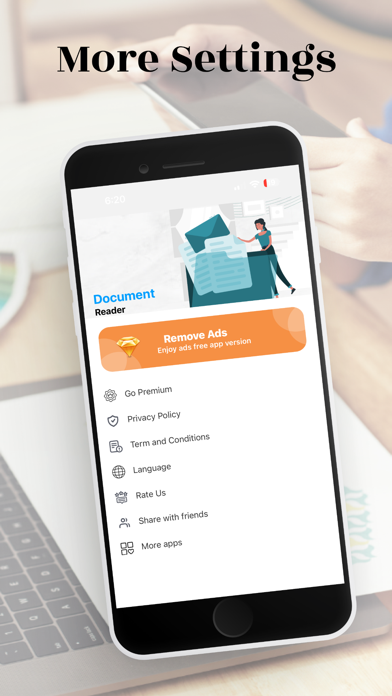
All File Reader Screenshot 8 of 9
All File Reader Screenshot 9 of 9
Download from the App Store

About All File Reader

All File Reader is an overall app developed by TapWyze Global LLC.

How many times has All File Reader been downloaded?

What is the rating of All File Reader?

All File Reader has no ratings yet.

Is All File Reader free?

All File Reader is free to download. The APK download size is 51.54 MB. The latest version available is 1.4.5. The last update was on January 20, 2026.

What are the requirements for All File Reader?

The app has a content rating of Everyone. The app has been available on Google Play September 2024.

Description
Unlock the Ultimate Document Experience with Our All-in-One PDF Reader, PDF Converter, and All File Reader App!

Key Features:

1. All Document Reader & Viewer:

PDF Reader: Enjoy smooth, fast PDF rendering. Pinch or double-tap to zoom in/out, and easily navigate pages with our intuitive slider or by entering a page number.

Annotations: Highlight, underline, strike through text, add comments, and sticky notes directly on your PDFs.

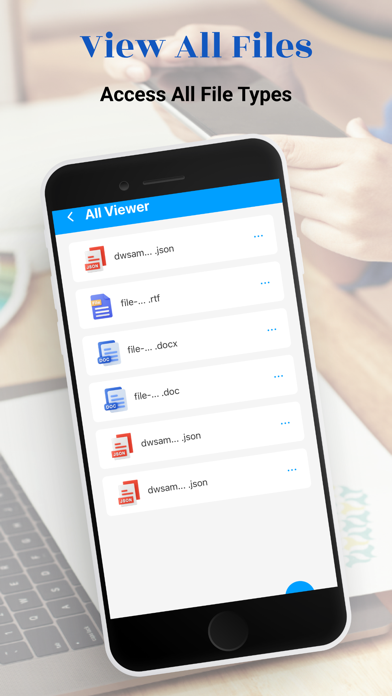
Office File Viewer: View and manage Word, Excel, PowerPoint, and other office formats like TXT, and RTF.

PPT Viewer: Open and view PowerPoint presentations (PPT, PPTX) with fast, stable performance.

Excel Viewer: View and manage Excel sheets (XLS, XLSX) effortlessly.

Text Viewer: Open and edit text files in various formats, including JSON Viewer for easy navigation of JSON files.

2. PDF Converter:

Convert to PDF:

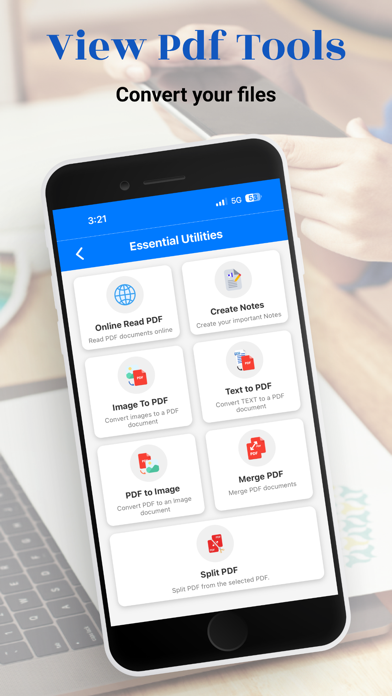
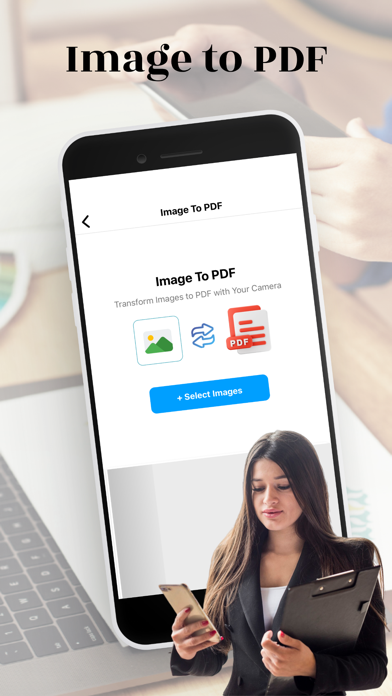
Image to PDF Converter: Instantly convert images (JPEG, PNG) into PDF files.

Text Files to PDF: Convert text files (TXT, DOCX) to PDF with a tap.


Convert from PDF:

PDF to Image Converter: Extract and save PDF pages as high-quality images.


PDF to Text: Extract text from PDFs for easy editing.

Merge PDFs: Combine multiple PDF files into one seamless document.

Split PDF: Effortlessly split a single PDF into multiple files.

Extract Pages: Save specific pages from any PDF.


3. Notes Creation & Management:

Create Notes: Quickly create, edit, and organize notes directly within the app.
Sync Notes: Sync your notes across devices for easy access.

4. File Management:

Organize Files: Create folders, rename, delete, and manage all your documents within the app.
Recent Files: Quickly access your recently viewed or edited files.
Offline Access: Work with your files without an internet connection.

5. Security & Privacy:

Data Privacy: No user data collection; all processing is done securely on your device.
Encryption: End-to-end encryption ensures complete privacy for your documents.

6. Additional Features:

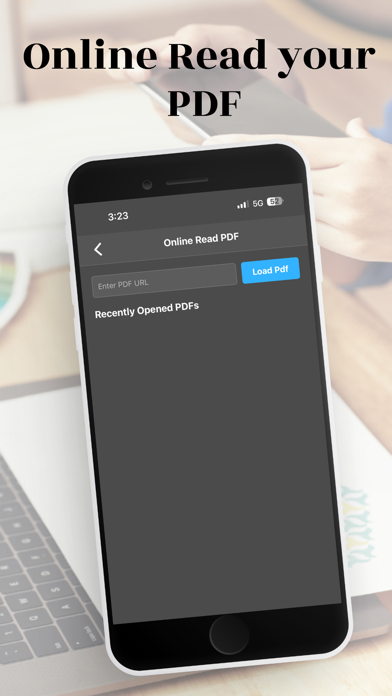
Online PDF Reader: Open and read PDF files directly from cloud services without downloading them.
Night Mode: Switch to night mode for comfortable reading in low-light conditions.

Upcoming Features:
Support for more formats like RAR, ZIP, MOBI, HTML, along with enhanced document editing capabilities.
Password Protection: Secure your PDFs by adding or removing passwords.
Watermarking: Add custom watermarks to your PDFs.
Compress PDF: Reduce file size for easier sharing.
PDF to Word: Convert PDF documents into editable Word files (DOCX).
PDF to Excel: Convert PDF tables into Excel spreadsheets.
Web Pages to PDF: Convert web pages (HTML) into PDFs for offline viewing.
Office Files to PDF: Easily convert Word, Excel, and PowerPoint files to PDF format.

Subscription:

Get unlimited access to all features, including prank sounds, fake calls, and stickers with our Premium Membership:

$1.99 per week or $29.99 per year.

Subscription Details:

Prices are for U.S. customers and may vary by country.
Payment is charged to your Apple Store Account at purchase.
Auto-renews unless turned off 24 hours before the current period ends.
Manage or cancel subscriptions in your Apple Store Account Settings.


Why Choose Our App?

Comprehensive Document Viewer: Supports PDF, DOC, DOCX, XLS, XLSX, PPT, TXT, PNG, JPG, RTF, and more.
All-in-One File Viewer: View PDFs, Office files, images, and more with one app.
Offline Access: No internet required, read documents anytime, anywhere.
Simple File Management: Easily search, organize, and manage your files with a clear and intuitive interface.
Bookmarking: Bookmark your favorite documents for quick access.

Download Now and Transform Your Document Management! Whether you need a PDF reader, file converter, or a comprehensive document viewer, our app is your ultimate solution. Download now and experience the convenience of managing all your files in one place!
Show more Show less

More data about All File Reader

Price Free to download
Rating No ratings
Ranking Not ranked
Version 1.4.5
App download size 51.5 MB
Suitable for Everyone

More from TapWyze Global LLC

Smart Cleaner: QuickClear icon Smart Cleaner: QuickClear
TapWyze Global LLC
4.4
Free
33 ratings
Neo Cleaner: Clean Up Storage icon Neo Cleaner: Clean Up Storage
TapWyze Global LLC
4.5
Free
32 ratings
ScanMaster QR & Barcode icon ScanMaster QR & Barcode
TapWyze Global LLC
3.2
Free
6 ratings
Smart Compass : Bubble Meter icon Smart Compass : Bubble Meter
TapWyze Global LLC
0.0
Free
iScan Pro: PDF Scanner & OCR icon iScan Pro: PDF Scanner & OCR
TapWyze Global LLC
0.0
Free
Anti theft : Don't touch phone icon Anti theft : Don't touch phone
TapWyze Global LLC
0.0
Free

Changelog of All File Reader

No changelog data

Developer information for TapWyze Global LLC

TapWyze Global LLC

Address:

Share All File Reader

Comments on All File Reader for iOS

We don't have enough comments to show example comments. Please check back later.

App Store Rankings for All File Reader

This app is not ranked

Technologies used by All File Reader

Top new apps Apps on sale Today's trending apps Apps other people are watching Popular Overall
More hot apps 🔥

Back to top
AppBrain Intelligence premium content

Subscribe now to get full and unlimited access to AppBrain Intelligence. You'll have access to:

  • App Intelligence dashboard (performance timeline, competitor comparison, country rankings, insight cards)
  • Detailed ranking data per app
  • Full timeline per developer
  • Device market shares data per country
1 Month

$75/mo
(billed every month)

SAVE 0%
Subscribe
3 Months

$65/mo
($195 billed every 3 months)

SAVE 13%
Subscribe
1 Year

$57.50/mo
($690 billed every year)

SAVE 23%
Subscribe
Each subscription will automatically renew 3 days before the expiration date for the same time period. Subscriptions can be cancelled at any time before the renewal.

AppBrain is a directory focused on discovering great apps and games. We give statistics, rankings and search options that Google Play and the App Store don't have. All trademarks are owned by their respective owners. AppBrain doesn't offer APKs or binaries, and always lets users install the official version from Google Play or the App Store.

More apps

  • Top Android apps being viewed
  • Bottle's game Android App
  • ChatLLM: AI Assistant & Chat
  • Toxa Trading Journal Android App

Android Statistics

  • Android statistics
  • Google Play Developer stats
  • Trending Android Apps
  • Top popular Apps
  • Buy the best Android phone

About AppBrain

  • Contact
  • Privacy
  • Documentation
  • DMCA takedowns
  • Articles
  • Blog
  • How to improve the earnings of your ad units
© 2010-2026 - AppBrain