

Apollon - UML Modeling Editor
Apollon - UML Modeling Editor is made and published by TUM Applied Education Technologies. AppBrain is an independent app data site and isn't affiliated with TUM Applied Education Technologies. The app name, icon, screenshots and description belong to TUM Applied Education Technologies and are shown as published on the App Store.
AppBrain's verdict
- Rating on App Store
- 3.00
- 2 ratings
- Last updated
- August 5, 2026
It doesn't have enough ratings yet to judge what users think.
Rankings
App Store top chartsApp Store Rankings for Apollon - UML Modeling Editor
Competitors
Similar apps and more from TUM Applied Education TechnologiesMore from TUM Applied Education Technologies


Releases
Updates seen on the App Store- Version
- 5.2.0
- Launched
- March 2024
No changelog data
User feedback
Ratings and reviews on the App StoreComments on Apollon - UML Modeling Editor for iOS
We don't have enough comments to show example comments. Please check back later.
Technology
Found in the app by AppBrain- Price
- Free
- App size
- 18.3 MB
- Content rating
- Everyone
Technologies used by Apollon - UML Modeling Editor
About the app and developer
About Apollon - UML Modeling Editor
Apollon - UML Modeling Editor is an overall app developed by TUM Applied Education Technologies.
User Ratings
Apollon - UML Modeling Editor is rated 3.00 out of 5 stars. The rating is based on 2 ratings.
App Information
Apollon - UML Modeling Editor is freely available from the App Store. The app size is 18.30 MB. The latest version available is 5.2.0. The last update was on August 5, 2026.
Technical Requirements
The app has a content rating of Everyone. The app has been available on the App Store since March 2024.
Developer information for TUM Applied Education Technologies
TUM Applied Education Technologies
Address:
Store listing
By TUM Applied Education Technologies, from the App Store



Description by TUM Applied Education Technologies Written by the developer, not by AppBrain. Click to read.
Apollon helps students, educators, software engineers, and architects turn ideas into clear, structured models. Start without an account, keep local diagrams on your device, and work offline. When you are ready, export your diagram or share it for feedback and live collaboration.
What you can do:
• Choose from 13 notations: Class, Object, Activity, Use Case, Communication, Component, Deployment, Petri Net, Reachability Graph, Syntax Tree, Flowchart, BPMN, and SFC.
• Start with a blank canvas or a software-design pattern template.
• Edit with a touch-friendly interface designed for iPhone and iPad.
• Export to SVG, PNG, PDF, PPTX, or JSON.
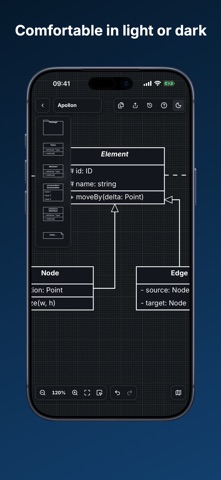
• Use light or dark appearance in portrait or landscape.
• Create an optional share link; diagrams you keep local remain local.
Apollon uses the same open diagram format across the web app, iPhone and iPad, VS Code, and embedded products. The project is open source and developed by TUM Applied Education Technologies.