

App Icons & Transparent Theme
App Icons & Transparent Theme is made and published by Plane Cubes. AppBrain is an independent app data site and isn't affiliated with Plane Cubes. The app name, icon, screenshots and description belong to Plane Cubes and are shown as published on the App Store.
AppBrain's verdict
EstablishedLoved by users- Rating on App Store
- 4.56
- 5,223 ratings
- Last updated
- October 28, 2025
Users love it: 4.6 stars from 5,223 ratings.
Rankings
App Store top chartsApp Store Rankings for App Icons & Transparent Theme
Competitors
Similar apps and more from Plane CubesAlternatives to App Icons & Transparent Theme






More from Plane Cubes


Releases
Updates seen on the App Store- Version
- 1.2.0
- Launched
- December 2020
No changelog data
User feedback
Ratings and reviews on the App StoreComments on App Icons & Transparent Theme for iOS
We don't have enough comments to show example comments. Please check back later.
Technology
Found in the app by AppBrain- Price
- Free
- App size
- 71.4 MB
- Content rating
- Everyone
Technologies used by App Icons & Transparent Theme
About the app and developer
About App Icons & Transparent Theme
App Icons & Transparent Theme is a graphics & design app developed by Plane Cubes.
What is the rating of App Icons & Transparent Theme?
App Icons & Transparent Theme is rated 4.56 out of 5 stars, based on 5.2 thousand ratings.
Is App Icons & Transparent Theme free?
App Icons & Transparent Theme is free. The app size is 71.42 MB. The latest version available is 1.2.0. The last update was on October 28, 2025.
What are the requirements for App Icons & Transparent Theme?
The app has a content rating of Everyone. The app has been available on the App Store since December 2020.
Developer information for Plane Cubes
Address:
Store listing
By Plane Cubes, from the App Store
Description by Plane Cubes Written by the developer, not by AppBrain. Click to read.
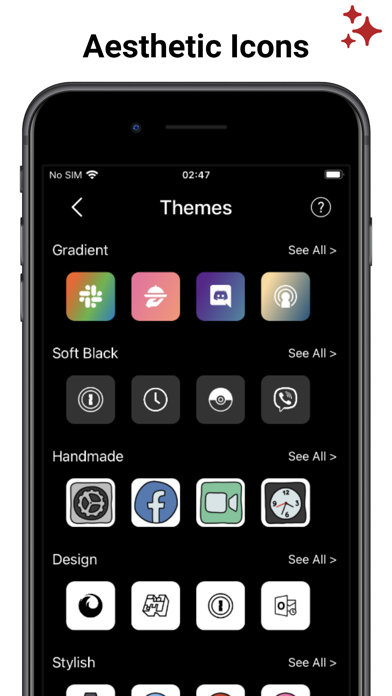
+ Choose cool App Icons Themes to express your style.
"It is amazing how my screens looks with TRANSPARENT App Icons!!!"
FEATURES:
- Thousands of Aesthetic icons packs. Choose per category and create your custom home screen. Themes also includes great Wallpapers.
- Create a minimalist home screen with Transparent icons. You can choose one of our curated wallpapers to create stunning liquid transparent home screen.
- Import your own photo to create a wallpaper and transparent app icons skins
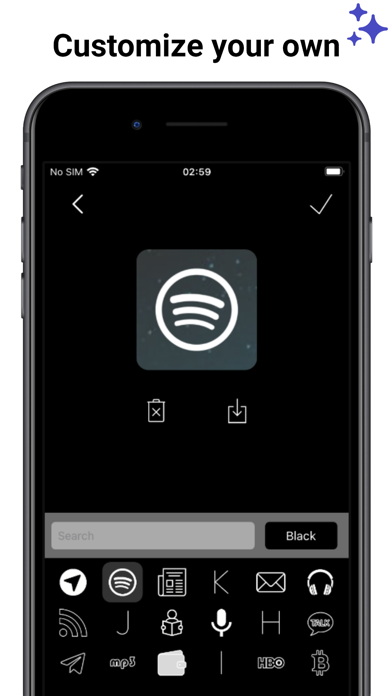
- Use our icon builder to change and save your own icons board.
Download and create a unique Aesthetic Home Screen design!
NB:
Shortcuts can be implemented from iOS14, to customize your screen with icons kit
SUBSCRIPTION:
We offer 2 auto-renewing subscriptions:
- Length: weekly and yearly
- Payment will be charged to iTunes Account at confirmation of purchase
- You will be able to access the Premium features of the app for the duration of the subscription
- Subscription automatically renews for the same price and duration period as the original period unless auto-renew is turned off at least 24-hours before the end of the current period
- The account will be charged for renewal within 24-hours prior to the end of the current period at the cost of the chosen package.
- Subscriptions may be managed by the user and auto-renewal may be turned off by going to the user's iTunes Account Settings after purchase
- No cancellation of the current subscription is allowed during the active subscription period
- You may cancel a subscription during its free trial period via the subscription setting through your Apple account. This must be done 24 hours before the end of the subscription period to avoid being charged. Please visit https://support.apple.com/en-us/HT202039 for more information on how to proceed.
- You may turn off the auto-renewal of your subscription via your Apple Account Settings. However, you are not able to cancel the current subscription during its active period
- Any unused portion of a free-trial period will be forfeited when the user purchases a subscription.
Privacy Policy: https://planecubes.com/privacy/
Terms of Use: https://planecubes.com/terms/