

App to sort the list - Relist
App to sort the list - Relist is made and published by MAPLE LLC. AppBrain is an independent app data site and isn't affiliated with MAPLE LLC. The app name, icon, screenshots and description belong to MAPLE LLC and are shown as published on the App Store.
AppBrain's verdict
Established- Rating on App Store
- 3.71
- 7 ratings
- Last updated
- August 17, 2026
It doesn't have enough ratings yet to judge what users think.
Rankings
App Store top chartsApp Store Rankings for App to sort the list - Relist
Competitors
Similar apps and more from MAPLE LLCAlternatives to App to sort the list - Relist







More from MAPLE LLC


Releases
Updates seen on the App Store- Version
- 4.4.0
- Launched
- June 2019
No changelog data
User feedback
Ratings and reviews on the App StoreComments on App to sort the list - Relist for iOS
We don't have enough comments to show example comments. Please check back later.
Technology
Found in the app by AppBrain- Price
- Free
- App size
- 8.95 MB
- Content rating
- Everyone
Technologies used by App to sort the list - Relist
About the app and developer
About App to sort the list - Relist
App to sort the list - Relist is a productivity app developed by MAPLE LLC.
User Ratings
App to sort the list - Relist is rated 3.71 out of 5 stars. The rating is based on 7 ratings.
App Information
App to sort the list - Relist is freely available from the App Store. The app size is 8.95 MB. The latest version available is 4.4.0. The last update was on August 17, 2026.
Technical Requirements
The app has a content rating of Everyone. The app has been available on the App Store since June 2019.
Developer information for MAPLE LLC
Address:
Store listing
By MAPLE LLC, from the App Store

Description by MAPLE LLC Written by the developer, not by AppBrain. Click to read.
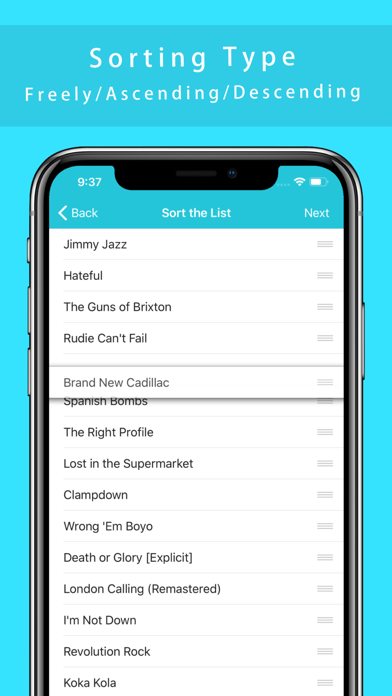
Great for thinking about the order of things on the go.
I made it for that because app developers themselves often have to think about the order of the songs.
Copy, paste, delete button keyboard for easy input and output.
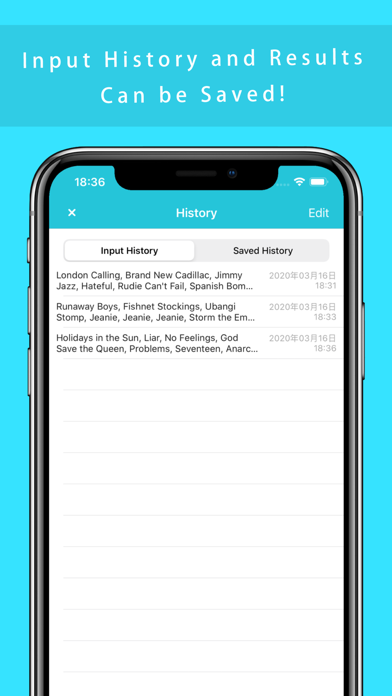
Input and output history can also be saved in the app.
【How to use】
1. Enter the items you want to rearrange.
Without forcibly input, it is useful to copy and paste.
When the new line, will be treated as a single list.
Line breaks on the last line are ignored.
2. Press "Next" to choose how you want to sort the data.
3. Use the copy button to batch copy the sorted results.
If you want to try several times is, let's save the results of input and output.
You can change whether to save the input result every time from the setting screen.
and It is also possible to "number lines".
【Features】
- Sort input list.(Newline-delimited)
- Save the history of the input and output.
- Bulk copy / paste to clipboard.
- Bulk delete text views.
- "Sort by yourself" "Sort by ascending order" "Sort by descending order" "Sort by random"
- Inserting line numbers into the sorted results
I hope this app is useful for someone.
※ Ad will be displayed.