

AR Draw & Sketch - TraceX
AR Draw & Sketch - TraceX is made and published by DEVSRANK. AppBrain is an independent app data site and isn't affiliated with DEVSRANK. The app name, icon, screenshots and description belong to DEVSRANK and are shown as published on the App Store.
AppBrain's verdict
- Rating on App Store
- 5.00
- 3 ratings
- Last updated
- September 3, 2026
It doesn't have enough ratings yet to judge what users think.
Rankings
App Store top chartsApp Store Rankings for AR Draw & Sketch - TraceX
Competitors
Similar apps and more from DEVSRANKAlternatives to AR Draw & Sketch - TraceX


More from DEVSRANK


Releases
Updates seen on the App Store- Version
- 2.3.7
- Launched
- November 2025
No changelog data
User feedback
Ratings and reviews on the App StoreComments on AR Draw & Sketch - TraceX for iOS
We don't have enough comments to show example comments. Please check back later.
Technology
Found in the app by AppBrain- Price
- Free
- App size
- 118.3 MB
- Content rating
- Everyone
Technologies used by AR Draw & Sketch - TraceX
About the app and developer
About AR Draw & Sketch - TraceX
AR Draw & Sketch - TraceX is a graphics & design app developed by DEVSRANK.
What is the rating of AR Draw & Sketch - TraceX?
AR Draw & Sketch - TraceX is rated 5.00 out of 5 stars, based on 3 ratings.
Is AR Draw & Sketch - TraceX free?
AR Draw & Sketch - TraceX is free. The app size is 118.28 MB. The latest version available is 2.3.7. The last update was on September 3, 2026.
What are the requirements for AR Draw & Sketch - TraceX?
The app has a content rating of Everyone. The app has been available on the App Store since November 2025.
Developer information for DEVSRANK
Address:
Store listing
By DEVSRANK, from the App Store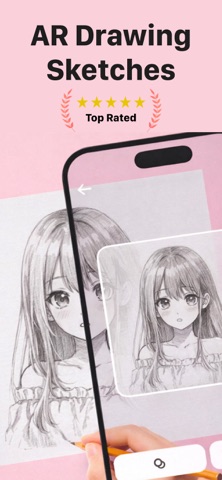



Description by DEVSRANK Written by the developer, not by AppBrain. Click to read.
Using advanced augmented reality (AR) technology, TraceX allows you to project images onto real-world surfaces through your device’s camera. You can easily trace outlines onto paper, helping you understand shapes, proportions, and details with greater precision. No expensive equipment or prior experience is needed—just your phone, a sheet of paper, and your creativity.
Key Features:
• AR-Based Drawing Experience
Overlay digital images onto physical paper using your camera and trace them in real time. This feature helps improve hand coordination and drawing confidence.
• Import & Customize Your Images
Choose any image from your photo library or capture one instantly using your camera. Adjust brightness, contrast, and transparency to create the perfect tracing guide.
• Built-in Art & Anime Templates
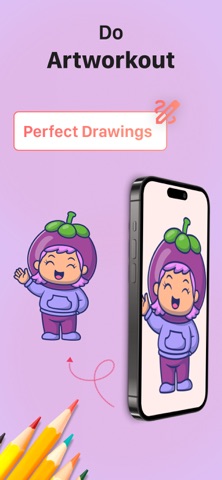
Explore a collection of ready-to-use templates including anime-style illustrations, sketches, and creative designs. Perfect for practice, learning, or fun projects.
• Beginner-Friendly Interface
TraceX is designed with simplicity in mind. Its clean layout ensures that users of all ages can easily navigate and start drawing without confusion.
• Skill Improvement Tool
Practice regularly and enhance your artistic skills. TraceX supports muscle memory development, line control, and visual understanding of complex shapes.
• Supports Creative Activities
Use it as a base for sketching, painting, coloring, or even DIY art projects. It’s a versatile companion for all kinds of creative workflows.
• Flexible Use Anywhere
Draw at home, in school, or outdoors. TraceX works wherever you are—no need for external devices or setups.
• Stable Tracing Support
Designed to work best when your device is placed securely, helping you maintain accuracy while tracing your artwork.
Who Can Use TraceX?
TraceX is ideal for:
– Beginners learning the basics of drawing
– Students practicing art techniques
– Anime and illustration enthusiasts
– Hobbyists exploring creativity
– Anyone looking for a simple way to draw better
How to Get Started:
Open the app and select an image or template
Position your device above your drawing surface
Adjust the overlay settings for clarity
Start tracing and watch your artwork come to life
Why TraceX Stands Out:
TraceX bridges the gap between digital and traditional art by combining AR technology with a user-friendly experience. It reduces the difficulty of starting from scratch and helps users focus on improving technique and creativity.
Whether you want to practice daily, create detailed sketches, or simply enjoy drawing as a relaxing activity, TraceX makes the process smooth and enjoyable.
Tips for Best Experience:
– Use the app in a well-lit environment
– Keep your device stable for accurate tracing
– Adjust transparency levels based on your comfort
– Use plain paper for clearer outlines
Start drawing smarter, faster, and more confidently with TraceX. Turn your ideas into real artwork and enjoy the creative process like never before.
Some features require a premium subscription, available through in-app purchases.
Subscription Name: Weekly Access
Subscription Length: 1 Week
Price: $5.99 per week
Terms of Use: https://www.apple.com/legal/internet-services/itunes/dev/stdeula/