

AR Drawing - Paint & Sketch
AR Drawing - Paint & Sketch is made and published by Gayatriben Sonani. AppBrain is an independent app data site and isn't affiliated with Gayatriben Sonani. The app name, icon, screenshots and description belong to Gayatriben Sonani and are shown as published on the App Store.
AppBrain's verdict
Removed- Rating on App Store
- 4.31
- 81 ratings
- Last updated
- April 5, 2024
AR Drawing - Paint & Sketch is no longer on the App Store. It had too few ratings to say what users thought.
Competitors
Similar apps and more from Gayatriben SonaniMore from Gayatriben Sonani







Releases
Updates seen on the App Store- Version
- 3.0
- Launched
- July 2023
No changelog data
User feedback
Ratings and reviews on the App StoreComments on AR Drawing - Paint & Sketch for iOS
We don't have enough comments to show example comments. Please check back later.
Technology
Found in the app by AppBrain- Price
- Free
- App size
- 49.4 MB
- Content rating
- Everyone
Technologies used by AR Drawing - Paint & Sketch
About the app and developer
About AR Drawing - Paint & Sketch
AR Drawing - Paint & Sketch was a graphics & design app developed by Gayatriben Sonani. It was removed from the App Store Jun 25, 2024.
User Ratings
AR Drawing - Paint & Sketch was rated 4.31 out of 5 stars, based on 81 ratings.
App Information
AR Drawing - Paint & Sketch was free. The app size was 49.42 MB. The last available version was 3.0. The last update was on April 5, 2024.
Technical Requirements
The app had a content rating of Everyone. The app had been available on the App Store since July 2023.
Developer information for Gayatriben Sonani
Address:
Frequently asked questions about AR Drawing - Paint & Sketch
Is AR Drawing - Paint & Sketch free?
Yes. AR Drawing - Paint & Sketch was free on the App Store.
Is AR Drawing - Paint & Sketch still available?
No. AR Drawing - Paint & Sketch was removed from the App Store. We last saw it there Jun 25, 2024.
How large is AR Drawing - Paint & Sketch?
AR Drawing - Paint & Sketch is 49.42 MB.
Is AR Drawing - Paint & Sketch suitable for children?
App Store rates the content of AR Drawing - Paint & Sketch as suitable for everyone.
How do people rate AR Drawing - Paint & Sketch?
AR Drawing - Paint & Sketch scored 4.31 out of 5 stars, from 81 ratings on the App Store.
Who made AR Drawing - Paint & Sketch?
AR Drawing - Paint & Sketch was developed by Gayatriben Sonani. It was listed in the graphics & design category on the App Store.
What are the best alternatives to AR Drawing - Paint & Sketch?
People looking at AR Drawing - Paint & Sketch also look at these graphics & design apps: AR Sketch Drawing - Trace Draw, AR Tracing: Drawing by Tayasui, AR Drawing Sketch, Draw, Paint, AR Sketch - Trace Anything, AR Drawing Sketch: Trace Draw.
Store listing
By Gayatriben Sonani, from the App StoreSimilar apps




Description by Gayatriben Sonani Written by the developer, not by AppBrain. Click to read.
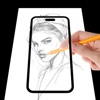
Using this you may learn and practice drawing. Also make tracing an image easy. Just select an image from the app or photos app to create image traceable. The image will appear on screen with camera open. Place phone about 1 feet above and look into the phone and draw on paper.
This app is an app to learn how to draw step by step.
You just need to take a paper and a pencil, choose the drawing you like and follow the instructions step by step. It is very easy to use.
This app teaches you to draw your favorite anime, cartoon and manga characters. You will also find drawings of animals, cars and many more. You can choose multiple drawings from different categories.
Trace any image using the camera output from your phone's screen; the image won't display on the paper, but you can draw it exactly as you drew it. Simply upload a picture or line drawing that you want to trace (or look for one online to practise with), resize the image so that it is clear, and hold your phone in a tripod, cup, or stack of books so that it is elevated above the page.
Subscribe to have unlimited access to premium version of the app.
• No watermarks and ads starting from the beginning of your subscription.
• Unlimited creation of videos.
• Subscription length: weekly, monthly, lifetime.
• Your payment will be charged to your iTunes Account as soon as you confirm your purchase.
• You can manage your subscriptions and turn off auto-renewal from your Account Settings after the purchase.
• Your subscription will renew automatically, unless you turn off auto-renew at least 24 hours before the end of the current period.
• The cost of renewal will be charged to your account in the 24 hours prior to the end of the current period.
• When canceling a subscription, your subscription will stay active until the end of the period. Auto-renewal will be disabled, but the current subscription will not be refunded.
• Any unused portion of a free trial period, if offered, will be forfeited when purchasing a subscription.
For more information :
Privacy Policy : http://sonaniappstore.com/privacy_policy.html
Terms of Use : http://sonaniappstore.com/terms_of_use.html