

AR Drawing Sketch: Trace Draw
AR Drawing Sketch: Trace Draw is made and published by Ketanbhai Khokhani. AppBrain is an independent app data site and isn't affiliated with Ketanbhai Khokhani. The app name, icon, screenshots and description belong to Ketanbhai Khokhani and are shown as published on the App Store.
AppBrain's verdict
Loved by users- Rating on App Store
- 4.64
- 1,268 ratings
- Last updated
- September 17, 2026
Users love it: 4.6 stars from 1,268 ratings.
Rankings
App Store top chartsApp Store Rankings for AR Drawing Sketch: Trace Draw
Competitors
Similar apps and more from Ketanbhai KhokhaniAlternatives to AR Drawing Sketch: Trace Draw






Releases
Updates seen on the App Store- Version
- 7.2.2
- Launched
- June 2023
No changelog data
User feedback
Ratings and reviews on the App StoreComments on AR Drawing Sketch: Trace Draw for iOS
We don't have enough comments to show example comments. Please check back later.
Technology
Found in the app by AppBrain- Price
- Free
- App size
- 89.4 MB
- Content rating
- Low
Technologies used by AR Drawing Sketch: Trace Draw
About the app and developer
About AR Drawing Sketch: Trace Draw
AR Drawing Sketch: Trace Draw is a graphics & design app developed by Ketanbhai Khokhani.
What is the rating of AR Drawing Sketch: Trace Draw?
AR Drawing Sketch: Trace Draw is rated 4.64 out of 5 stars, based on 1.3 thousand ratings.
Is AR Drawing Sketch: Trace Draw free?
AR Drawing Sketch: Trace Draw is free. The app size is 89.35 MB. The latest version available is 7.2.2. The last update was on September 17, 2026.
What are the requirements for AR Drawing Sketch: Trace Draw?
The app has a content rating of Low Maturity. The app has been available on the App Store since June 2023.
Developer information for Ketanbhai Khokhani
Address:
Frequently asked questions about AR Drawing Sketch: Trace Draw
Is AR Drawing Sketch: Trace Draw free?
Yes. AR Drawing Sketch: Trace Draw is free on the App Store.
Is AR Drawing Sketch: Trace Draw still available?
Yes. AR Drawing Sketch: Trace Draw is on the App Store, and the last update we saw was on September 17, 2026.
How large is AR Drawing Sketch: Trace Draw?
AR Drawing Sketch: Trace Draw is 89.35 MB.
Is AR Drawing Sketch: Trace Draw suitable for children?
App Store gives AR Drawing Sketch: Trace Draw a low maturity rating, so it is meant for older children and up.
How do people rate AR Drawing Sketch: Trace Draw?
AR Drawing Sketch: Trace Draw scores 4.64 out of 5 stars, from 1,268 ratings on the App Store.
Who made AR Drawing Sketch: Trace Draw?
AR Drawing Sketch: Trace Draw was developed by Ketanbhai Khokhani. It is listed in the graphics & design category on the App Store.
What are the best alternatives to AR Drawing Sketch: Trace Draw?
People looking at AR Drawing Sketch: Trace Draw also look at these graphics & design apps: AR Tracing: Drawing by Tayasui, AR Drawing Sketch, Draw, Paint, AR Projector Tracing & Drawing, AR Sketch - Trace Anything, AR Sketch Drawing - Trace Draw.
Store listing
By Ketanbhai Khokhani, from the App Store



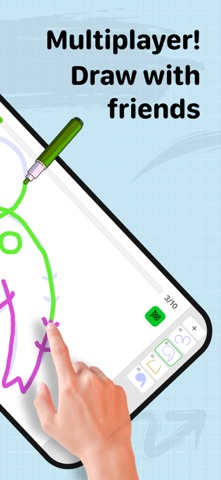
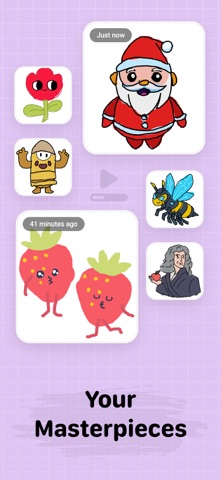
Description by Ketanbhai Khokhani Written by the developer, not by AppBrain. Click to read.
Augmented Reality Drawing Meets Guided Learning
AR Sketch Drawing’s core strength—using your phone’s camera to project traceable images onto real-world surfaces—remains at the heart of the app. Now, it’s supercharged with Guided, step-by-step tutorials and real-time feedback. Whether you're tracing anime characters, sketching animals, or exploring creative templates, you'll receive guidance and performance evaluations to help you improve.
Guided drawing becomes your personal drawing coach. It helps you learn to draw through a fun, game-like experience while analyzing your progress.
How is it different from other apps?
* It tracks your drawing accuracy • It assesses the quality of your strokes • Well-structured lessons that combine a little theory with plenty of practice • More than just line tracing – try skill-based trainers with instant feedback
Beginners can build strong fundamentals and improve gradually. Experienced artists can use this as a daily warm-up to refine and sharpen their skills.
It’s a true Drawing guide: - Engage your creative muscles! -It’s interactive, motivating, and enjoyable.
AR Sketch Drawing app is a tool that allows users to take a photograph or image and trace over it to create a sketch or drawing. It typically has features such as adjustable line thickness, different brush styles, and an eraser tool. To use the app, the user first selects an image to trace or takes a new photograph. Place phone about 1 feet above and look into the phone and draw on paper.
So how does it work?
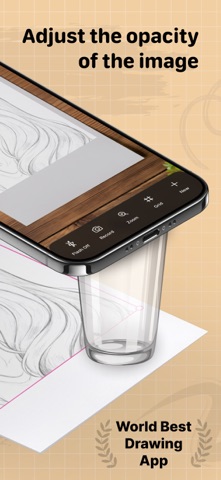
* Select an image from the app or gallery and apply a filter to create a traceable image. After that, you will see that image on the camera screen with transparency & you have to put drawing paper or book anything on which you want to trace and draw. Your image will not appear on paper but a transparent image with camera so that you can trace it on paper.
* Draw on paper by looking at the phone with a transparent image.
* Select any image and convert it to a tracing image.
AR Sketch Drawing Premium Subscription:
* With AR Sketch Drawing Premium Subscription, you will have access to all premium features like get access for drawing lessons, explore more creative images with an Ads-Free experience.
* AR Sketch Drawing Premium Subscription is billed monthly and annually at the rate corresponding to the selected plan.
* Payment will be charged to iTunes Account at confirmation of purchase.
* Subscription automatically renews unless auto-renew is turned off at least 24-hours before
* Any unused portion of a free trial period, if offered, will be forfeited when the user purchases a subscription to that publication, where applicable.
Key Features
* AR Tracing: Project images onto paper using your camera and trace with precision.
* 2,500+ Guided Lessons: Learn to draw with bite-sized tutorials covering doodling, sketching, painting, and handwriting.
* Stroke Evaluation: Receive instant feedback on line accuracy and stroke quality to track your progress.
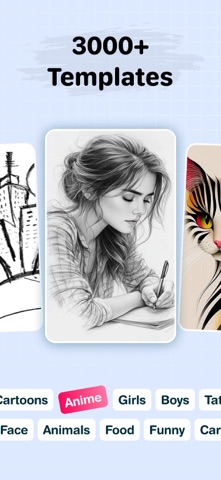
* Creative Templates: Access a vast library of traceable images, including animals, cars, nature, and more.
* Apple Pencil Support: Enhance your digital drawing experience on iPad.
* Stress-Free Learning: Enjoy a game-like, relaxing environment suitable for beginners and pros alike.
Terms of Use :- https://drawtraceandsketch.blogspot.com/2026/02/ar-drawing-ar-sketch.html
Privacy Policy :- https://drawtraceandsketch.blogspot.com/2023/06/draw-trace-draw-trace-sketch-app.html