

Aspect Ratio & Size Calculator
Aspect Ratio & Size Calculator is made and published by Phuc Pham. AppBrain is an independent app data site and isn't affiliated with Phuc Pham. The app name, icon, screenshots and description belong to Phuc Pham and are shown as published on the App Store.
AppBrain's verdict
- Last updated
- September 6, 2026
Rankings
App Store top chartsApp Store Rankings for Aspect Ratio & Size Calculator
Competitors
Similar apps and more from Phuc PhamMore from Phuc Pham


Releases
Updates seen on the App Store- Version
- 1.1.2
- Launched
- May 2026
No changelog data
User feedback
Ratings and reviews on the App StoreComments on Aspect Ratio & Size Calculator for iOS
We don't have enough comments to show example comments. Please check back later.
Technology
Found in the app by AppBrain- Price
- Free
- App size
- 5.93 MB
- Content rating
- Everyone
Technologies used by Aspect Ratio & Size Calculator
About the app and developer
About Aspect Ratio & Size Calculator
Aspect Ratio & Size Calculator is an utilities app developed by Phuc Pham.
User Ratings
The app has no ratings yet.
App Information
Aspect Ratio & Size Calculator is freely available from the App Store. The app size is 5.93 MB. The latest version available is 1.1.2. The last update was on September 6, 2026.
Technical Requirements
The app has a content rating of Everyone. The app has been available on the App Store since May 2026.
Developer information for Phuc Pham
Address:
Store listing
By Phuc Pham, from the App Store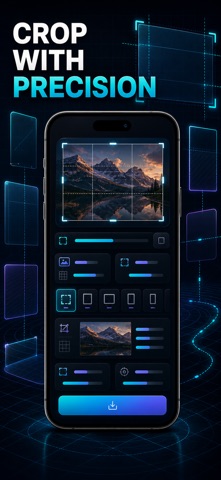
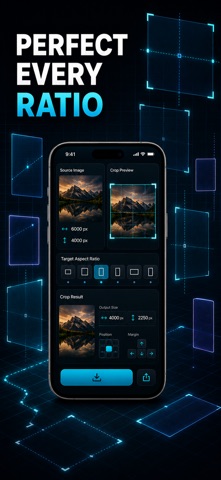
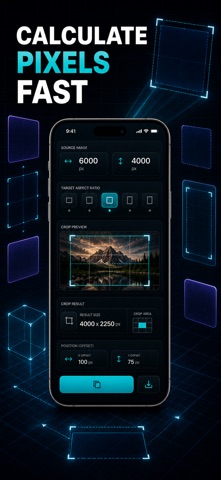
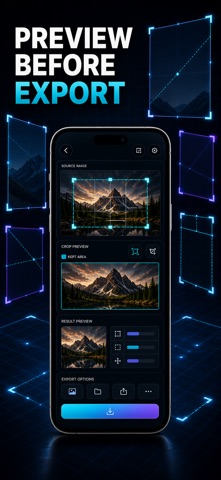


Description by Phuc Pham Written by the developer, not by AppBrain. Click to read.
Most resizing tools just squish an image to fit. AspectCrop works out the real center-crop box first — the exact pixels kept and trimmed — so you know precisely what the result will look like before you commit to it.
WHAT YOU GET
- The exact crop box in pixels for any ratio, plus center offsets so you know exactly what gets trimmed
- Every standard ratio one tap away: 16:9, 4:5, 1:1, 9:16, 3:2, A-series paper, golden ratio and more
- Fit and fill sizes scaled to 1080 px, so an image sits perfectly inside any frame
- Crop a real photo to any ratio and export the finished image to your camera roll or share sheet
- A saved history that keeps every size you have worked out within reach
- A reference cheat sheet showing which ratio each platform expects
PERFECT FOR
- Photographers matching prints, cameras, and darkroom paper sizes
- Video editors and creators sizing reels, stories, and YouTube
- Graphic designers laying out on golden ratio and A-series pages
- Social media managers hitting every platform's exact dimensions
WHY NOT JUST DRAG A CROP BY HAND
Dragging a crop box in the Photos app guesses the ratio and quietly loses pixels you can never get back. AspectCrop gives you the exact box and offsets first, so the crop is right the first time — every time.
PRIVACY
Everything runs on your device. No accounts, no ads, no tracking, ever.
FULL ACCESS
Premium unlocks cropping and exporting real photos, your saved history, and every preset. Choose a weekly or yearly subscription, or unlock everything forever with a one-time lifetime purchase.
Download AspectCrop and nail every aspect ratio the first time.
Terms of Use (EULA): https://web-levi.web.app/terms
Privacy Policy: https://web-levi.web.app/privacy-policy
Questions? tphuc.work@gmail.com