Audio Rewave is an utilities app developed by Nope Dragon LC.
What is the rating of Audio Rewave?
Audio Rewave has no ratings yet.
Is Audio Rewave free?
Audio Rewave costs $5.99 to download. The download size is 6.40 MB. The latest version available is 1.4.1. The last update was on September 20, 2026.
What are the requirements for Audio Rewave?
The app has a content rating of Everyone. The app has been available on the App Store since June 2026.
Description
AudioRewave is a fast, focused audio format converter for Mac, iPhone, and iPad. Drop in your audio files, choose a format, and convert — no subscription, no uploads, no cloud required. Everything happens entirely on your device.
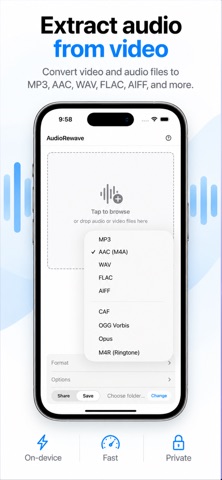
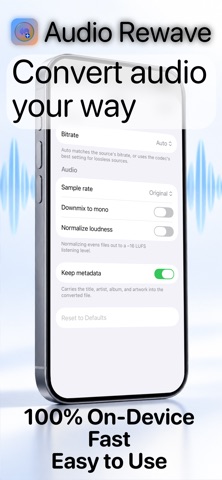
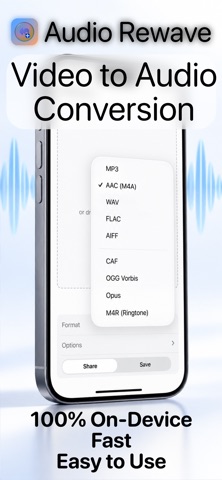
Supported output formats • MP3 — with bitrates from 64 to 320 kbps (or auto) • AAC / M4A — Apple's efficient lossy format • WAV — uncompressed for maximum compatibility • FLAC — lossless compression, perfect for archiving • AIFF — high-quality lossless for professional workflows • CAF — Apple's Core Audio Format, lossless and fully native • OGG (limited) — open-source multimedia file format used for streaming and playing digital audio and video • Opus (limited) — open-source, highly versatile, lossy audio coding format standardized by the IETF
Wide input support Import audio in any common format — MP3, WAV, AAC, AIFF, AIF, FLAC, CAF, AU, M4R, and MP2. Limited support for OGG and Opus imported audio.
Extract audio from video Point AudioRewave at a video file and it pulls the audio track straight out, so you can lift a soundtrack from any clip without a separate tool. • MP4 • MOV • M4V • AVI Extraction runs through the same pipeline as any other conversion, so every output format and quality setting is available.
Batch conversion Add as many files as you need and convert them all at once. Per-file progress indicators let you track each conversion as it finishes, and you can cancel at any time.
Flexible output destination Save converted files back to the source folder, or choose any folder you like. On iPhone and iPad, finished files flow straight to the share sheet so you can send them wherever they need to go.
Native on every platform Drag and drop files directly into the app on Mac. Browse or pick from Files on iPhone and iPad. AudioRewave feels at home on both platforms — clean, quick, and out of your way.
Your audio stays private No files are ever sent to a server. Conversion is 100% local.
Privacy you can verify. Our apps do not use third-party analytics, advertising SDKs, tracking SDKs, data brokers, or third-party service connections. We encourage every user to turn on Apple's App Privacy Report to see this for themselves. To enable App Privacy Report on iPhone or iPad, open Settings > Privacy & Security > App Privacy Report > Turn On App Privacy Report. After you use the app for a while, iOS will show the network domains contacted by the app. For our apps, expected network activity should be limited to Apple-operated services needed for normal App Store, iCloud, device, or system functionality.
We believe privacy claims should be inspectable, not merely promised.
Each subscription will automatically renew 3 days before the expiration date for
the same time period. Subscriptions can be cancelled at any time before the renewal.