

Audio Type Converter
Audio Type Converter is made and published by Nikhil Anshuman. AppBrain is an independent app data site and isn't affiliated with Nikhil Anshuman. The app name, icon, screenshots and description belong to Nikhil Anshuman and are shown as published on the App Store.
AppBrain's verdict
- Last updated
- November 6, 2025
Rankings
App Store top chartsApp Store Rankings for Audio Type Converter
Competitors
Similar apps and more from Nikhil AnshumanMore from Nikhil Anshuman






Releases
Updates seen on the App Store- Version
- 2.5
- Launched
- December 2019
No changelog data
User feedback
Ratings and reviews on the App StoreComments on Audio Type Converter for iOS
We don't have enough comments to show example comments. Please check back later.
Technology
Found in the app by AppBrain- Price
- $3.99
- App size
- 23.1 MB
- Content rating
- Everyone
Technologies used by Audio Type Converter
About the app and developer
About Audio Type Converter
Audio Type Converter is a music app developed by Nikhil Anshuman.
What is the rating of Audio Type Converter?
Audio Type Converter has no ratings yet.
Is Audio Type Converter free?
Audio Type Converter costs $3.99. The app size is 23.08 MB. The latest version available is 2.5. The last update was on November 6, 2025.
What are the requirements for Audio Type Converter?
The app has a content rating of Everyone. The app has been available on the App Store since December 2019.
Developer information for Nikhil Anshuman
Address:
Store listing
By Nikhil Anshuman, from the App Store



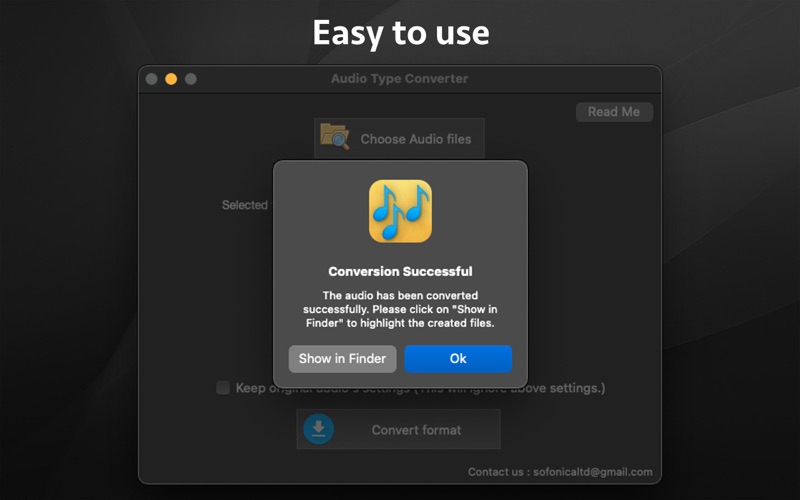
Description by Nikhil Anshuman Written by the developer, not by AppBrain. Click to read.
-- Convert between the different audio formats. The audio could be converted to MP3, WAV, AIF, CAF, M4a and AAC formats.
-- Set the Bitrate to to 16, 24 or 32. For the M4a audio format, the Bitrates of 64,128,256 and 320 are supported.
-- Set the sample rate to 11025, 22050, 44110, 48000 or 96000.
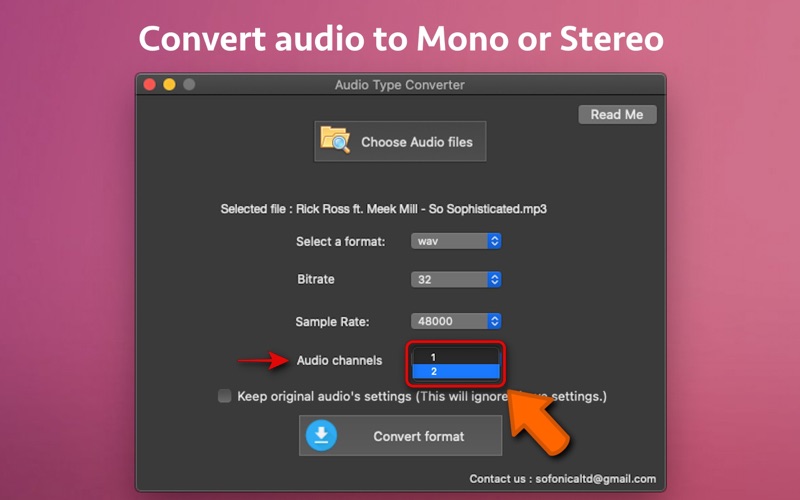
-- Set the Audio to mono or stereo. A mono audio could be converted to stereo and a stereo audio could be converted to mono as well.
-- Optimise and reduce the size of audio files by specifying a lower Sample Rate and Bitrate.
-- Convert Multiple Audio Files at once using the application.
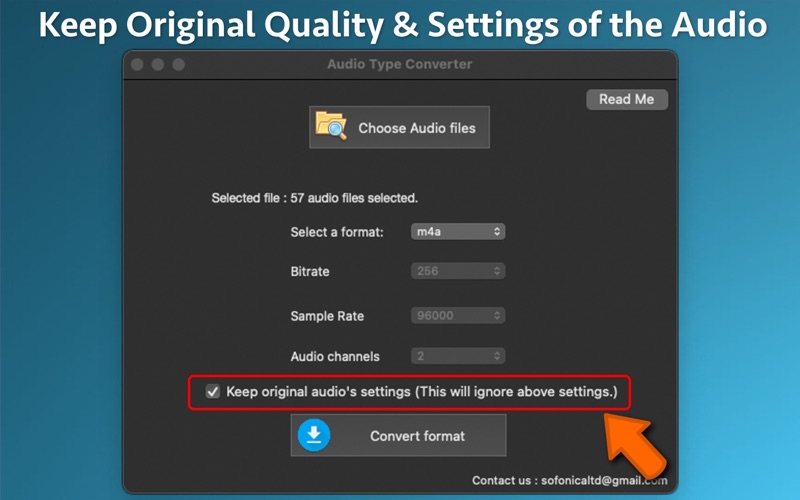
-- Keep original audio's settings - Using this feature the best optimum quality of the audio could be maintained while converting the audio to other audio formats.
Note :
a) The audio to convert should not be DRM Protected or Copyrighted.
b) For a MP3 audio, the supported sample rates are 11025, 22050, 44110 & 48000.
c) The Bitrate specified might vary a little bit from the set value for some audio files due to its dependancy on various other parameters of the audio.