

Authenticator App 2
Authenticator App 2 is made and published by Velto Rise LLC. AppBrain is an independent app data site and isn't affiliated with Velto Rise LLC. The app name, icon, screenshots and description belong to Velto Rise LLC and are shown as published on the App Store.
AppBrain's verdict
- Last updated
- March 18, 2026
Rankings
App Store top chartsApp Store Rankings for Authenticator App 2
Competitors
Similar apps and more from Velto Rise LLCAlternatives to Authenticator App 2


More from Velto Rise LLC


Releases
Updates seen on the App Store- Version
- 1.1
- Launched
- March 2026
No changelog data
User feedback
Ratings and reviews on the App StoreComments on Authenticator App 2 for iOS
We don't have enough comments to show example comments. Please check back later.
Technology
Found in the app by AppBrain- Price
- Free
- App size
- 2.09 MB
- Content rating
- Everyone
Technologies used by Authenticator App 2
About the app and developer
About Authenticator App 2
Authenticator App 2 is a productivity app developed by Velto Rise LLC.
User Ratings
The app has no ratings yet.
App Information
Authenticator App 2 is freely available from the App Store. The app size is 2.09 MB. The latest version available is 1.1. The last update was on March 18, 2026.
Technical Requirements
The app has a content rating of Everyone. The app has been available on the App Store since March 2026.
Developer information for Velto Rise LLC
Address:
Store listing
By Velto Rise LLC, from the App Store

Description by Velto Rise LLC Written by the developer, not by AppBrain. Click to read.
Key Features:
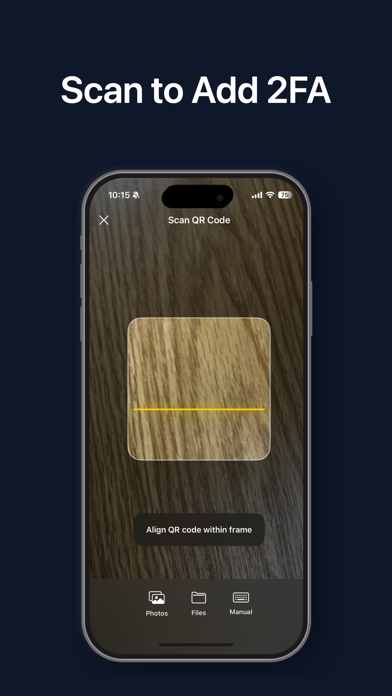
Scan to Add Accounts
Setup is effortless. Simply scan a QR code with your camera to add an account instantly. We also support importing QR codes directly from your Photos or Files app.
Pin to Top
Keep your most frequently used accounts right where you need them. With the "Pin" feature, you can stick important accounts (like Google, Microsoft, or GitHub) to the top of your list for quick and easy access.
Manual Entry Support
Have a service that doesn't provide a QR code? No problem. Our intuitive manual entry mode allows you to easily input the account details and secret key to get set up.
Universal Compatibility
Works perfectly with most major online services, including Google, Facebook, Instagram, GitHub, Dropbox, Microsoft, Rocket.Chat, and any other service that supports standard Two-Factor Authentication (2FA).
Modern & Clean Interface
Enjoy a beautiful, card-based user interface with clear countdown indicators. Managing your security codes has never looked this good.
Private & Secure:
Your data belongs to you. All your verification tokens are stored securely on your device. The app works completely offline, ensuring your keys never leave your possession.
Disclaimer:
This application is an independent third-party tool and is not affiliated with, endorsed by, or sponsored by Google, Microsoft, Facebook, or any other third-party service providers mentioned herein. All trademarks and brand names are the property of their respective owners. Users are solely responsible for backing up their recovery keys or codes. The developer shall not be held liable for any data loss resulting from device loss, app uninstallation, or failure to backup data.