

Auto Scroll PDF
Auto Scroll PDF is made and published by Seiya.k. AppBrain is an independent app data site and isn't affiliated with Seiya.k. The app name, icon, screenshots and description belong to Seiya.k and are shown as published on the App Store.
AppBrain's verdict
- Last updated
- October 16, 2026
Rankings
App Store top chartsApp Store Rankings for Auto Scroll PDF
Competitors
Similar apps and more from Seiya.kMore from Seiya.k


Releases
Updates seen on the App Store- Version
- 1.4.9
- Launched
- September 2025
No changelog data
User feedback
Ratings and reviews on the App StoreComments on Auto Scroll PDF for iOS
We don't have enough comments to show example comments. Please check back later.
Technology
Found in the app by AppBrain- Price
- Free
- App size
- 35.4 MB
- Content rating
- Everyone
Technologies used by Auto Scroll PDF
About the app and developer
About Auto Scroll PDF
Auto Scroll PDF is a productivity app developed by Seiya.k.
What is the rating of Auto Scroll PDF?
Auto Scroll PDF has no ratings yet.
Is Auto Scroll PDF free?
Auto Scroll PDF is free. The app size is 35.37 MB. The latest version available is 1.4.9. The last update was on October 16, 2026.
What are the requirements for Auto Scroll PDF?
The app has a content rating of Everyone. The app has been available on the App Store since September 2025.
Developer information for Seiya.k
Address:
Store listing
By Seiya.k, from the App Store


Description by Seiya.k Written by the developer, not by AppBrain. Click to read.
Auto Scroll PDF scrolls your documents automatically at your own pace — while you cook, study, or present. No more stopping to turn the page.
PERFECT FOR:
- Cooks following recipes in the kitchen
- Students reviewing notes and study materials
- Speakers using it as a teleprompter for presentations
- Anyone who wants a relaxed, hands-free reading experience
- Musicians reading sheet music during practice or performance
KEY FEATURES:
- Automatic Scrolling: Continuous smooth scroll or page-by-page mode
- Adjustable Speed: Slow, medium, fast, or fully custom speed control
- Page-by-Page Mode: Set intervals from 1 to 60 seconds per page
- Bookmarks: Save and jump to your favorite pages with one tap
- Dark Mode: Easy on your eyes, day or night
- Full Screen: Distraction-free reading mode
- Recent Files: Quick access to previously opened PDFs
- Sample PDFs: Try the app instantly with built-in samples
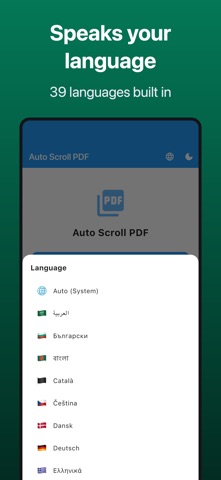
- 39 Languages: Available in English, Japanese and many more languages worldwide
Download now and enjoy hands-free reading.
Terms of Use (EULA): https://www.apple.com/legal/internet-services/itunes/dev/stdeula/
Privacy Policy: https://fillapps.com/privacy/