

Auto Tap & Swipe on Screen
Auto Tap & Swipe on Screen is made and published by Abdessamad Hergoum. AppBrain is an independent app data site and isn't affiliated with Abdessamad Hergoum. The app name, icon, screenshots and description belong to Abdessamad Hergoum and are shown as published on the App Store.
AppBrain's verdict
- Rating on App Store
- 4.55
- 98 ratings
- Last updated
- December 7, 2025
It doesn't have enough ratings yet to judge what users think.
Rankings
App Store top chartsApp Store Rankings for Auto Tap & Swipe on Screen
Competitors
Similar apps and more from Abdessamad HergoumAlternatives to Auto Tap & Swipe on Screen


More from Abdessamad Hergoum


Releases
Updates seen on the App Store- Version
- 1.3
- Launched
- July 2025
No changelog data
User feedback
Ratings and reviews on the App StoreComments on Auto Tap & Swipe on Screen for iOS
We don't have enough comments to show example comments. Please check back later.
Technology
Found in the app by AppBrain- Price
- Free
- App size
- 50.4 MB
- Content rating
- Everyone
Technologies used by Auto Tap & Swipe on Screen
About the app and developer
About Auto Tap & Swipe on Screen
Auto Tap & Swipe on Screen is an utilities app developed by Abdessamad Hergoum.
User Ratings
Auto Tap & Swipe on Screen is rated 4.55 out of 5 stars. The rating is based on 98 ratings.
App Information
Auto Tap & Swipe on Screen is freely available from the App Store. The app size is 50.38 MB. The latest version available is 1.3. The last update was on December 7, 2025.
Technical Requirements
The app has a content rating of Everyone. The app has been available on the App Store since July 2025.
Developer information for Abdessamad Hergoum
Address:
Frequently asked questions about Auto Tap & Swipe on Screen
Is Auto Tap & Swipe on Screen free?
Yes. Auto Tap & Swipe on Screen is free on the App Store.
Is Auto Tap & Swipe on Screen still available?
Yes. Auto Tap & Swipe on Screen is on the App Store, and the last update we saw was on December 7, 2025.
How large is Auto Tap & Swipe on Screen?
Auto Tap & Swipe on Screen is 50.38 MB.
Is Auto Tap & Swipe on Screen suitable for children?
App Store rates the content of Auto Tap & Swipe on Screen as suitable for everyone.
How do people rate Auto Tap & Swipe on Screen?
Auto Tap & Swipe on Screen scores 4.55 out of 5 stars, from 98 ratings on the App Store.
Who made Auto Tap & Swipe on Screen?
Auto Tap & Swipe on Screen was developed by Abdessamad Hergoum. It is listed in the utilities category on the App Store.
What are the best alternatives to Auto Tap & Swipe on Screen?
People looking at Auto Tap & Swipe on Screen also look at these utilities apps: File Crypt: Secure AES Browser, Autograph Identifier: Inkrify, Export Contacts to CSV & Excel, Photo Cleaner Gallery: Swipee, Tv Universal Remote.
Store listing
By Abdessamad Hergoum, from the App Store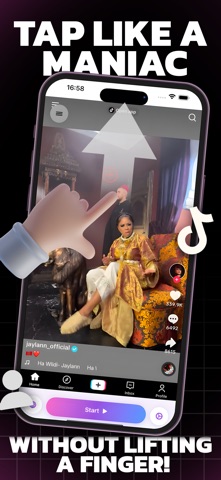


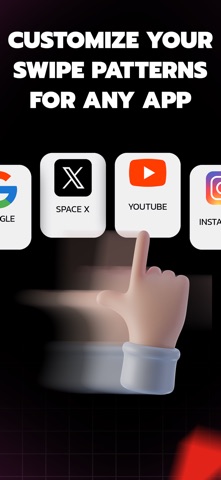



Description by Abdessamad Hergoum Written by the developer, not by AppBrain. Click to read.
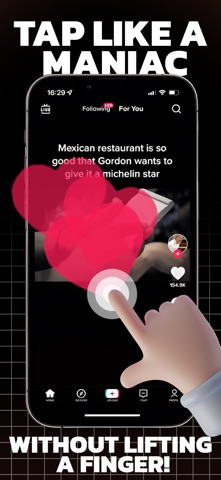
TapFlow is your personal assistant for automating routine actions on your favorite websites. Whether you need to refresh a page, tap a button, or perform simple repetitive tasks, TapFlow makes it effortless—all within a secure, built-in browser.
Key Features:
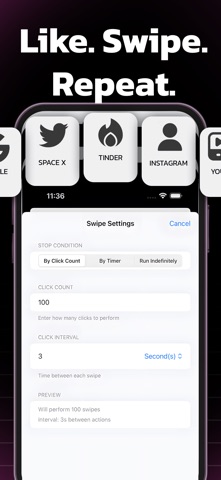
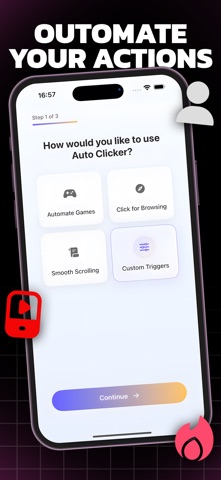
Customizable Automation: Easily set up tap, swipe, or refresh actions for any website.
Flexible Scheduling: Choose intervals and repetition counts to match your workflow.
Safe & Secure: All automation happens inside the app’s private browser—your data stays private.
Intuitive Interface: Designed for simplicity, so you can get started in seconds.
Usage Insights: Track your activity and optimize your routines.
Premium Upgrade: Unlock unlimited actions and advanced features.
Perfect For:
Monitoring live updates (sports, news, stock tickers)
Refreshing web dashboards
Repeating simple web tasks
Saving time on daily routines
Why TapFlow?
No more manual refreshing or repetitive tapping. TapFlow streamlines your web experience, helping you focus on what matters most.
Download TapFlow today and take control of your web productivity!
Note:
TapFlow is designed for use within its built-in browser and does not automate other apps or system functions, in accordance with App Store policies.
you need a paid subscription. Prices may vary by country and are subject to change without notice. Prices are clearly displayed in the app.
* Payment will be charged to your iTunes account at confirmation of purchase.
* Your subscription will automatically renew unless auto-renew is turned off at least 24 hours before the end of the current period.
* Your account will be charged for renewal within 24 hours before the end of the current period.
* You can manage your subscriptions and turn off auto-renewal by going to your Account Settings in the iTunes Store.
* If offered, if you choose to use our free trial, any unused portion of the free trial period will be forfeited when you purchase a subscription to that publication, where applicable.
Privacy Policy : https://sites.google.com/view/abdo-hergo-pp/home
Terms of Use: https://sites.google.com/view/abdohergo-terms/home