

AWARE Client V2
AWARE Client V2 is made and published by Yuuki Nishiyama. AppBrain is an independent app data site and isn't affiliated with Yuuki Nishiyama. The app name, icon, screenshots and description belong to Yuuki Nishiyama and are shown as published on the App Store.
AppBrain's verdict
Established- Rating on App Store
- 4.00
- 10 ratings
- Last updated
- July 10, 2025
It doesn't have enough ratings yet to judge what users think.
Rankings
App Store top chartsApp Store Rankings for AWARE Client V2
Competitors
Similar apps and more from Yuuki NishiyamaAlternatives to AWARE Client V2




More from Yuuki Nishiyama


Releases
Updates seen on the App Store- Version
- 1.14.2
- Launched
- March 2019
No changelog data
User feedback
Ratings and reviews on the App StoreComments on AWARE Client V2 for iOS
We don't have enough comments to show example comments. Please check back later.
Technology
Found in the app by AppBrain- Price
- Free
- App size
- 23.8 MB
- Content rating
- High
Technologies used by AWARE Client V2
About the app and developer
About AWARE Client V2
AWARE Client V2 is an utilities app developed by Yuuki Nishiyama.
What is the rating of AWARE Client V2?
AWARE Client V2 is rated 4.00 out of 5 stars, based on 10 ratings.
Is AWARE Client V2 free?
AWARE Client V2 is free. The app size is 23.81 MB. The latest version available is 1.14.2. The last update was on July 10, 2025.
What are the requirements for AWARE Client V2?
The app has a content rating of High Maturity. The app has been available on the App Store since March 2019.
Developer information for Yuuki Nishiyama
Address:
Frequently asked questions about AWARE Client V2
Is AWARE Client V2 free?
Yes. AWARE Client V2 is free on the App Store.
Is AWARE Client V2 still available?
Yes. AWARE Client V2 is on the App Store, and the last update we saw was on July 10, 2025.
How large is AWARE Client V2?
AWARE Client V2 is 23.81 MB.
Is AWARE Client V2 suitable for children?
App Store gives AWARE Client V2 a high maturity rating. It is meant for adults.
How do people rate AWARE Client V2?
AWARE Client V2 scores 4.00 out of 5 stars, from 10 ratings on the App Store.
Who made AWARE Client V2?
AWARE Client V2 was developed by Yuuki Nishiyama. It is listed in the utilities category on the App Store.
What are the best alternatives to AWARE Client V2?
People looking at AWARE Client V2 also look at these utilities apps: TigerAware, Panelist Connect, Loop11 User Testing, Homebase - Smart Apartments, SensorLog.
Store listing
By Yuuki Nishiyama, from the App Store


Description by Yuuki Nishiyama Written by the developer, not by AppBrain. Click to read.
AWARE Client V2 is a sensing framework dedicated to an instrument, infer, log and share mobile context information, for smartphone users and researchers. AWARE captures hardware-, software-, and human-based data.
[Individuals: Record your data]
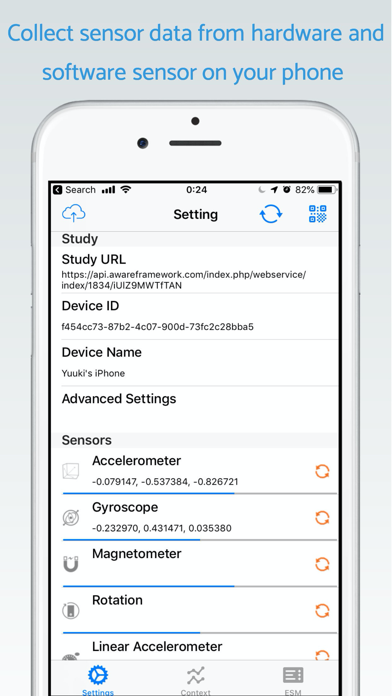
This app allows us to collect user’s activity data (such as location, steps, and mobility types) automatically. As a part of the activity data, this app collects heart-rate, sleep, and workout data via HealthKit API if the user allows the app to access HealthKit API. In addition, By using the AWARE Dashboard, you can enable or disable sensors. Privacy is enforced by design, so AWARE does not log personal information, such as phone numbers or contacts information. Also, the data is saved locally on your mobile phone temporarily. AWARE uploads the data to the AWARE server automatically if the device has a Wi-Fi network and is charged the battery.
[Scientists: Run studies]
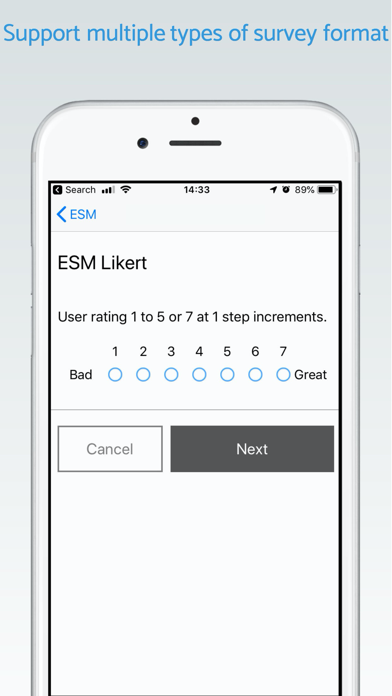
Running a mobile-related study has never been easier. Install AWARE to the participants' phone, select the data you want to collect and that is it. If you use the own AWARE server, you can set a mobile questionnaire.
[How to use AWARE Client iOS]
1. Set a study on AWARE Dashboard
1-1. Please access to AWARE Dashboard by a web browser Make a study by "Create Study" button
1-2. Select required sensors from a sensor list for your study
1-3. Make a QR code by "Show QRcode" button
2. For joining the study, please read the QR code by a QR code reader on the AWARE client
3. AWARE collects and uploads your contexts in the background automatically
4. You can quit the study by 'Quit Study' button
[Supported Sensors]
AWARE allows us to collect the following sensor data:
- Location (GPS, Barometer, Wi-Fi, and Bluetooth)
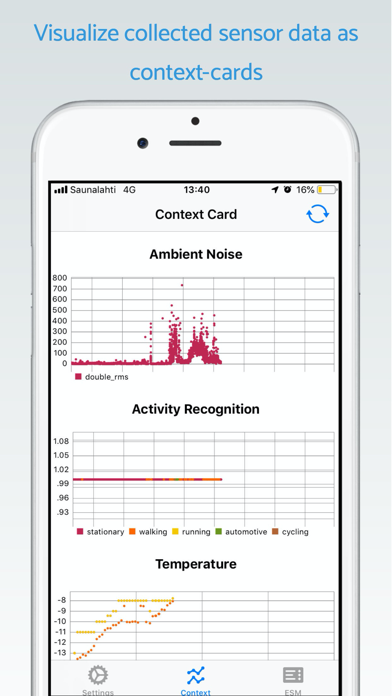
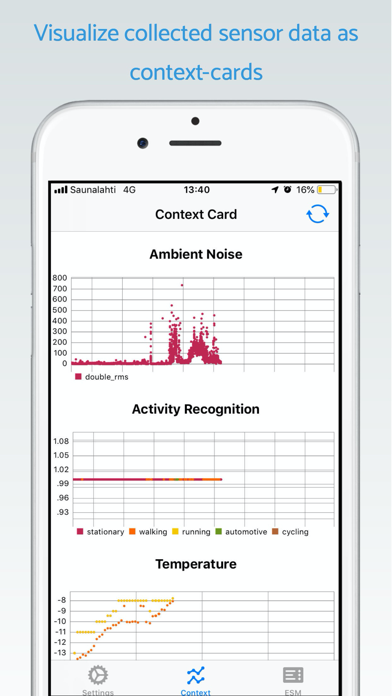
- Motion (Accelerometer, Gyroscope, Gravity, Linear Accelerometer, Magnetometer, and Activity Recognition)
- Ambient Noise (Audio Features)
- Device Usage (Screen State and Phone Call Events)
- Network State (Wi-Fi or Mobile Network)
- Timezone
- Weather Data (from Open Weather Map)
- BLE Devices (heart rate)
- HealthKit
- Calendar Events
- Web APIs (Fitbit)
- ESM: Experimental Sampling Method (Mobile Questionary)
** NOTE **
This application uses a location sensor in the background. Continued use of GPS running in the background can dramatically decrease battery life.
In addition, this app may use your location even when it isn’t open, which can decrease device battery life.