

bClk is made and published by Sean Brennan. AppBrain is an independent app data site and isn't affiliated with Sean Brennan. The app name, icon, screenshots and description belong to Sean Brennan and are shown as published on the App Store.
AppBrain's verdict
Established- Rating on App Store
- 4.00
- 4 ratings
- Last updated
- December 13, 2025
It doesn't have enough ratings yet to judge what users think.
Rankings
App Store top chartsApp Store Rankings for bClk
Competitors
Similar apps and more from Sean BrennanAlternatives to bClk




More from Sean Brennan


Releases
Updates seen on the App Store- Version
- 2.36
- Launched
- January 2020
No changelog data
User feedback
Ratings and reviews on the App StoreComments on bClk for iOS
We don't have enough comments to show example comments. Please check back later.
Technology
Found in the app by AppBrain- Price
- Free
- App size
- 501.0 KB
- Content rating
- Everyone
Technologies used by bClk
About the app and developer
About bClk
bClk is an utilities app developed by Sean Brennan.
What is the rating of bClk?
bClk is rated 4.00 out of 5 stars, based on 4 ratings.
Is bClk free?
bClk is free. The app size is 501.00 kB. The latest version available is 2.36. The last update was on December 13, 2025.
What are the requirements for bClk?
The app has a content rating of Everyone. The app has been available on the App Store since January 2020.
Developer information for Sean Brennan
Address:
Frequently asked questions about bClk
Is bClk free?
Yes. bClk is free on the App Store.
Is bClk still available?
Yes. bClk is on the App Store, and the last update we saw was on December 13, 2025.
How large is bClk?
bClk is 501.00 kB.
Is bClk suitable for children?
App Store rates the content of bClk as suitable for everyone.
How do people rate bClk?
bClk scores 4.00 out of 5 stars, from 4 ratings on the App Store.
Who made bClk?
bClk was developed by Sean Brennan. It is listed in the utilities category on the App Store.
What are the best alternatives to bClk?
People looking at bClk also look at these utilities apps: Smart Recirculation Control 32, Desk Clock Display, Premium Clock Collection, Bedside Clock - Digital/Analog, Bed Time | Large Clock.
Store listing
By Sean Brennan, from the App Store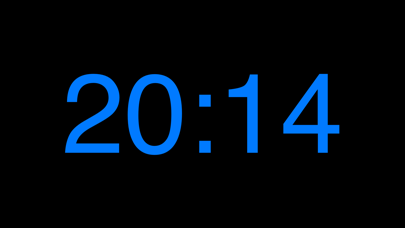
Description by Sean Brennan Written by the developer, not by AppBrain. Click to read.
Single tap: change brightness.
Double tap: change digit color.
Swipe the digits to change background color to bright red to use as a night flashlight. Swipe digits again to get back to black blackground (and old brightness).
Both brightness change and color change are orientation-dependent. Single tap in Portrait mode increases brightness, in Landscape decreases brightness. Similarly, double-tap in Portrait cycles one way and reverses if in Landscape.
Display another time zone: If you are living in Maui but your officemates are all in Chicago and you want to keep track of what time it is there. Digits are italic if the time zone is enabled.
AutoLock is turned off in the app so the clock continues to display during the night but with v1.80 and up if the phone is unplugged or power is lost then the display will turn off after the number of minutes set in the AutoLock feature. If AutoLock is set to never then the display will stay on but at the lowest power consumption setting. A 1/2 full battery icon is displayed if battery is being drained (see screenshot for largest iPhone).