

Birch - Organized Photo Notes
Birch - Organized Photo Notes is made and published by Daniel McCarthy. AppBrain is an independent app data site and isn't affiliated with Daniel McCarthy. The app name, icon, screenshots and description belong to Daniel McCarthy and are shown as published on the App Store.
AppBrain's verdict
EstablishedLoved by users- Rating on App Store
- 4.65
- 127 ratings
- Last updated
- September 19, 2021
- Size
- 64.5 MB
Users love it: 4.6 stars from 127 ratings.
User feedback
Ratings and reviews on the App StoreComments on Birch - Organized Photo Notes for iOS
We don't have enough comments to show example comments. Please check back later.
Store listing
By Daniel McCarthy, from the App Store




Description by Daniel McCarthy Written by the developer, not by AppBrain. Click to read.
Organized photo notes:
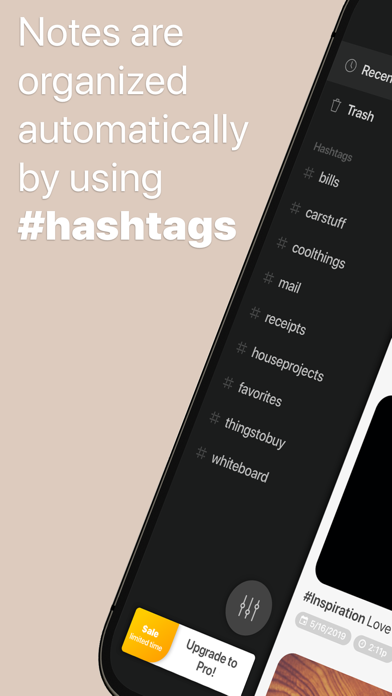
Are you the type of person who's always super busy, and takes quick reminder photos of things you need to remember later? Is your photo album filled with pictures of product labels, mail, receipts, household projects, whiteboards, recipes, etc? Many of us have turned our photo album into a visual notes app, but Birch can make this "Photo Notes" part of your life much simpler and more organized! Just snap a photo, add a hashtag in a note, and that's it! Create photo notes in seconds and find them lighting fast when you need them later.
Hashtags are simpler and way more convenient than creating albums and folders to organize your photos, especially these reminder note photos! Think of it like a document scanner mixed with an organized file cabinet, except it's not limited to only documents or PDFs and can be used to document and reference anything that can be captured by a photo! Multiple hashtags can be added to any photo note, so you can find these organized pics in multiple places. And the organization is managed automatically for you by simply adding hashtags to your notes!
Just a few examples of where Birch really shines:
• Snapping a quick photo note of something you see in the wild and want to buy later.
• Labels & product numbers of household supplies you need to find at the store later.
• Receipts and mail you don't want to keep physical copies of.
• Organizing and saving whiteboard notes, so you can safely erase but never lose.
• Or even just organizing your favorite photos from an occasion (it's built for notes... but it's still way easier than managing personal photo albums)
Free with a paid Pro option:
I'm a small indie developer, but I don’t think it’s right to make money unless you’re actually getting value. So you get a good amount of features and functionality for free, then have an upgrade option to access more “power user” features. If Birch is helping to make your life a bit easier, upgrading costs less than 5 coffees per year… only 3 if you drink the good stuff!
Organize your life, with beautiful photo notes! A clean, simple and intuitive design that looks great in Light or Dark mode!
In-App purchase disclaimer:
Should you decide to upgrade to Birch Pro, a purchase will be applied to your iTunes account at the time of upgrade. Subscriptions will automatically renew unless canceled within 24-hours before the end of the current period. You can cancel anytime with your iTunes account settings. Any unused portion of a free trial will be forfeited if you purchase a subscription. For more information, see our ToS EULA (http://danielmac.co/birch-eula) and Privacy Policy (http://danielmac.co/birch-privacy-policy).
Safety and technology
Found in the app by AppBrain- Price
- Free
- App size
- 64.5 MB
- Content rating
- Everyone
Technologies used by Birch - Organized Photo Notes
Releases
Updates seen on the App Store- Version
- 1.32
- Launched
- January 2020
No changelog data
Alternatives
Similar apps and more from Daniel McCarthyAlternatives to Birch - Organized Photo Notes




 In Folders – Notes and Photos


More from Daniel McCarthy


Rankings
App Store top chartsApp Store Rankings for Birch - Organized Photo Notes
About the app and developer
About Birch - Organized Photo Notes
Birch - Organized Photo Notes is a productivity app developed by Daniel McCarthy.
User Ratings
Birch - Organized Photo Notes is rated 4.65 out of 5 stars. The rating is based on 130 ratings.
App Information
Birch - Organized Photo Notes is freely available from the App Store. The app size is 64.51 MB. The latest version available is 1.32. The last update was on September 19, 2021.
Technical Requirements
The app has a content rating of Everyone. The app has been available on the App Store since January 2020.
Developer information for Daniel McCarthy
Address:
Frequently asked questions about Birch - Organized Photo Notes
Is Birch - Organized Photo Notes free?
Yes. Birch - Organized Photo Notes is free on the App Store.
Is Birch - Organized Photo Notes still available?
Yes. Birch - Organized Photo Notes is on the App Store, and the last update we saw was on September 19, 2021.
How large is Birch - Organized Photo Notes?
Birch - Organized Photo Notes is 64.51 MB.
Is Birch - Organized Photo Notes suitable for children?
App Store rates the content of Birch - Organized Photo Notes as suitable for everyone.
How do people rate Birch - Organized Photo Notes?
Birch - Organized Photo Notes scores 4.65 out of 5 stars, from 127 ratings on the App Store.
Who made Birch - Organized Photo Notes?
Birch - Organized Photo Notes was developed by Daniel McCarthy. It is listed in the productivity category on the App Store.
What are the best alternatives to Birch - Organized Photo Notes?
People looking at Birch - Organized Photo Notes also look at these productivity apps: PhotoNote: Take Note by Camera, Better Notes + Lists and Todos, Utiful: Move & Organize Photos, Ikes: Idea Notes, In Folders – Notes and Photos.