

Bits & Bobs Collection Tracker
Bits & Bobs Collection Tracker is made and published by Joseph Rupertus. AppBrain is an independent app data site and isn't affiliated with Joseph Rupertus. The app name, icon, screenshots and description belong to Joseph Rupertus and are shown as published on the App Store.
AppBrain's verdict
Established- Rating on App Store
- 4.23
- 13 ratings
- Last updated
- June 28, 2025
It doesn't have enough ratings yet to judge what users think.
Rankings
App Store top chartsApp Store Rankings for Bits & Bobs Collection Tracker
Competitors
Similar apps and more from Joseph RupertusAlternatives to Bits & Bobs Collection Tracker






More from Joseph Rupertus



Releases
Updates seen on the App Store- Version
- 1.7.1
- Launched
- July 2021
No changelog data
User feedback
Ratings and reviews on the App StoreComments on Bits & Bobs Collection Tracker for iOS
We don't have enough comments to show example comments. Please check back later.
Technology
Found in the app by AppBrain- Price
- Free
- App size
- 1.81 MB
- Content rating
- Everyone
Technologies used by Bits & Bobs Collection Tracker
About the app and developer
About Bits & Bobs Collection Tracker
Bits & Bobs Collection Tracker is a lifestyle app developed by Joseph Rupertus.
User Ratings
Bits & Bobs Collection Tracker is rated 4.23 out of 5 stars. The rating is based on 13 ratings.
App Information
Bits & Bobs Collection Tracker is freely available from the App Store. The app size is 1.81 MB. The latest version available is 1.7.1. The last update was on June 28, 2025.
Technical Requirements
The app has a content rating of Everyone. The app has been available on the App Store since July 2021.
Developer information for Joseph Rupertus
Address:
Store listing
By Joseph Rupertus, from the App Store


Description by Joseph Rupertus Written by the developer, not by AppBrain. Click to read.
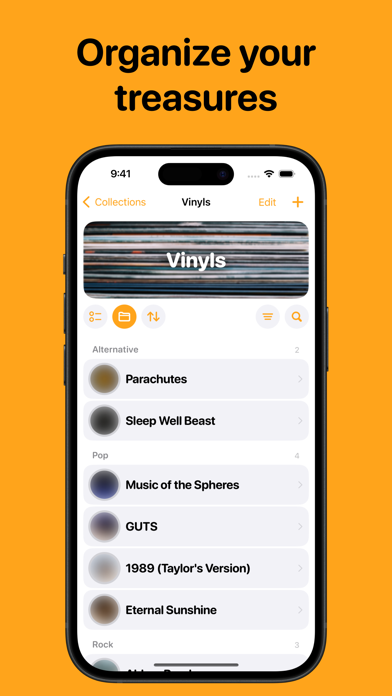
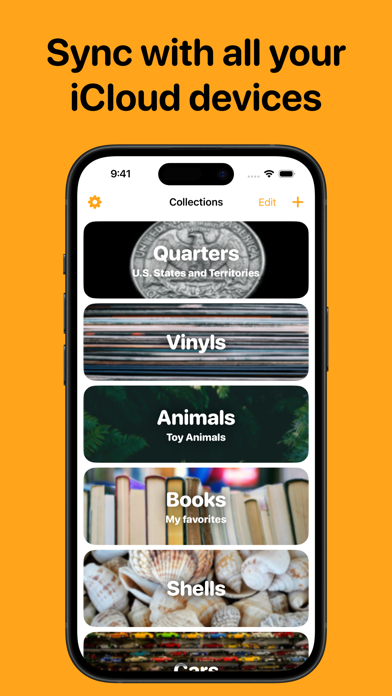
Whatever you collect, Bits & Bobs can help keep track of it. From vinyl records, to collectible coins, to your favorite toys, figurines, books, seashells, cars, antique furniture, souvenirs, keepsakes, and so much more.
Create a new collection in the app, and then add all the items in your collection to it. You might opt for a checklist – which lets you keep track of which items you have and which you don’t – or a ranking – which assigns numbers to each item so you can rank your favorites.
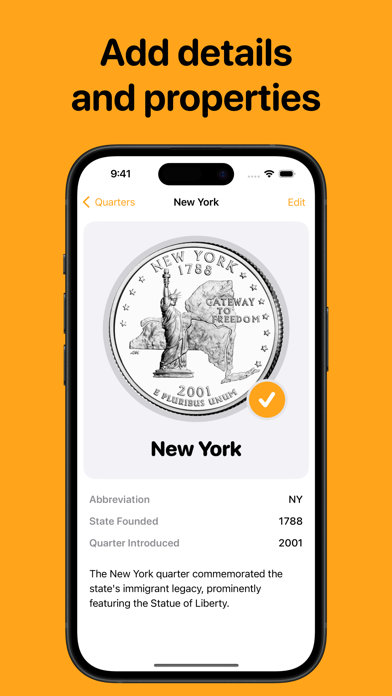
You can write descriptions for each item, add photos, and add tags. There are also item attributes – properties of whatever you’re collecting. You can sort the items in the collection, group them together by their attributes, or filter for certain values.
It’s time to keep track of your collections – let’s get started!
Quarter-dollar coin images from the United States Mint.