

EverEditor is made and published by Ryu Iwasaki. AppBrain is an independent app data site and isn't affiliated with Ryu Iwasaki. The app name, icon, screenshots and description belong to Ryu Iwasaki and are shown as published on the App Store.
AppBrain's verdict
Established- Rating on App Store
- 4.40
- 5 ratings
- Last updated
- September 1, 2026
It doesn't have enough ratings yet to judge what users think.
Rankings
App Store top chartsApp Store Rankings for EverEditor
Competitors
Similar apps and more from Ryu IwasakiAlternatives to EverEditor








More from Ryu Iwasaki



Releases
Updates seen on the App Store- Version
- 1.3.2
- Launched
- August 2017
No changelog data
User feedback
Ratings and reviews on the App StoreComments on EverEditor for iOS
We don't have enough comments to show example comments. Please check back later.
Technology
Found in the app by AppBrain- Price
- Free
- App size
- 66.0 MB
- Content rating
- Everyone
Technologies used by EverEditor
About the app and developer
About EverEditor
EverEditor is a productivity app developed by Ryu Iwasaki.
User Ratings
EverEditor is rated 4.40 out of 5 stars. The rating is based on 5 ratings.
App Information
EverEditor is freely available from the App Store. The app size is 65.96 MB. The latest version available is 1.3.2. The last update was on September 1, 2026.
Technical Requirements
The app has a content rating of Everyone. The app has been available on the App Store since August 2017.
Developer information for Ryu Iwasaki
Address:
Store listing
By Ryu Iwasaki, from the App Store


Description by Ryu Iwasaki Written by the developer, not by AppBrain. Click to read.
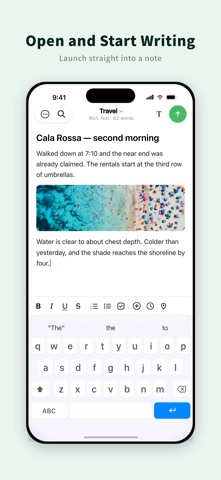
EverEditor gives you a focused place to write without the clutter. Open the app and start writing right away, then sync your notes with Evernote.
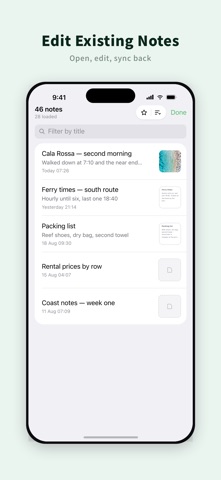
Create new notes, edit existing ones, and choose between rich text and Markdown. Use EverEditor for quick notes, journals, work logs, documents, and anything else you want to keep in Evernote.
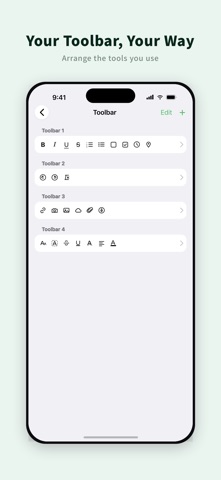
Make the editor your own with a customizable toolbar and flexible writing settings.
# Features
- Free
The following functions are provided free of charge.
• Create, edit and send Evernote notes
There is a limit on the number of transmissions.
• Search for notes
There is a limit on the number of searches.
• Edit Evernote notes information
• Create Evernote notes in rich text
• Supports Split View
• Attach various types of files
• Attach the recorded file
• Use camera function
• Add a reminder
• Compatible with Dropbox and iCloud
• Support search and replace in notes
- EverEditor Premium
The following functions are provided paid.
• Support multi account, switch account
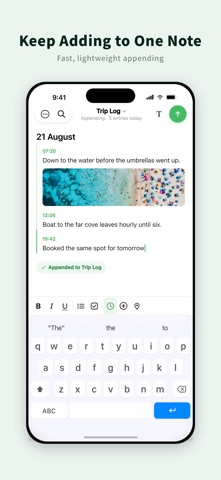
• Enter notes continuously in the same note
• Unlock restrictions on sending notes
• Unlock search limit for notes
• Unlock editing of toolbars
• Create notes with markdown
• Use dark mode when entering markdown
• Change the color of the editor
• Select the method of automatic generation of note titles
- About Auto Renewable Subscriptions
• Payments will be charged to your iTunes account at confirmation of purchase.
• Subscription automatically renews unless auto-renew is turned off at least 24-hours before the current period ends.
• Your iTunes account will be charged for next renewal within 24 hours of the end of the current period.
• You can manage your subscriptions and turn off auto-renew from your iTunes Account Settings after purchase.
• Current subscriptions cannot be canceled while active. If you turn off auto-renew you will have access to your subscribed content until the end of the current period.
- EverEditor Premium 1 Month ($0.99/month)
• Monthly subscription provides following features.
• Create notes with markdown
• Support multi accounts, switch accounts
• Enter notes continuously in the same note
• Unlock restrictions on sending notes
• Unlock search limit for notes
• Unlock editing of toolbars
- EverEditor Premium 1 Year ($5.99/year)
Yearly subscription provides following features.
• Create notes with markdown
• Support multi accounts, switch accounts
• Enter notes continuously in the same note
• Unlock restrictions on sending notes
• Unlock search limit for notes
• Unlock editing of toolbars
- Cancelling
You can jump to the subscription manage view easily by tapping the "Manage" in settings, or you can do it from AppStore or iTunes.
- Privacy Policy and Term of Use
http://www.jagaimopotato.com/apps/privacypolicy/ever-editor-privacy-policy-en.html
The app creates, views, and edits Evernote notes, tags, notebooks. These permissions are provided from Evernote to third party developers.
This is the official permission that Evernote users approved to Evernote and provides to Evernote's third-party developers.
This is based on a license agreed to use the API of Evernote.
Please check Evernote's API-License, privacy policy and terms of use.
API License: http://dev.evernote.com/doc/reference/api_license.php
Evernote's Privacy Policy and Terms of Use: https://evernote.com/intl/us/privacy/policy
We do not provide all of Evernote notes contents to third parties except Evernote.
If you have any feedback or questions, we’d love to hear from you. You can email ryu.contact.jp+evereditor@gmail.com or tweet @ja_gaimopotato.