

Black Light 3
Black Light 3 is made and published by Michel Fortin. AppBrain is an independent app data site and isn't affiliated with Michel Fortin. The app name, icon, screenshots and description belong to Michel Fortin and are shown as published on the App Store.
AppBrain's verdict
- Last updated
- December 15, 2023
Rankings
App Store top chartsApp Store Rankings for Black Light 3
Competitors
Similar apps and more from Michel FortinMore from Michel Fortin



Releases
Updates seen on the App Store- Version
- 3.0
- Launched
- December 2023
No changelog data
User feedback
Ratings and reviews on the App StoreComments on Black Light 3 for iOS
We don't have enough comments to show example comments. Please check back later.
Technology
Found in the app by AppBrain- Price
- $18.99
- App size
- 1.80 MB
- Content rating
- Everyone
Technologies used by Black Light 3
About the app and developer
About Black Light 3
Black Light 3 is an utilities app developed by Michel Fortin.
User Ratings
The app has no ratings yet.
App Information
Black Light 3 costs $18.99. The app size is 1.80 MB. The latest version available is 3.0. The last update was on December 15, 2023.
Technical Requirements
The app has a content rating of Everyone. The app has been available on the App Store since December 2023.
Developer information for Michel Fortin
Address:
Store listing
By Michel Fortin, from the App Store



Description by Michel Fortin Written by the developer, not by AppBrain. Click to read.
COMPOSE YOUR EFFECTS
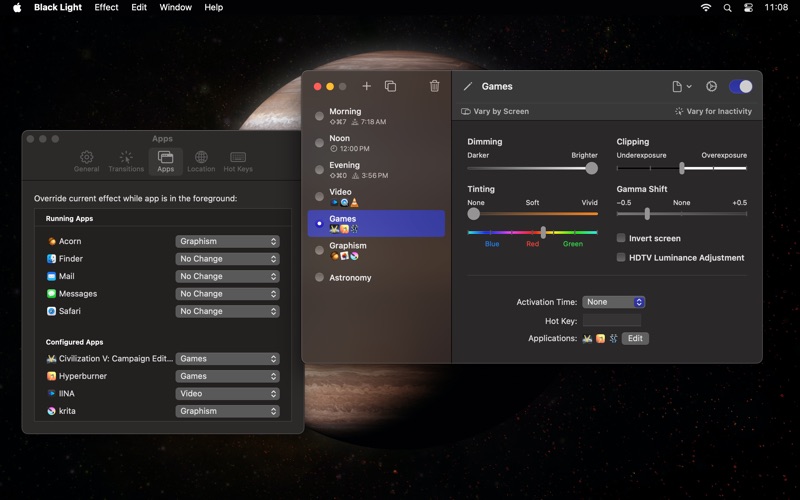
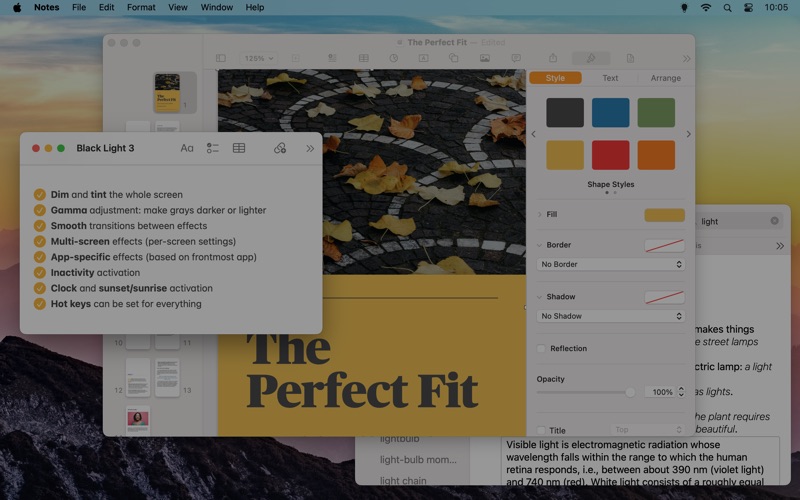
Each effect can include a mix of dimming, tinting, clipping, gamma shift. It can also invert colors and make an adjustment for HDTV luminance. Create the effects you need. Invert and make the screen all-red if you’re into astronomy. Tint with orange-yellow to help you sleep better or blue to keep you awake.
• Dimming: Reduce screen luminosity by dimming each pixel. Useful to reduce the luminosity of LCD screens beyond the minimal value of the back light.
• Tinting: Simulation of a color filter of a chosen color put in front of the screen. Lets you change the tint by setting the white point. Useful to give your screen an orange glow and reduce blue light at night, but works with any color.
• Clipping (Underexposure & Overexposure): Replace dark grays under a chosen threshold with black, or light grays to white. Darker or lighter colors might change hue slightly.
• Gamma Shift: Makes grays lighter or darker, but without saturating at a threshold (unlike clipping). Useful to make subtle dark or light details more visible, in a dark game for instance.
• Invert Screen: Reverse blacks and whites, giving you a negative of the image on your screen.
• HDTV Luminance Adjustment: Adapt image for the 16–235 luminance range used by some high-definition television sets when connected by HDMI. Normally, your computer should be capable of automatically adjusting output values accordingly, but this isn't always possible when the TV is connected through an adapter.
TIMER, SUNRISE & SUNSET ACTIVATION
Effects can be automatically triggered based on your Mac’s clock or your local sunrise and sunset time. You can chain multiple transitions to change colors as you like throughout the day.
APP-SPECIFIC EFFECTS
Always want to use a specific effect while watching videos or playing games? You can associate effects with certain apps and Black Light will automatically switch to those effects while the app is frontmost… and automatically switch back when the app is no longer frontmost.
COMPREHENSIVE MULTI-SCREEN SUPPORT
Have more than one screen? No problem. While an effect applies to all screen, you can customize its settings separately for each screen. An easy way to make the secondary screen less visible during certain tasks for instance.
INACTIVITY AND MOUSE TRACKING
Black Light effects can have different settings after a certain time with no mouse or keyboard input. Use the "Vary for Inactivity" button to specify what the inactive version of an effect should look like.
If you have multiple screens, you can also use inactivity to highlight one screen the mouse pointer is currently on.
HOT KEYS
Each effect can be activated from any app by assigning it a global hot key. In addition, you can adjust various aspects of the currently active effect using more configurable hot keys.
ON THE MENU
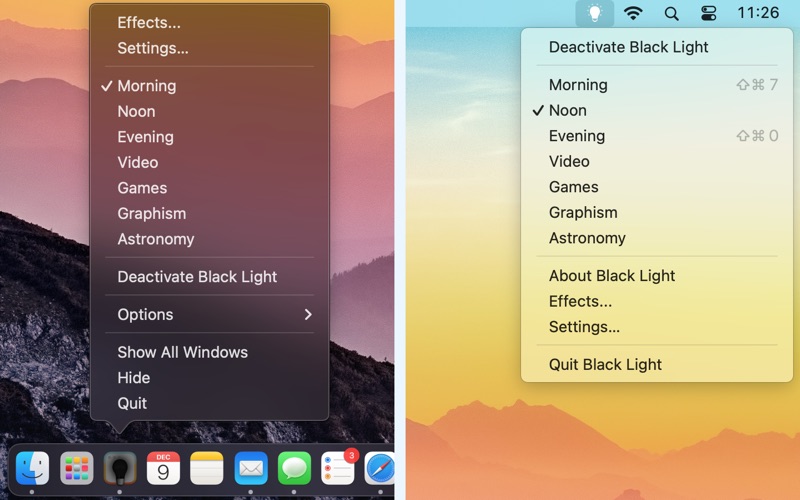
The dock menu will show you the list of available effects. From there, you can make effects active or inactive even if they don’t have a hot key. You can also move the Black Light icon to the menu bar, freeing space in your dock.
LIMITATIONS
Black Light will not work with screen connected using certain USB DisplayLink adapters, or with an iPad connected using Sidecar.