

BluInk PDF Editor
BluInk PDF Editor is made and published by Hassan Amjad. AppBrain is an independent app data site and isn't affiliated with Hassan Amjad. The app name, icon, screenshots and description belong to Hassan Amjad and are shown as published on the App Store.
AppBrain's verdict
- Last updated
- March 17, 2026
- Size
- 87.7 MB
User feedback
Ratings and reviews on the App StoreComments on BluInk PDF Editor for iOS
We don't have enough comments to show example comments. Please check back later.
Store listing
By Hassan Amjad, from the App Store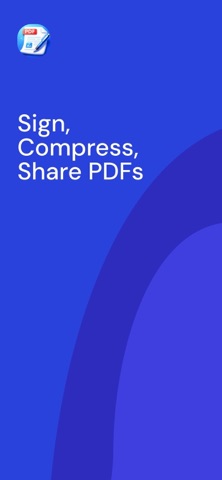



Description by Hassan Amjad Written by the developer, not by AppBrain. Click to read.
Bluink PDF Editor helps you manage your PDFs effortlessly.
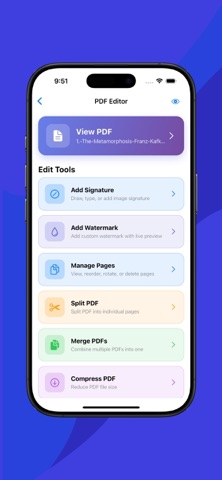
Edit documents, add signatures, apply watermarks, compress large files, and protect sensitive content — all from one clean and easy-to-use app.
Whether you’re working with contracts, reports, invoices, or personal documents, Bluink gives you the tools you need to get things done quickly.
Key Features
• Edit PDFs with ease
• Add signatures directly to any document
• Apply custom watermarks for branding or protection
• Compress large PDFs without losing quality
• Merge and split PDF files
• Add password protection to secure documents
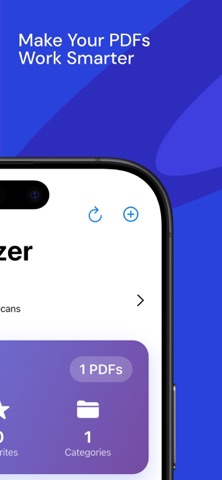
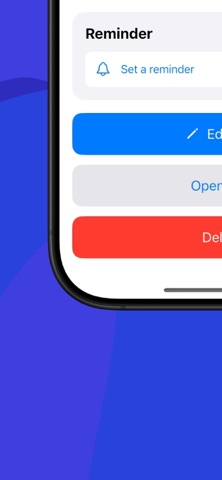
• Organize files with tags and reminders
• Share PDFs instantly
Free & Subscription Access
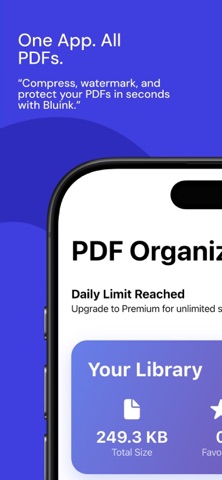
Bluink PDF Editor offers limited free access.
Free users can edit one PDF per day.
Upgrade to Bluink Pro to unlock unlimited PDF editing and full access to all premium features.
Subscription Information
Bluink Pro is an auto-renewable monthly subscription with a 3-day free trial.
Pricing:
• United States (USD): $2.99 per month
(Prices may vary by region.)
Payment will be charged to your Apple ID account at confirmation of purchase.
After the 3-day free trial, the subscription automatically renews unless canceled at least 24 hours before the end of the current period.
Your account will be charged for renewal within 24 hours prior to the end of the current period.
You can manage or cancel your subscription anytime in your App Store account settings.
Privacy First
Your documents remain private and under your control.
Bluink does not access or share your files.
Privacy Policy: https://bluink-privacy-policy.vercel.app/
Terms of Use: https://www.apple.com/legal/internet-services/itunes/dev/stdeula/
Safety and technology
Found in the app by AppBrain- Price
- Free
- App size
- 87.7 MB
- Content rating
- Everyone
Technologies used by BluInk PDF Editor
Releases
Updates seen on the App Store- Version
- 1.0.2
- Launched
- March 2026
No changelog data
Alternatives
Similar apps and more from Hassan AmjadAlternatives to BluInk PDF Editor




More from Hassan Amjad


Rankings
App Store top chartsApp Store Rankings for BluInk PDF Editor
About the app and developer
About BluInk PDF Editor
BluInk PDF Editor is a productivity app developed by Hassan Amjad.
User Ratings
The app has no ratings yet.
App Information
BluInk PDF Editor is freely available from the App Store. The app size is 87.66 MB. The latest version available is 1.0.2. The last update was on March 17, 2026.
Technical Requirements
The app has a content rating of Everyone. The app has been available on the App Store since March 2026.
Developer information for Hassan Amjad
Address:
Frequently asked questions about BluInk PDF Editor
Is BluInk PDF Editor free?
Yes. BluInk PDF Editor is free on the App Store.
Is BluInk PDF Editor still available?
Yes. BluInk PDF Editor is on the App Store, and the last update we saw was on March 17, 2026.
How large is BluInk PDF Editor?
BluInk PDF Editor is 87.66 MB.
Is BluInk PDF Editor suitable for children?
App Store rates the content of BluInk PDF Editor as suitable for everyone.
Who made BluInk PDF Editor?
BluInk PDF Editor was developed by Hassan Amjad. It is listed in the productivity category on the App Store.
What are the best alternatives to BluInk PDF Editor?
People looking at BluInk PDF Editor also look at these productivity apps: PDF Merger & Editor, Smart Resume: AI CV Builder, PDF ToolKit | Simply Powerful, PDF Converter - PDF Maker, Snippety - Snippets Manager.