Breezecut: Video Toolkit is a photo & video app developed by 文杰 饶.
User Ratings
The app has no ratings yet.
App Information
Breezecut: Video Toolkit is freely available from the App Store. The app size is 20.67 MB. The latest version available is 1.0.1. The last update was on October 9, 2026.
Technical Requirements
The app has a content rating of Everyone. The app has been available on the App Store since October 2026.
Breezecut: Video Toolkit is made and published by
文杰 饶.
AppBrain is an independent app data site and isn't affiliated with 文杰 饶.
The app name, icon, screenshots and description belong to 文杰 饶 and are shown as published on the App Store.
Description by 文杰 饶(from the App Store)
Shrink a video to send it, protect your work with a watermark, add subtitles to a talking clip, or turn a landscape video into a vertical one — without opening a complicated editor.
EVERYTHING STAYS ON YOUR IPHONE Videos, photos and audio are never uploaded. Speech recognition and enhancement run on device. No app watermark, no ads.
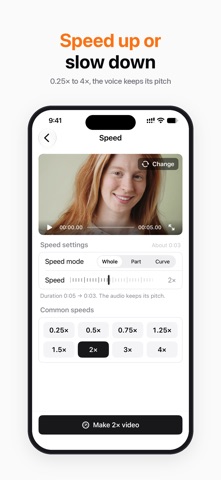
EDIT • Compress: HEVC / H.264 presets, with before and after sizes • Merge: join clips with dissolve, dip to black or slide transitions • Trim: drag the handles, frame accurate • Resize canvas: 9:16, 1:1, 16:9 and more, with a blurred background fill • Split Screen: two videos side by side or stacked • Speed: 0.25× to 4×, audio keeps its pitch • Rotate & flip, reverse, fade in and out • Slideshow: turn photos into a video with music • Convert: MP4 / MOV, re-encode to H.264 or HEVC
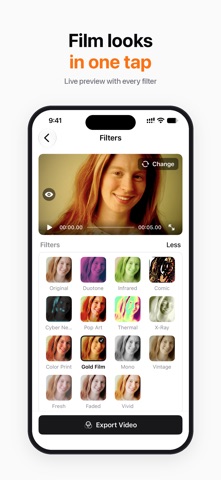
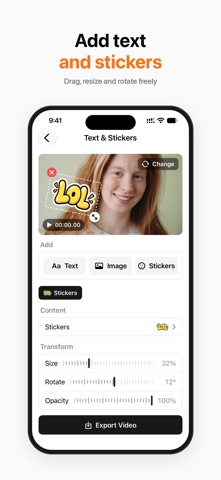
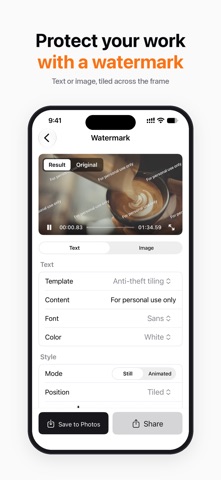
PICTURE & SUBTITLES • Enhance: remove noise and sharpen in one tap • Filters: 15 looks including film, comic and neon, plus brightness, contrast and warmth • Text & Stickers: add text, images and stickers, or blur faces and license plates • Face Blur: finds faces automatically and keeps them pixelated as people move • Device Mockup: put your video in a phone, tablet or laptop frame • Watermark: text or logo, including a tiled pattern • Auto Subtitles: speech to subtitles, editable line by line, burned in or exported as SRT • GIF maker, Live Photo maker, frame grab, media info
AUDIO • Add Music: background music with separate volume for the original audio • Extract audio, mute • Ringtone maker: up to 30 seconds, ready for iPhone
PRO Burning subtitles into video, Face Blur, Device Mockup, Split Screen, Text & Stickers, Live Photo and Photo Slideshow are Pro tools. Each can be tried once for free. Recognizing, editing and exporting subtitles as SRT is free, and so is every other tool. Monthly and Yearly are auto-renewable subscriptions; Lifetime is a one-time purchase. Payment is charged to your Apple Account at confirmation of purchase. A subscription renews automatically unless auto-renew is turned off at least 24 hours before the end of the current period. Manage or cancel in Settings → Apple Account → Subscriptions.
Terms of Use: https://www.apple.com/legal/internet-services/itunes/dev/stdeula/ Privacy Policy: https://jackyrwj.github.io/vidbox-support/en/privacy.html
Each subscription will automatically renew 3 days before the expiration date for
the same time period. Subscriptions can be cancelled at any time before the renewal.