

Brother iPrint&Scan
Brother iPrint&Scan is made and published by Brother Industries, LTD. AppBrain is an independent app data site and isn't affiliated with Brother Industries, LTD. The app name, icon, screenshots and description belong to Brother Industries, LTD. and are shown as published on the App Store.
AppBrain's verdict
EstablishedPoorly rated- Best rank
- #55
- Top Free, Poland
- Rating on App Store
- 2.56
- 2,086 ratings
- Last updated
- May 11, 2026
Users are critical: 2.6 stars from 2,086 ratings. Its best ranking is #55 in Top Free, Utilities in Poland.
Rankings
App Store top charts- Highest rank
- #55
- Chart
- Top Free
- Utilities
- Country
- Poland
App Store Rankings for Brother iPrint&Scan
Top rankings
| Rank | Country | Category | List |
|---|---|---|---|
| 55 | Poland | Utilities | Top Free |
Ranking history in Poland
Competitors
Similar apps and more from Brother Industries, LTD.Alternatives to Brother iPrint&Scan





More from Brother Industries, LTD.



Releases
Updates seen on the App Store- Version
- 6.15.5
- Launched
- July 2010
No changelog data
User feedback
Ratings and reviews on the App StoreComments on Brother iPrint&Scan for iOS
We don't have enough comments to show example comments. Please check back later.
Technology
Found in the app by AppBrain- Price
- Free
- App size
- 37.5 MB
- Content rating
- High
Technologies used by Brother iPrint&Scan
About the app and developer
About Brother iPrint&Scan
Brother iPrint&Scan is an utilities app developed by Brother Industries, LTD.
What is the rating of Brother iPrint&Scan?
Brother iPrint&Scan is rated 2.56 out of 5 stars, based on 2.1 thousand ratings.
Is Brother iPrint&Scan free?
Brother iPrint&Scan is free. The app size is 37.47 MB. The latest version available is 6.15.5. The last update was on May 11, 2026.
What are the requirements for Brother iPrint&Scan?
The app has a content rating of High Maturity. The app has been available on the App Store since July 2010.
Developer information for Brother Industries, LTD.
Address:
Store listing
By Brother Industries, LTD., from the App Store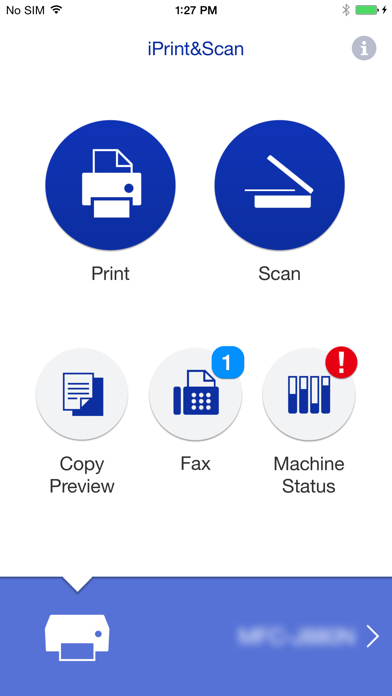
Description by Brother Industries, LTD. Written by the developer, not by AppBrain. Click to read.
[Key Features]
- Easy to use menu.
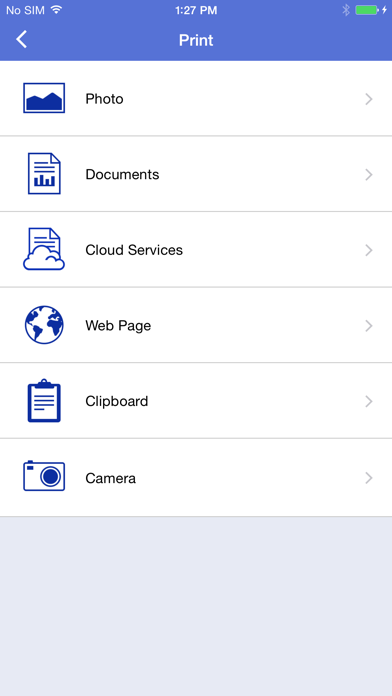
- Simple steps to print your favorite photos, web pages and documents (PDF, Word, Excel®, PowerPoint®, Text).
- Print photos directly from your iPhone camera.
- Print PDF files or Microsoft® Office documents or Text files by starting the app from "Open in..."
- Print your documents and photos directly from the following cloud services: Dropbox™, OneDrive, Evernote®.
- Print what you copied to the clipboard.
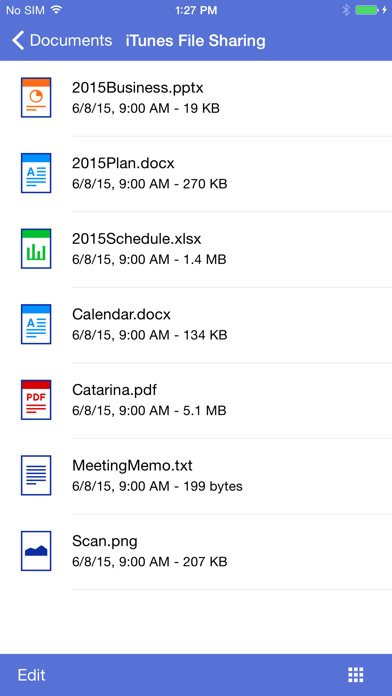
- Use iTunes File Sharing to send compatible files (PDF, Word, Excel®, PowerPoint®, Text, JPEG, PNG, TIFF) to iPrint&Scan for convenient printing at a later time.
- Scan directly to your iPhone/iPod touch/iPad.
- Save scanned images to your photo album, iCloud or Facebook / X / Flickr accounts or send them in an E-mail (PDF, JPEG).
- Print scanned images saved to iCloud from this app.
- Automatically search for supported devices on a local wireless network.
- No computer and no driver required.
*To save scanned images directly to Facebook / X / Flickr, you must first register your accounts on your mobile device.
[Advanced Functions]
(Only available on new models.)
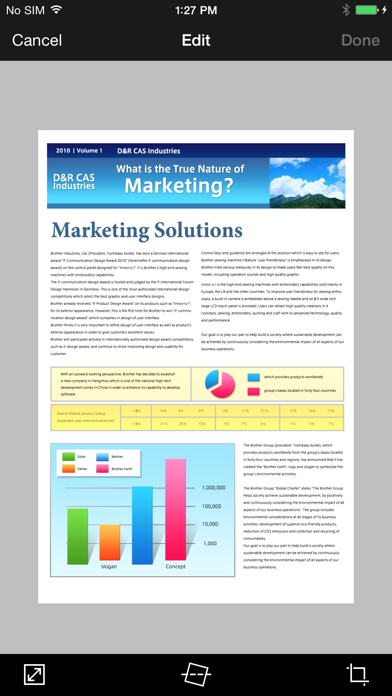
- Edit previewed images using the editing tools (scale, straighten, crop) if necessary.
- Send a fax directly from your mobile device.
(This app feature requires access to the address book of your mobile device.)
- View received faxes stored on your machine on your mobile device.
- The copy preview function enables you to preview an image and edit it if necessary before copying to avoid copy errors.
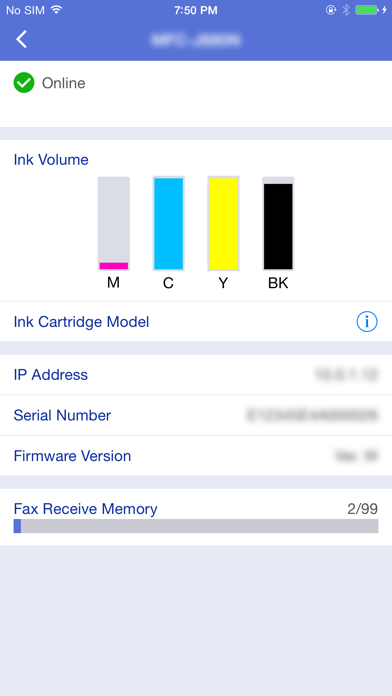
- View the machine’s status such as ink/toner volume and error messages on your mobile device.
*Compatible functions will depend on the selected device.
[Compatible Print Settings]
- Paper Size -
4" x 6" (10 x 15cm)
Photo L (3.5" x 5" / 9 x 13 cm)
Photo 2L (5" x 7" / 13 x 18 cm)
A4
Letter
Legal
A3
Ledger
- Media Type -
Glossy Paper
Plain Paper
- Copies -
Up to 5
[Compatible Scan Settings]
- Document Size -
A4
Letter
4" x 6" (10 x 15cm)
Photo L (3.5" x 5" / 9 x 13 cm)
Card (2.4" x 3.5" / 60 x 90 mm)
Legal
A3
Ledger
- Scan Type -
Color
Color (Fast)
Black & White
[Access Permission Information]
You must check and allow the essential access permissions below to use Brother iPrint&Scan service.
Essential Permission
• Contact information: access to your contact numbers is needed when you use functions like fax, but you can limit access to the specific contact necessary for the service.
Optional Permission
• Location information: It is requested only when you use device search features like Wi-Fi Direct, Bluetooth, or NFC.
Optional data is required to use the corresponding function, and even if permission is not granted, services other than the corresponding function can be used.
*Compatible settings will depend on the selected device and function.
*Evernote is a trademark of Evernote Corporation and used under a license.
*Microsoft, Excel, and PowerPoint are either registered trademarks or trademarks of Microsoft Corporation in the United States and/or other countries.
*To help us improve the application, send your feedback to Feedback-mobile-apps-ps@brother.com. Please note that we may not be able to respond to individual emails.