Budget.ly: Expense Tracker
Budget.ly: Expense Tracker is made and published by Jaden K. AppBrain is an independent app data site and isn't affiliated with Jaden K. The app name, icon, screenshots and description belong to Jaden K and are shown as published on the App Store.
AppBrain's verdict
Established- Rating on App Store
- 5.00
- 1 ratings
- Last updated
- October 13, 2026
It doesn't have enough ratings yet to judge what users think.
Rankings
App Store top chartsApp Store Rankings for Budget.ly: Expense Tracker
Competitors
Similar apps and more from Jaden KReleases
Updates seen on the App Store- Version
- 2.3
- Launched
- April 2020
No changelog data
User feedback
Ratings and reviews on the App StoreComments on Budget.ly: Expense Tracker for iOS
We don't have enough comments to show example comments. Please check back later.
Technology
Found in the app by AppBrain- Price
- Free
- App size
- 9.93 MB
- Content rating
- Everyone
Technologies used by Budget.ly: Expense Tracker
About the app and developer
About Budget.ly: Expense Tracker
Budget.ly: Expense Tracker is a finance app developed by Jaden K.
What is the rating of Budget.ly: Expense Tracker?
Budget.ly: Expense Tracker is rated 5.00 out of 5 stars, based on one rating ratings.
Is Budget.ly: Expense Tracker free?
Budget.ly: Expense Tracker is free. The app size is 9.93 MB. The latest version available is 2.3. The last update was on October 13, 2026.
What are the requirements for Budget.ly: Expense Tracker?
The app has a content rating of Everyone. The app has been available on the App Store since April 2020.
Developer information for Jaden K
Address:
Store listing
By Jaden K, from the App StoreDescription by Jaden K Written by the developer, not by AppBrain. Click to read.
TRACK
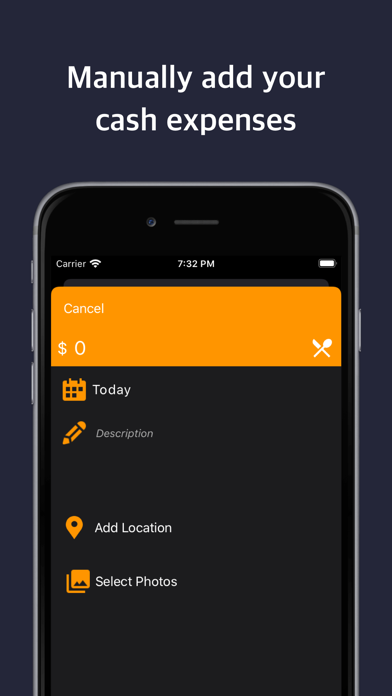
• Add income, expenses and transfers with amount, category, account, date, notes and receipt photos
• Snap a receipt with the camera or pick one from your photos
• Save where a purchase happened and see your spending on a map
• Search and filter every transaction; sort by date or amount
• Accounts for bank, savings, e-wallet and cash, with balances that update as you go
• Recurring payments with reminders before they are due
PLAN
• Monthly budgets per category with envelope-style progress bars
• Savings goals with target amounts and dates
• Calendar view of your spending day by day
ORGANISE
• Separate journals for personal, business, a side project or a trip, each with its own accounts, categories and currency
• Every world currency, with the symbol shown the way you expect
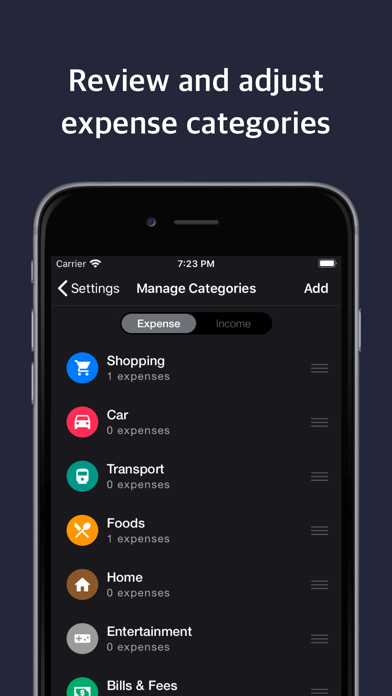
• Nested categories with your own colours and icons
• Lock the app with Face ID or Touch ID
UNDERSTAND
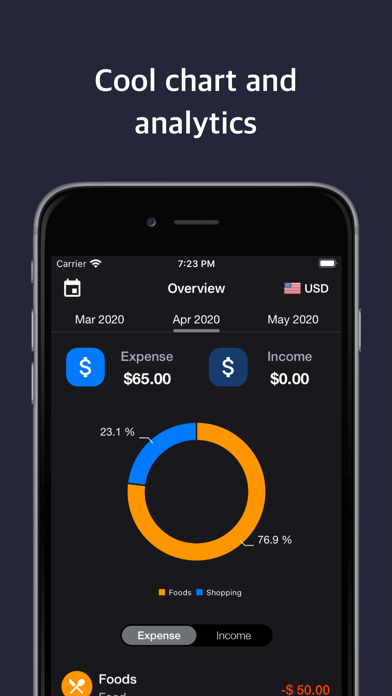
• Dashboard with balance, income, expenses and net savings for any week, month, year or custom range
• Spending breakdown by category
• Yearly overview as a table or chart, with any category as an extra column
• Trends and analytics across all your accounts
BUDGET.LY PRO
• Assistant: ask about your spending or log a transaction by chat, powered by Apple Intelligence on your device*
• Receipt scanning: snap a receipt and the assistant drafts the transaction
• CSV import from Excel, Numbers, Notion or your bank
• iCloud sync across iPhone, iPad and Mac
• Unlimited transactions (the free plan includes 25)
PRIVATE BY DESIGN
No account, no ads, no tracking. Your data lives on your device and, if you choose, in your private iCloud. Export a JSON backup or CSV at any time, and local snapshots protect you from accidental loss. Upgrading from Budget.ly 1.x brings your existing wallets, categories and expenses across automatically.
*The assistant requires a device that supports Apple Intelligence.
SUBSCRIPTION
Budget.ly Pro is available as a monthly or yearly auto-renewing subscription. Payment is charged to your Apple ID account at confirmation of purchase. The subscription renews automatically unless auto-renew is turned off at least 24 hours before the end of the current period, and your account is charged for renewal within 24 hours before the period ends. Manage or cancel any time in your App Store account settings.
Terms of Use - https://sites.google.com/view/appsettings/terms-of-use
Privacy Policy - https://sites.google.com/view/appsettings/prviacy-policy