C Keyboard - Customize Keys
C Keyboard - Customize Keys is made and published by 倩喜 阮. AppBrain is an independent app data site and isn't affiliated with 倩喜 阮. The app name, icon, screenshots and description belong to 倩喜 阮 and are shown as published on the App Store.
AppBrain's verdict
- Rating on App Store
- 5.00
- 3 ratings
- Last updated
- April 25, 2022
- Size
- 25.6 MB
It doesn't have enough ratings yet to judge what users think.
User feedback
Ratings and reviews on the App StoreComments on C Keyboard - Customize Keys for iOS
We don't have enough comments to show example comments. Please check back later.
Store listing
By 倩喜 阮, from the App StoreDescription by 倩喜 阮 Written by the developer, not by AppBrain. Click to read.
= = = Product Features = = =
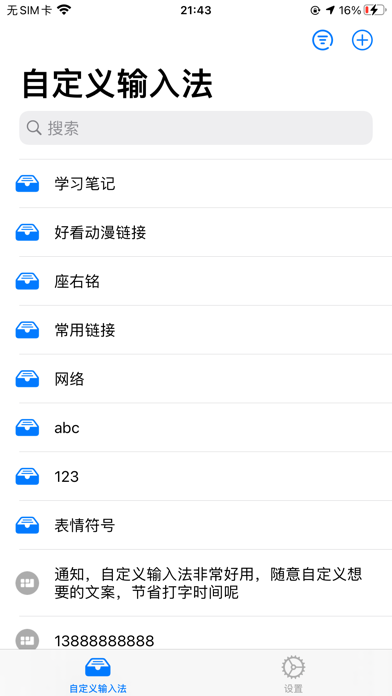
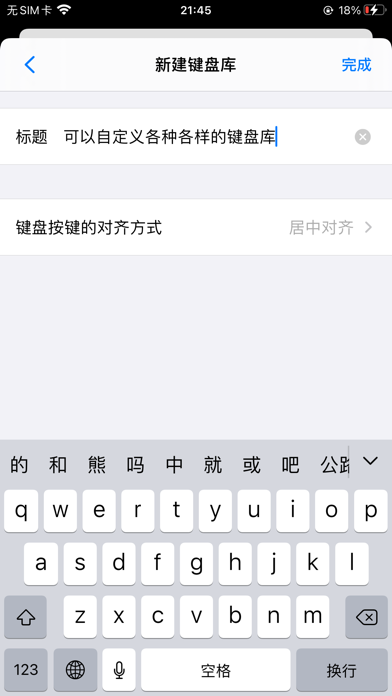
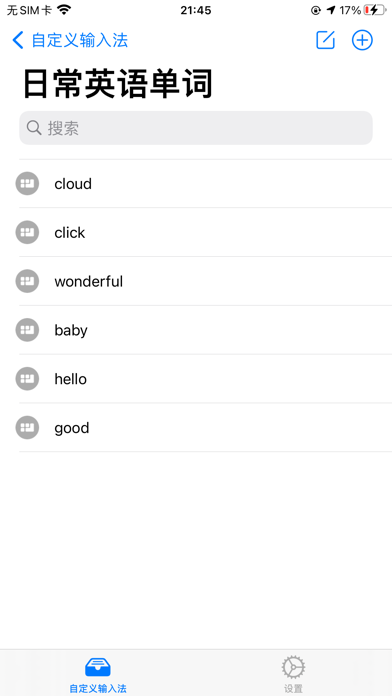
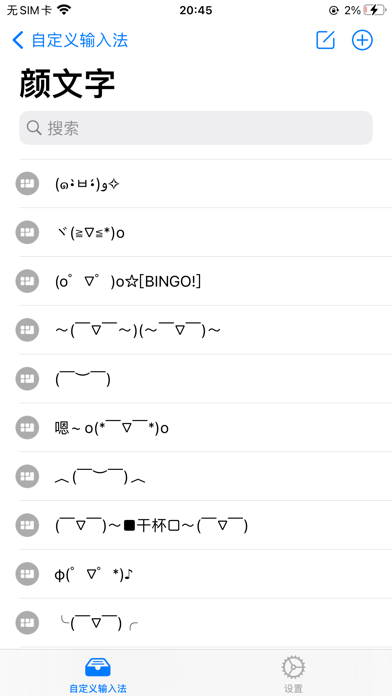
【May Custom Keyboard】You can add the keyboard you want, such as: emoji, special symbols, emoji, numbers, promotional copy, daily English, search engines and other keyboard categories
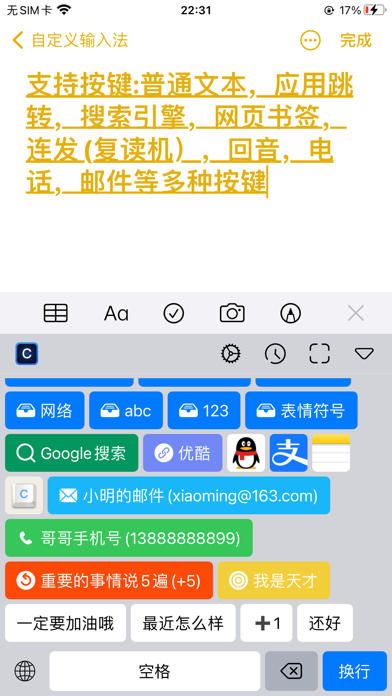
【Diversified Keys】Supports various buttons such as ordinary text, application jump, search engine, webpage bookmarks, continuous sending (repeater machine), echo, telephone, email, etc.
【Key History】Record the most recently used keys, making it more convenient to visit
【Line Break Key】Freely switch the newline button to meet the user's input newline needs
【Auto Return】Turn on the automatic return, click the normal text button to automatically send the content
【Keyboard Height Customization】Customize the keyboard height to display more useful keys
【Show Recent Keyboard】Record the most recently accessed keyboards and automatically switch the next time you use them
【Theme Follow】Appearance follows the dark and light color mode of the system
= = = Key Introduction = = =
【App Jump】Customize various URL Scheme/Universal Link events (scan on WeChat, hot search on Weibo, etc.)
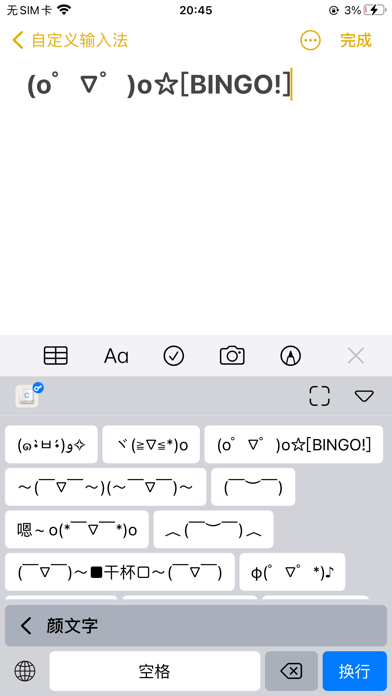
【Normal text】The content of the button is arbitrary, and the color text? Emoticons? Special characters? Internet connection? Japanese Kana? all can
【Search engine】Please allow full access, automatically obtain the clipboard content and search for the content according to the set search engine, such as: copy "Ghost Slayer", click the bilibili search engine, and you can go to bilibili to search
【Webpage Bookmarks】Visit the set webpage through the built-in Safari browser, and read novels? watch video? All can be implemented within the keyboard, no need to jump to other applications
【Phone】Suddenly want to call someone? Just click the green dial button
【Email】Send an urgent email. Just click easily, you can jump to the mail APP
【Echo]】What? Can you still play like this? Just type a piece of text and he will automatically send the echoed content:
Happy
appy
ppy
py
y
【Looping】Nothing matters. Say important things three times or n times, you decide how many times to send, such as 5 times in a row:
I am a genius
I am a genius
I am a genius
I am a genius
I am a genius
= = = Tips = = =
【1】How to enable C Keyboard?
1. Add keyboard: After installation, go to System Settings -> General -> Keyboard -> Add New Keyboard and select “C Keyboard" to add, then click C Keyboard -> Enable [Allow Full Access] -> Done
2. Start the keyboard: open any input box -> long press the globe button to select a C Keyboard, you can use it
【2】What should I do if the C Keyboard cannot be found in the keyboard list?
Due to the system cache, the C Keyboard may not be displayed. Please restart the app that needs to use the input method or go to System -> Settings -> General -> Keyboard -> Keyboard to delete the C Keyboard, and then add the C Keyboard again, or restart the device.
【3】How to adjust the keyboard height?
Open any input box -> keyboard select 「C Keyboard」 -> click the「」button in the upper right corner of the keyboard to adjust
【4】Allow Full Access to the keyboard is a better experience:
① The App Jump logo can be displayed normally
② You can use web bookmarks normally
③ You can use the search engine normally
【5】About turning on 「Allow Full Access」
The C Keyboard will not collect any user sensitive information. For a better experience, please enable the 「Allow Full Access」 keyboard
= = = Contact us = = =
We are always listening, always answering questions and looking forward to your feedback
Open the C Keyboard -> enter the settings interface -> click on feedback -> submit your ideas
Safety and technology
Found in the app by AppBrain- Price
- Free
- App size
- 25.6 MB
- Content rating
- Everyone
Technologies used by C Keyboard - Customize Keys
Releases
Updates seen on the App Store- Version
- 1.2
- Launched
- April 2022
No changelog data
Alternatives
Similar apps and more from 倩喜 阮Alternatives to C Keyboard - Customize Keys
More from 倩喜 阮
Rankings
App Store top chartsApp Store Rankings for C Keyboard - Customize Keys
About the app and developer
About C Keyboard - Customize Keys
C Keyboard - Customize Keys is a productivity app developed by 倩喜 阮.
What is the rating of C Keyboard - Customize Keys?
C Keyboard - Customize Keys is rated 5.00 out of 5 stars, based on 3 ratings.
Is C Keyboard - Customize Keys free?
C Keyboard - Customize Keys is free. The app size is 25.63 MB. The latest version available is 1.2. The last update was on April 25, 2022.
What are the requirements for C Keyboard - Customize Keys?
The app has a content rating of Everyone. The app has been available on the App Store since April 2022.
Developer information for 倩喜 阮
Address: