
Calx: Stack calculator
Calx: Stack calculator is made and published by Daniel Clelland. AppBrain is an independent app data site and isn't affiliated with Daniel Clelland. The app name, icon, screenshots and description belong to Daniel Clelland and are shown as published on the App Store.
AppBrain's verdict
Established- Rating on App Store
- 5.00
- 2 ratings
- Last updated
- October 9, 2023
It doesn't have enough ratings yet to judge what users think.
Rankings
App Store top chartsApp Store Rankings for Calx: Stack calculator
Competitors
Similar apps and more from Daniel ClellandAlternatives to Calx: Stack calculator





More from Daniel Clelland

Releases
Updates seen on the App Store- Version
- 1.2.3
- Launched
- April 2015
No changelog data
User feedback
Ratings and reviews on the App StoreComments on Calx: Stack calculator for iOS
We don't have enough comments to show example comments. Please check back later.
Technology
Found in the app by AppBrain- Price
- $0.99
- App size
- 3.86 MB
- Content rating
- Everyone
Technologies used by Calx: Stack calculator
About the app and developer
About Calx: Stack calculator
Calx: Stack calculator is an utilities app developed by Daniel Clelland.
What is the rating of Calx: Stack calculator?
Calx: Stack calculator is rated 5.00 out of 5 stars, based on 2 ratings.
Is Calx: Stack calculator free?
Calx: Stack calculator costs $0.99. The app size is 3.86 MB. The latest version available is 1.2.3. The last update was on October 9, 2023.
What are the requirements for Calx: Stack calculator?
The app has a content rating of Everyone. The app has been available on the App Store since April 2015.
Developer information for Daniel Clelland
Address:
Store listing
By Daniel Clelland, from the App Store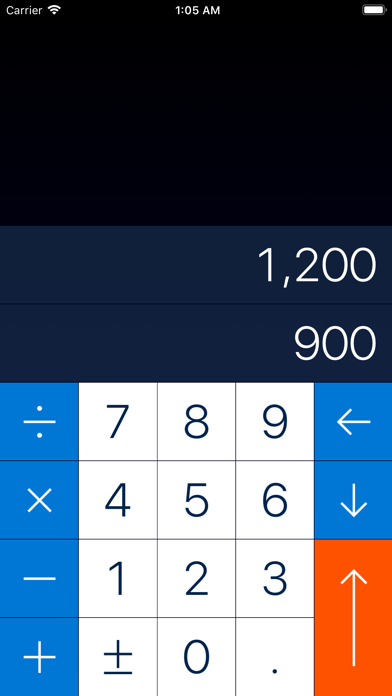

Description by Daniel Clelland Written by the developer, not by AppBrain. Click to read.
This means that instead of just typing an equation into your calculator, you push numbers onto a stack, and then apply operations to the lowermost numbers in the stack.
It's bizarre, but it makes sense once it clicks.
If this all sounds confusing, don't worry! CALX comes with a guided tutorial which will get you up to speed in three minutes.
Features:
• Gestural interaction: Manipulate your data with simple, intuitive gestures.
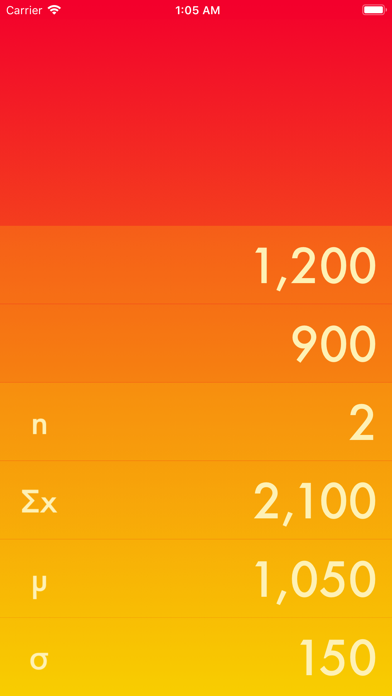
• Multiple keypads: CALX features an array of basic, scientific, and statistical functions.
• Customization: Select from different fonts and colours to find a combination that works for you.