

Camera to PDF Scanner
Camera to PDF Scanner is made and published by Mehmet Ali Demir. AppBrain is an independent app data site and isn't affiliated with Mehmet Ali Demir. The app name, icon, screenshots and description belong to Mehmet Ali Demir and are shown as published on the App Store.
AppBrain's verdict
- Last updated
- September 7, 2026
- Size
- 18.7 MB
User feedback
Ratings and reviews on the App StoreComments on Camera to PDF Scanner for iOS
We don't have enough comments to show example comments. Please check back later.
Store listing
By Mehmet Ali Demir, from the App Store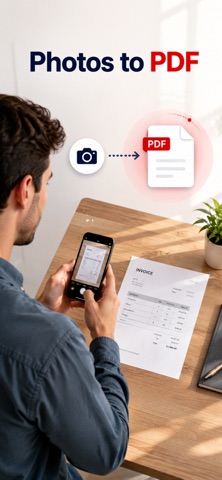


Description by Mehmet Ali Demir Written by the developer, not by AppBrain. Click to read.
FOUR WAYS TO ADD PAGES
• Choose Photos: pick as many as you like in one go
• Scan Document: the camera finds the edges of the paper and straightens it, page after page
• Take Photo: capture a single page on the spot
• Import from Files: images you already saved
You can also reopen a PDF you made and edit its pages again.
ARRANGE AND CLEAN UP
• Drag pages into the order you want
• Rotate left or right
• Crop freehand or with a preset: Original, Square, 2:3, 3:2, 3:4, 4:3, 9:16, 16:9
• Filters: Enhance to brighten paper and sharpen text, Grayscale, or high-contrast Black & White
• Reset any page back to the original at any time
SIGN AND REDACT
• Draw your signature in black, blue or red, drop it on any page, and reuse it later. Signatures are saved
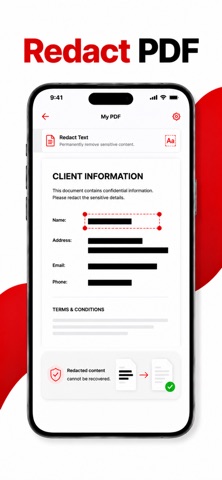
• Redact erases the pixels from the image itself. It does not just paint a box over them
PAGE OPTIONS THAT MATTER
• Page size: A4, Letter, or Auto to match each image
• Orientation: Portrait, Landscape or Auto
• Margins: None, Small, Medium or Large
• Fit, Fill or Stretch each image into the page
• Quality: Compact, Balanced or Best. The estimated file size is shown on the button before you create anything
• Page numbers centred along the bottom
SEARCHABLE PDFs
Switch on searchable text and the app reads every page, then embeds an invisible text layer under the image. The finished PDF can be searched, and its text selected and copied, in Files, Mail or anywhere else you open it.
PROTECT WHAT YOU SEND
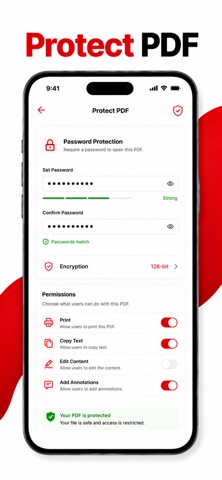
• Password protect the finished PDF so it cannot be opened without it
• Add a text watermark (diagonal, tiled, or a single footer line) with adjustable opacity
YOUR LIBRARY
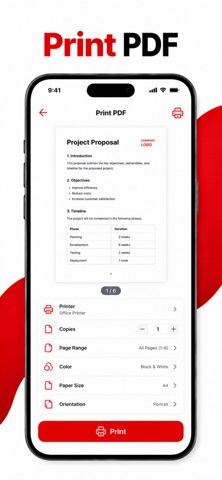
Every document you make stays in the app. Search by name, sort by newest, oldest, name or size, rename, select several at once and delete what you no longer need. Share, print or save to Files straight from any document.
PRIVATE BY DESIGN
Your documents are created and stored on this device. There is no sign-up, no sync and no upload. There are no ads anywhere in the app, free or Pro.
PRO
The free version includes one PDF. Pro unlocks:
• Unlimited PDF conversions
• Searchable text with OCR
• Watermark and password protection
Pro is offered as a weekly or an annual subscription. Payment is charged to your Apple Account at confirmation of purchase. A subscription renews automatically unless it is cancelled at least 24 hours before the end of the current period, and your account is charged for renewal within 24 hours before the period ends. Manage your subscription or turn off auto-renew in your Apple Account settings after purchase.
Terms of Use (EULA): https://www.apple.com/legal/internet-services/itunes/dev/stdeula/
Privacy Policy: https://www.mehmetali.co/privacy
Safety and technology
Found in the app by AppBrain- Price
- Free
- App size
- 18.7 MB
- Content rating
- Everyone
Technologies used by Camera to PDF Scanner
Releases
Updates seen on the App Store- Version
- 1.1
- Launched
- September 2026
No changelog data
Alternatives
Similar apps and more from Mehmet Ali DemirAlternatives to Camera to PDF Scanner


More from Mehmet Ali Demir


Rankings
App Store top chartsApp Store Rankings for Camera to PDF Scanner
About the app and developer
About Camera to PDF Scanner
Camera to PDF Scanner is a productivity app developed by Mehmet Ali Demir.
User Ratings
The app has no ratings yet.
App Information
Camera to PDF Scanner is freely available from the App Store. The app size is 18.74 MB. The latest version available is 1.1. The last update was on September 7, 2026.
Technical Requirements
The app has a content rating of Everyone. The app has been available on the App Store since September 2026.
Developer information for Mehmet Ali Demir
Address:
Frequently asked questions about Camera to PDF Scanner
Is Camera to PDF Scanner free?
Yes. Camera to PDF Scanner is free on the App Store.
Is Camera to PDF Scanner still available?
Yes. Camera to PDF Scanner is on the App Store, and the last update we saw was on September 7, 2026.
How large is Camera to PDF Scanner?
Camera to PDF Scanner is 18.74 MB.
Is Camera to PDF Scanner suitable for children?
App Store rates the content of Camera to PDF Scanner as suitable for everyone.
Who made Camera to PDF Scanner?
Camera to PDF Scanner was developed by Mehmet Ali Demir. It is listed in the productivity category on the App Store.
What are the best alternatives to Camera to PDF Scanner?
People looking at Camera to PDF Scanner also look at these productivity apps: Doc Scanner by Dani, Pagefold: PDF Scanner OCR, Harfy: Arabic Scan & OCR App, PDF to JPEG Converter +, Nescanner Document Scanner.