

Camo Camera is made and published by Reincubate. AppBrain is an independent app data site and isn't affiliated with Reincubate. The app name, icon, screenshots and description belong to Reincubate and are shown as published on the App Store.
AppBrain's verdict
EstablishedLoved by users- Rating on App Store
- 4.60
- 7,638 ratings
- Last updated
- June 29, 2026
- Size
- 89.9 MB
Users love it: 4.6 stars from 7,638 ratings.
User feedback
Ratings and reviews on the App StoreComments on Camo Camera for iOS
We don't have enough comments to show example comments. Please check back later.
Store listing
By Reincubate, from the App Store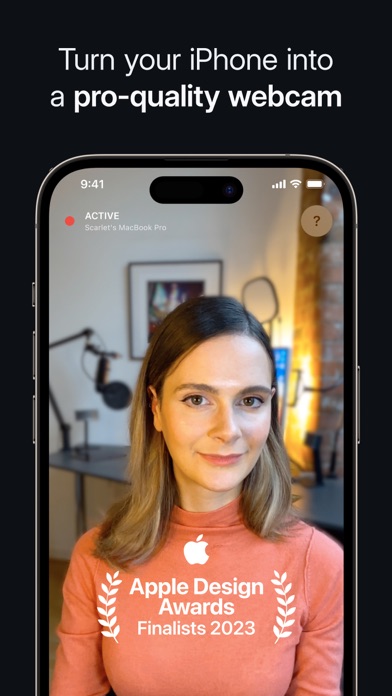
Description by Reincubate Written by the developer, not by AppBrain. Click to read.
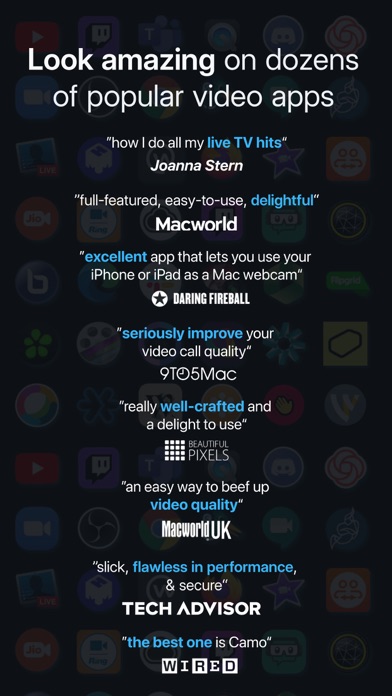
Joanna Stern, The Wall St. Journal – “how I do all my live TV hits”
MacWorld US – “full-featured, easy-to-use, and delightful”
9to5Mac – “an easy way to seriously improve your video call quality”
WIRED – “there are a number of apps which let you use your iOS device’s camera as your webcam, but the best one is Camo”
MacWorld UK – “an easy way to beef up the video quality on your calls”
With over 10 million users helped over the last decade, Reincubate is one of the UK’s most-loved software companies.
— EASY TO USE / PLUG AND PLAY / Wi-Fi —
No extra hardware needed, just connect your device to your Mac or PC. Choose between connecting wirelessly, for the most flexible experience, or opt for a trusty USB connection. With Wi-Fi connectivity, get set up for a call in seconds – no more looking around for a spare cable or a free port.
— POWERFUL ADJUSTMENTS & FILTERS —
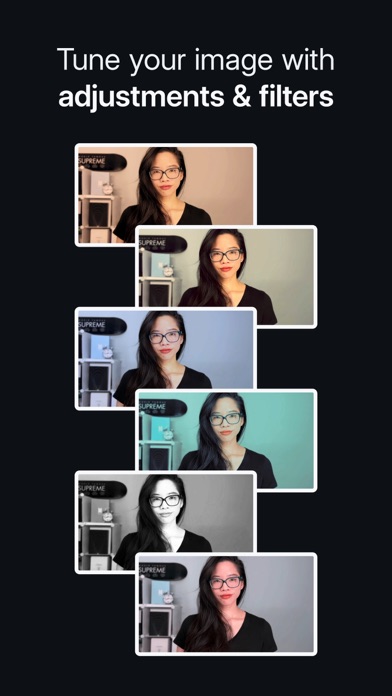
Camo Studio gives you full control of your video, letting you adjust lenses, exposure, colours, contrast, and more; and it lets you zoom, crop, and focus your image precisely how you want it. Apply cinematic styling and color grading to your video with 18 bespoke filters, including support for custom Cube, 3DL, and LUT files.
— STAND OUT WITH SPOTLIGHT & PORTRAIT —
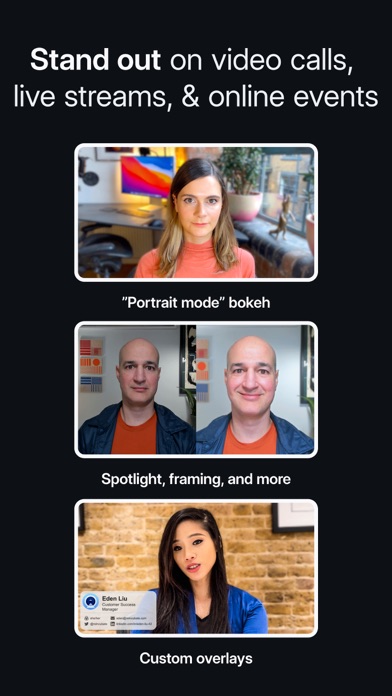
Use Spotlight to compensate for less-than-ideal lighting conditions, such as backlit or under-lit environments, by brightening yourself against your background. Portrait creates a sophisticated bokeh effect that cleanly separates you from the background and gives you full control over the depth of focus.
— VIRTUAL GREEN SCREEN AND PRIVACY —
Use Replace, Camo’s virtual green screen, to cleanly swap any image into your background. Or activate Privacy to cloak your surroundings with a pleasing diffused image effect. Both offer industry-leading performance, enabling video that foregrounds clarity without sacrificing appearance.
— FIND FREEDOM WITH AUTO FRAMING —
Camo’s auto-framing functionality keeps you at the center of the action, whether you’re shuffling around at your desk or presenting at a whiteboard. With a range of zoom options, you’ll remain firmly centered and proportioned on screen.
— COMPATIBLE WITH OVER 40 APPS —
Camo works perfectly with Zoom, Google Meet, Microsoft Teams, Safari, FaceTime, QuickTime, Chrome, OBS Studio, Streamlabs, Skype, Twitch, Panopto, ScreenFlow, Final Cut Pro X, and dozens of other video recording and streaming products.
— SECURITY AND PRIVACY FIRST —
Camo doesn’t know what you’re using it for, and doesn’t capture or transmit your video feed. It simply routes it from your iPhone to your computer. Your data is your business, not ours.
— NOT ONLY BUT ALSO! —
- Super low latency, high speed video with a range of resolutions
- Powerful presets to save and quickly switch to your favourite adjustments and settings
- Native support for iPadOS as well as your iPhone, and beautiful Dark Mode support throughout
- Camo offloads all processing to your iOS device, keeping your computer cool and fast
- Crop your video without losing quality with dynamic-resolution Smart Zoom
- Automatic image stabilisation minimises bumps and vibrations
- Virtually rotate your video without touching your device
- Switch between video from multiple iOS devices and lenses in real-time
- No ads in the app, not ever
— WE’RE HERE TO HELP —
We’re fanatical about supporting users, and we’d love to help you make the most of Camo. Reach out to us any time: support@reincubate.com
Camo Studio supports macOS 10.13 or later & Windows 10 or later.
— LEARN MORE —
About us: https://reincubate.com/camo/
How to make the most of Camo: https://reincubate.com/support/how-to/look-best-webcam-video/
FAQ: https://reincubate.com/support/camo/camo-faq/
Safety and technology
Found in the app by AppBrain- Price
- Free
- App size
- 89.9 MB
- Content rating
- Everyone
Technologies used by Camo Camera
Releases
Updates seen on the App Store- Version
- 2.4.1
- Launched
- July 2020
No changelog data
Alternatives
Similar apps and more from ReincubateAlternatives to Camo Camera





More from Reincubate


Rankings
App Store top chartsApp Store Rankings for Camo Camera
About the app and developer
About Camo Camera
Camo Camera is an utilities app developed by Reincubate.
User Ratings
Camo Camera is rated 4.60 out of 5 stars. The rating is based on 7.6 thousand ratings.
App Information
Camo Camera is freely available from the App Store. The app size is 89.89 MB. The latest version available is 2.4.1. The last update was on June 29, 2026.
Technical Requirements
The app has a content rating of Everyone. The app has been available on the App Store since July 2020.
Developer information for Reincubate
Address: