

CAPTOR for Intune
CAPTOR for Intune is made and published by Inkscreen LLC. AppBrain is an independent app data site and isn't affiliated with Inkscreen LLC. The app name, icon, screenshots and description belong to Inkscreen LLC and are shown as published on the App Store.
AppBrain's verdict
- Rating on App Store
- 5.00
- 2 ratings
- Last updated
- October 15, 2026
It doesn't have enough ratings yet to judge what users think.
Rankings
App Store top chartsApp Store Rankings for CAPTOR for Intune
Competitors
Similar apps and more from Inkscreen LLCAlternatives to CAPTOR for Intune


More from Inkscreen LLC


Releases
Updates seen on the App Store- Version
- 5.7.1
- Launched
- December 2021
No changelog data
User feedback
Ratings and reviews on the App StoreComments on CAPTOR for Intune for iOS
We don't have enough comments to show example comments. Please check back later.
Technology
Found in the app by AppBrain- Price
- Free
- App size
- 237.7 MB
- Content rating
- Everyone
Technologies used by CAPTOR for Intune
About the app and developer
About CAPTOR for Intune
CAPTOR for Intune is a business app developed by Inkscreen LLC.
What is the rating of CAPTOR for Intune?
CAPTOR for Intune is rated 5.00 out of 5 stars, based on 2 ratings.
Is CAPTOR for Intune free?
CAPTOR for Intune is free. The app size is 237.72 MB. The latest version available is 5.7.1. The last update was on October 15, 2026.
What are the requirements for CAPTOR for Intune?
The app has a content rating of Everyone. The app has been available on the App Store since December 2021.
Developer information for Inkscreen LLC
Address:
Frequently asked questions about CAPTOR for Intune
Is CAPTOR for Intune free?
Yes. CAPTOR for Intune is free on the App Store.
Is CAPTOR for Intune still available?
Yes. CAPTOR for Intune is on the App Store, and the last update we saw was on October 15, 2026.
How large is CAPTOR for Intune?
CAPTOR for Intune is 237.72 MB.
Is CAPTOR for Intune suitable for children?
App Store rates the content of CAPTOR for Intune as suitable for everyone.
How do people rate CAPTOR for Intune?
CAPTOR for Intune scores 5.00 out of 5 stars, from 2 ratings on the App Store.
Who made CAPTOR for Intune?
CAPTOR for Intune was developed by Inkscreen LLC. It is listed in the business category on the App Store.
What are the best alternatives to CAPTOR for Intune?
People looking at CAPTOR for Intune also look at these business apps: Vinson & Elkins, iAnnotate for Intune / O365, Texas Tower, iManage Work 10 For BlackBerry, NetDocuments for Intune.
Store listing
By Inkscreen LLC, from the App Store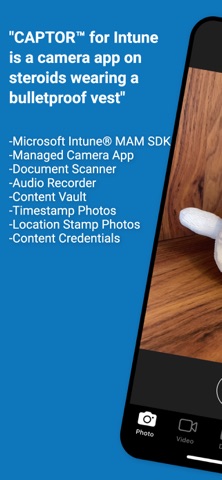



Description by Inkscreen LLC Written by the developer, not by AppBrain. Click to read.
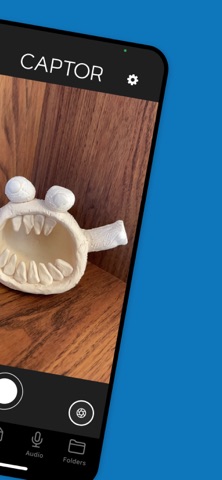
CAPTOR™ is the leading enterprise-grade managed camera and document scanning app available today. CAPTOR combines the functionality of a camera app, audio and video recorder, document scanner, and QR code reader - all in one secure managed app.
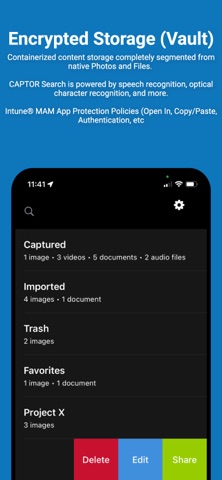
Employees who capture photos, record audio/video, and scan documents on the job can remain productive while satisfying even the most stringent IT data protection policies. Captured content remains in an encrypted container on the device or can optionally be backed-up to a managed network drive, cloud storage, or content server.
Key Features:
-Capture high resolution photos and videos.
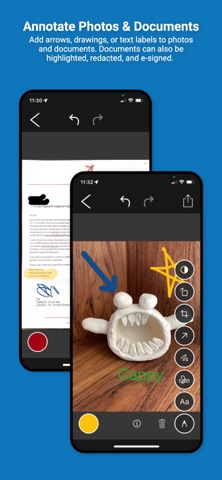
-Scan multi-page documents with smart edge detection; edit, annotate, and save as PDF (supports PDF 1.3, 1.4, 1.5, 1.6, 1.7, and all PDF/A subtypes).
-e-Signature annotation for signing PDF documents.
-Combine/merge PDF files and rearrange or delete pages
-Record ambient audio.
-Read QR codes and launch secure browser.
-Annotate photos and documents with arrows, drawings, highlighters, and text labels.
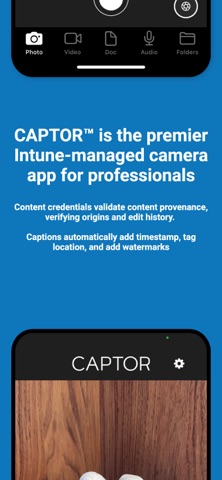
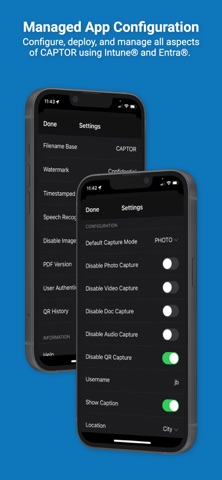
-Add watermarks and captions with timestamps, location tags, authenticated user, and notes
-Enhanced Search using OCR and Speech Recognition to find any content.
-Custom app configs to support special requirements and use cases.
-Encrypted data container protects content and enables IT admin to wipe data if device is lost or stolen.
-Separate work from personal content to support BYOD/COPE and enable personal privacy (GDPR compliance).
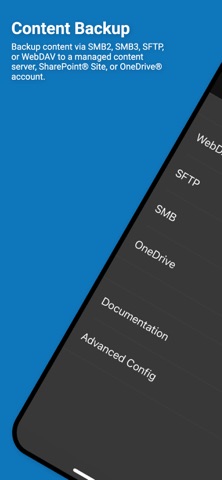
-Automatically copy CAPTOR content to a network or cloud drive using WebDAV, SFTP, Microsoft OneDrive®, SharePoint®, SMB, Nextcloud, PowerFolder, or Google Drive.
-Add CAPTOR Compliance service to be alerted of any attempts at data leakage (screenshots, sharing to unauthorized cloud accounts, etc).
CAPTOR is used to solve complex use cases in industries such as healthcare, legal, government, law enforcement, insurance, construction, and financial services. CAPTOR is a critical component of any work-from-home (WFH) or remote work enterprise mobility solution.