

Chameleon AUv3 Sampler Plugin
Chameleon AUv3 Sampler Plugin is made and published by 4Pockets.com. AppBrain is an independent app data site and isn't affiliated with 4Pockets.com. The app name, icon, screenshots and description belong to 4Pockets.com and are shown as published on the App Store.
AppBrain's verdict
Established- Rating on App Store
- 4.40
- 45 ratings
- Last updated
- December 11, 2025
- Size
- 225.8 MB
It doesn't have enough ratings yet to judge what users think.
User feedback
Ratings and reviews on the App StoreComments on Chameleon AUv3 Sampler Plugin for iOS
We don't have enough comments to show example comments. Please check back later.
Store listing
By 4Pockets.com, from the App Store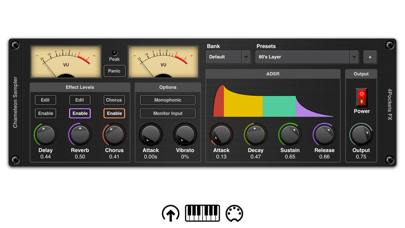
Description by 4Pockets.com Written by the developer, not by AppBrain. Click to read.
The program can run as a standalone app in order to record audio samples from the internal microphone or professional audio interface. It also supports incoming Inter-App Audio connections for sampling directly from other iOS applications, however it is primarily intended to be used as an AUv3 Instrument plugin for applications such as Cubasis, AUM, Auria, Meteor, Gargeband etc. The plugin can additionally be loaded as an AUv3 effect in order to record audio passing through it from other AUv3 Instrument sources, which makes it a very versatile and useful tool.
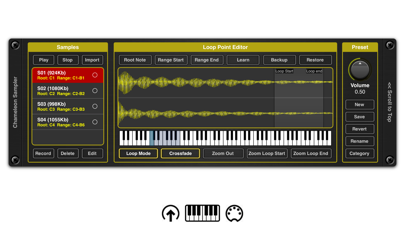
So what is a sampler? A sampler is a device that allows you to imitate other instruments with just a few short audio snippits. Although it comes with a library of presets it also allows you to create your own. You do this by recording multiple audio clips and mapping them to the notes on a MIDI keyboard and Chameleon does the rest using a sophisticated pitch shifting algorithm to fill in the blanks. Recorded samples can either be layered or mapped freely over a 7 octave range and saved as individual presets. Presets are then organised into custom categorised banks which can be exported and shared with others.
Just think, you can sample all your favourite synth sounds and carry them around on your iPhone/iPad without the inconvenience of lugging heavy gear around with you. Sample anything from musical instruments to vocal snippits, drum machines or ambient noises. The possibilities are endless.
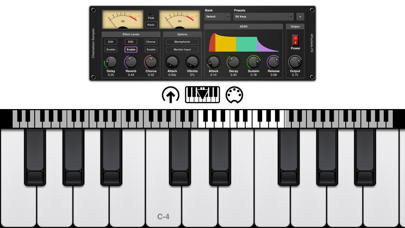
Recording is incredible easy. Just create a New Patch and press record. Chameleon will wait for you to play a note before recording begins. Once recorded press the LEARN button and tap the note range on the virtual or MIDI keyboard to map the sample. Repeat this as many times as required, tweak the settings and save your patch. Additionally you can setup loop points with the ability to apply crossfade. If all that sounds too complicated, just press auto sample and let Chameleon do all the sampling for you.
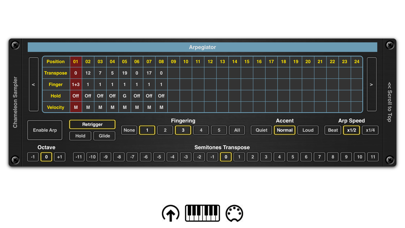
Chameleon also has a quite sophisticated arpeggiator which allows you to create complex mixtures of notes and chords with glide, hold and re-triggering options.
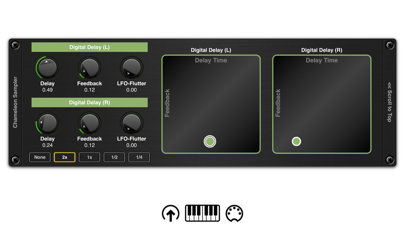
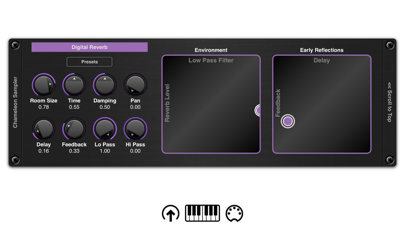
On board reverb, digital delay and chorus effects are available to give your samples a more polished touch. We also include 4 touch pads for quickly dialing in on a sound or for easy effect automation. Configurable touch ADSR and modulation options are available too.
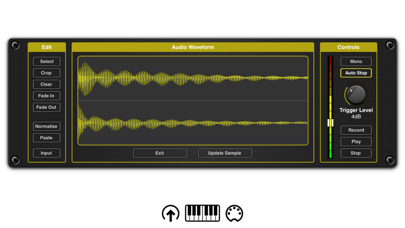
Chameleon can also import audio samples using iOS Files integration or you can make use of Copy / Paste to quickly drop one of more samples into a patch. You can also freely edit samples using the built in tools such as normalise, fade in, fade out, crop, clear options etc.
You can run Cameleon as a standalone app and map external MIDI keyboards (Bluetooth MIDI support also included) and perform audio sampling outside of your DAW. This is provided for convenience since you can't record input when hosted as an AUv3 Instrument plugin.
Yes some DAW's have built in samplers which only have the ability to playback libraries provided with the software. Chameleon allows you to built your own libraries of sounds and share them with others. There's a budding rapper in you dying to get out and we have just the tool!
Features:
AUv3 Instrument and AUv3 Effect compatible
Runs as a standalone app for sampling purposes.
Supports incoming IAA connections to compatible apps..
ADSR touch envelopes and modulation.
ARP - Sophisticated programmable arpegiator.
Reverb, Chorus and Digital Delay Effects with BPM sync.
Backup and Restore patches and banks.
Create your own user banks.
4 Touch Pads for automation.
16 MIDI Drum Pads
iOS Files App support for import and export.
Bluetooth MIDI support
Loop Points and optional Crossfade supported.
Monophonic and Polyphonic modes.
Auto Sample feature.
Built in Vocoder.
Safety and technology
Found in the app by AppBrain- Price
- $12.99
- App size
- 225.8 MB
- Content rating
- Everyone
Technologies used by Chameleon AUv3 Sampler Plugin
Releases
Updates seen on the App Store- Version
- 1.27
- Launched
- March 2019
No changelog data
Alternatives
Similar apps and more from 4Pockets.comAlternatives to Chameleon AUv3 Sampler Plugin


More from 4Pockets.com





Rankings
App Store top chartsApp Store Rankings for Chameleon AUv3 Sampler Plugin
About the app and developer
About Chameleon AUv3 Sampler Plugin
Chameleon AUv3 Sampler Plugin is a music app developed by 4Pockets.com.
User Ratings
Chameleon AUv3 Sampler Plugin is rated 4.40 out of 5 stars. The rating is based on 45 ratings.
App Information
Chameleon AUv3 Sampler Plugin costs $12.99. The app size is 225.78 MB. The latest version available is 1.27. The last update was on December 11, 2025.
Technical Requirements
The app has a content rating of Everyone. The app has been available on the App Store since March 2019.
Developer information for 4Pockets.com
Address: