

Change Focus is made and published by HAN WEI WANG. AppBrain is an independent app data site and isn't affiliated with HAN WEI WANG. The app name, icon, screenshots and description belong to HAN WEI WANG and are shown as published on the App Store.
AppBrain's verdict
- Last updated
- November 27, 2023
Rankings
App Store top chartsApp Store Rankings for Change Focus
Competitors
Similar apps and more from HAN WEI WANGMore from HAN WEI WANG





Releases
Updates seen on the App Store- Version
- 1.0
- Launched
- November 2023
No changelog data
User feedback
Ratings and reviews on the App StoreComments on Change Focus for iOS
We don't have enough comments to show example comments. Please check back later.
Technology
Found in the app by AppBrain- Price
- Free
- App size
- 9.92 MB
- Content rating
- Everyone
Technologies used by Change Focus
About the app and developer
About Change Focus
Change Focus is an utilities app developed by HAN WEI WANG.
User Ratings
The app has no ratings yet.
App Information
Change Focus is freely available from the App Store. The app size is 9.92 MB. The latest version available is 1.0. The last update was on November 27, 2023.
Technical Requirements
The app has a content rating of Everyone. The app has been available on the App Store since November 2023.
Developer information for HAN WEI WANG
Address:
Frequently asked questions about Change Focus
Is Change Focus free?
Yes. Change Focus is free on the App Store.
Is Change Focus still available?
Yes. Change Focus is on the App Store, and the last update we saw was on November 27, 2023.
How large is Change Focus?
Change Focus is 9.92 MB.
Is Change Focus suitable for children?
App Store rates the content of Change Focus as suitable for everyone.
Who made Change Focus?
Change Focus was developed by HAN WEI WANG. It is listed in the utilities category on the App Store.
Store listing
By HAN WEI WANG, from the App Store


Description by HAN WEI WANG Written by the developer, not by AppBrain. Click to read.
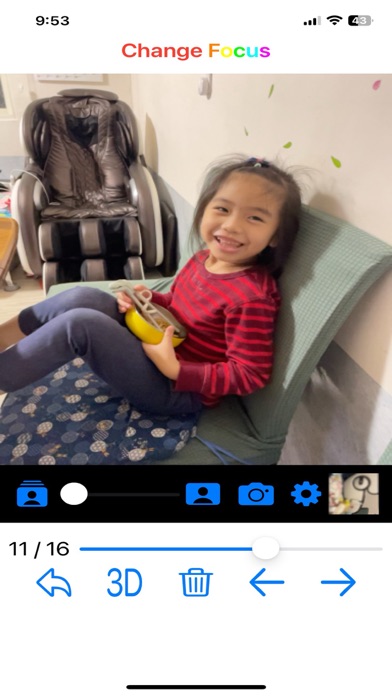
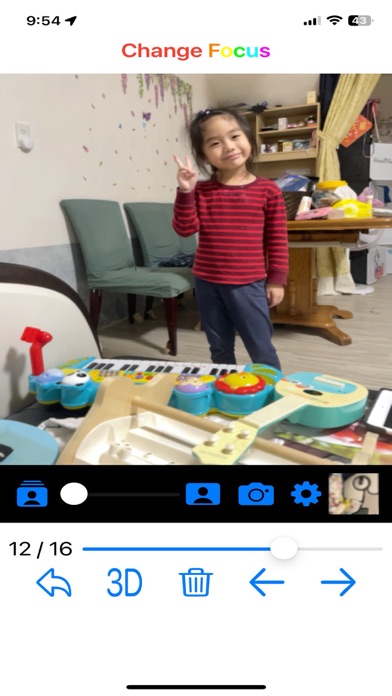
In the beginning, click the center "camera" icon to save the 3D image. Then, browse the photo you just took by clicking the bottom right photo. Click the photo to change focus on the point you click. You can change the blur ratio by dragging the slider. Press the "camera" icon to save the outcome image.
On the setting page, you can set the blur degree. If you think blur is insufficient, you can make it heavier (but the processing time will also increase). You can also change the display/output image resolution (the larger, the slower).
You can also change the view from 2D to 3D for better recognition of view depth. And turn the flashlight on/off by clicking the "torch" icon.
p.s. Change Focus uses LiDAR to detect image depth. Please launch this application using iPhone 12 Pro or later / iPad Pro 2nd or later. Because of the resolution, the boundary phenomenon of the display image will not be obvious until the output photo (larger resolution).