

Check&Sign is made and published by Infominds SPA. AppBrain is an independent app data site and isn't affiliated with Infominds SPA. The app name, icon, screenshots and description belong to Infominds SPA and are shown as published on the App Store.
AppBrain's verdict
- Last updated
- July 31, 2025
Rankings
App Store top chartsApp Store Rankings for Check&Sign
Competitors
Similar apps and more from Infominds SPA





Releases
Updates seen on the App Store- Version
- 1.10.0
- Launched
- July 2021
No changelog data
User feedback
Ratings and reviews on the App StoreComments on Check&Sign for iOS
We don't have enough comments to show example comments. Please check back later.
Technology
Found in the app by AppBrain- Price
- Free
- App size
- 29.1 MB
- Content rating
- High
Technologies used by Check&Sign
About the app and developer
About Check&Sign
Check&Sign is a productivity app developed by Infominds SPA.
User Ratings
The app has no ratings yet.
App Information
Check&Sign is freely available from the App Store. The app size is 29.12 MB. The latest version available is 1.10.0. The last update was on July 31, 2025.
Technical Requirements
The app has a content rating of High Maturity. The app has been available on the App Store since July 2021.
Developer information for Infominds SPA
Address:
Frequently asked questions about Check&Sign
Is Check&Sign free?
Yes. Check&Sign is free on the App Store.
Is Check&Sign still available?
Yes. Check&Sign is on the App Store, and the last update we saw was on July 31, 2025.
How large is Check&Sign?
Check&Sign is 29.12 MB.
Is Check&Sign suitable for children?
App Store gives Check&Sign a high maturity rating. It is meant for adults.
Who made Check&Sign?
Check&Sign was developed by Infominds SPA. It is listed in the productivity category on the App Store.
What are the best alternatives to Check&Sign?
People looking at Check&Sign also look at these productivity apps: Il Cubatore, Easy, Salone Sotto Sopra, Autoricambi Km Zero, my.bluepos reporting.
Store listing
By Infominds SPA, from the App Store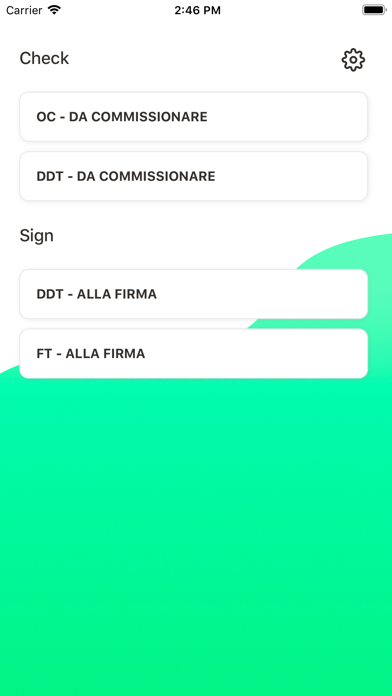


Description by Infominds SPA Written by the developer, not by AppBrain. Click to read.
Bei der Zubereitung von Produkten kann der Bediener nach der Auswahl des Dokuments auf das PDF schreiben, was er will, z. B. die entnommenen Mengen, eventuelle Chargen oder einfach den Fortschritt der Zubereitung notieren.
Beim Signaturverfahren hingegen beschränkt sich die Änderung auf die grafische Unterschrift des Empfängers, die in einem bestimmten Panel gezeichnet wird, das die Erfassung erleichtert.
Unterschriebene oder mit Anmerkungen versehene Dokumente werden im "Kommunikationsprotokoll" von Ergo gespeichert und können ausgedruckt oder per E-Mail an den Empfänger gesendet werden.