

Chess Studio is made and published by Giordano Vicoli. AppBrain is an independent app data site and isn't affiliated with Giordano Vicoli. The app name, icon, screenshots and description belong to Giordano Vicoli and are shown as published on the App Store.
AppBrain's verdict
- Last updated
- July 13, 2026
- Size
- 1.24 GB
User feedback
Ratings and reviews on the App StoreComments on Chess Studio for iOS
We don't have enough comments to show example comments. Please check back later.
Store listing
By Giordano Vicoli, from the App Store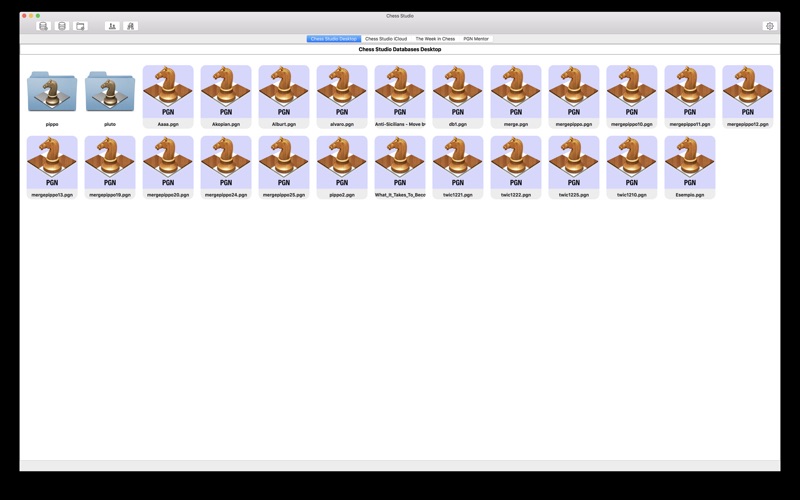


Description by Giordano Vicoli Written by the developer, not by AppBrain. Click to read.
If you own an iPhone or an iPad try Chess Studio immediately!
Chess Studio is an application designed and built for those players who really want to deepen their knowledge in the field of chess, studying chess regularly and participate in tournaments.
The author of Chess Studio, in addition to being an IT engineer, is himself a chess player for many years and knows very well the world of chess. He is interested to realize the best product possible because he is the first user himself.
In this release:
• You can create and visualize databases in PGN format.
• You can drag and drop databases on the Chess Studio Desktop.
• You can create folders and drag your databases in folders.
• You can transfer a game from a database to other through copy/paste or drag & drop.
• You can merge 2 databases with a simple drag & drop.
• You can share your PGN database with other Mac OS Computer with iCloud Drive.
• You can share your PGN database with other Apple devices (iPhone/iPad) with iCloud Drive.
• You can manage your PGN Database directly with iCloud Drive (with your browser or with the iCloud Drive App for iPhone/iPad). You can add/delete/move your PGN Databases in iCloud Drive and all modifications are immediately visible in Chess Studio.
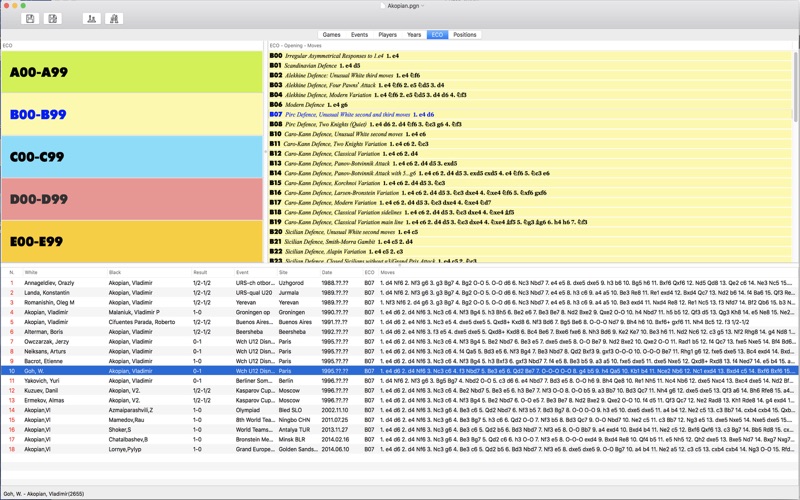
• You can visualize the list of games of a database.
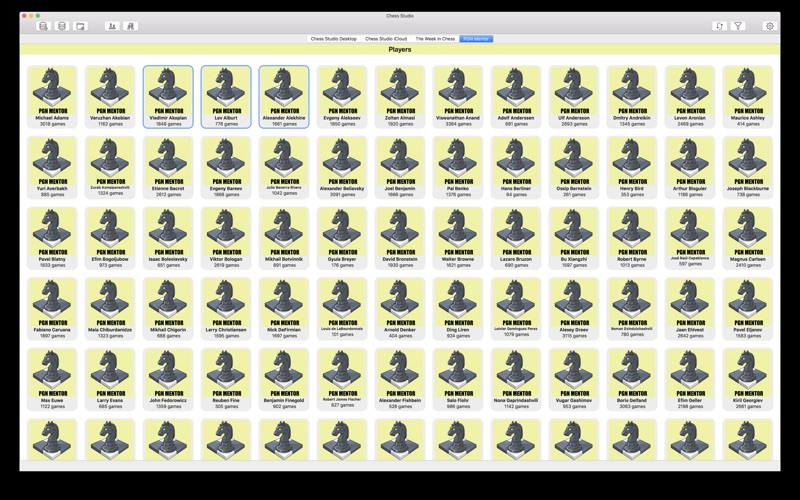
• You can select games in a databases by Events, by Players, by Years.
• You can play the games of a database, each of them in a separate window.
• You can insert new games in a database.
• You can setup positions.
• You can comment the games with annotations and text.
• You can indent the variations.
• Complete management of Null Moves.
• You can use professional chess fonts and figurines for moves notation and annotation.
• You can insert graphical annotations like colored arrows or highlighted squares.
• You can customize the chess board, the chess pieces and the moves notation. Customization can be applied at application level and at single window level.
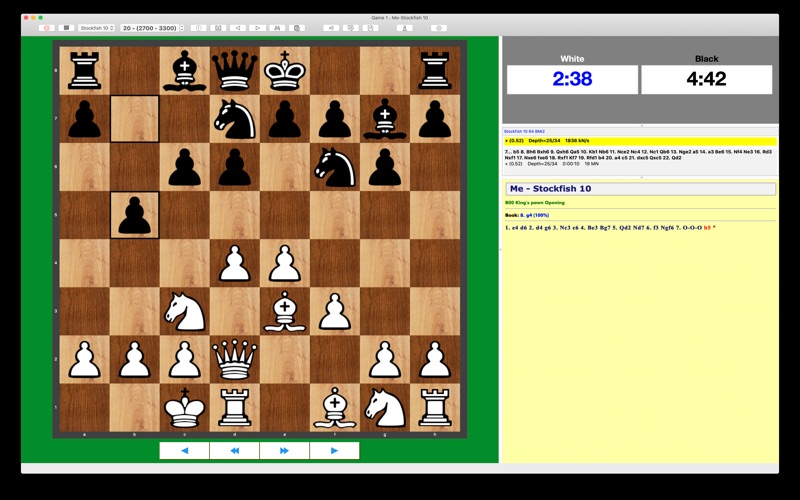
• You can move pieces in assisted mode: selecting a piece you'll see all the squares where the piece can move or selecting a square you'll see all the pieces that can move on that square. Furthermore the last move executed will be highlighted. Moving pieces in assisted mode can be enabled/disabled at application level and at single chess board level.
• You can consult several versions of the Stockfish Engine (18, 17.1, 17, 16.1, 16, 15, 14, 13 and 12 with NNUE support and WDL support Win-Draw-Loss probabilities) to analyze your games. Analyzing multiple lines is also possible.
• You can setup and utilize the Syzygy Endgame Tablebase with the Stockfish Engine.
• You can setup and utilize the Endgame Tablebases online up to seven pieces.
• You can play against the engine and play more games simultaneously. For each game you can select Stockfish or Komodo Engine and a different level.
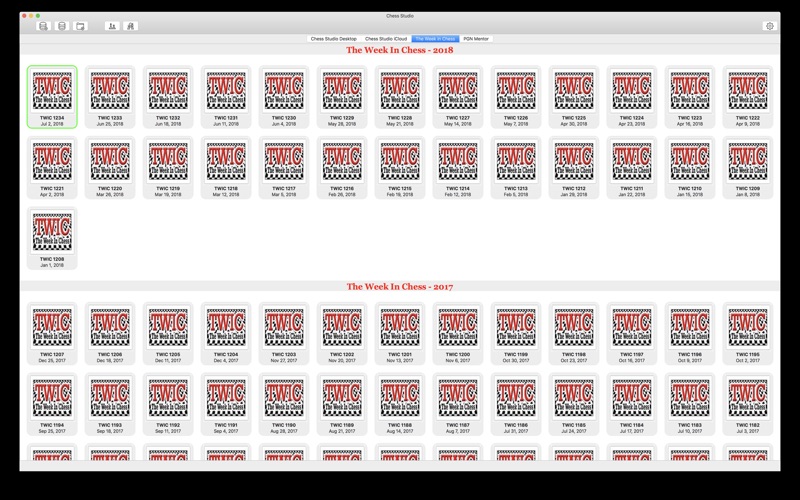
• You can read and download the TWIC Magazine (The Week In Chess).
• You can download updated databases directly from PGN Mentor site.
• Languages: Italian and English.
Chess Studio is a multi-windows application. This means that you can open several databases and several games at the same time.
To view the privacy policy and Terms of Use (EULA) visit https://www.apple.com/legal/internet-services/itunes/dev/stdeula/
No registration!
No advertising!
No sharing of personal data!
Try Chess Lab, the iOS version for Mac!
For problems, suggestions and other please contact: chessstudiomac@gmail.com.
Safety and technology
Found in the app by AppBrain- Price
- $3.99
- App size
- 1.24 GB
- Content rating
- Everyone
Technologies used by Chess Studio
Releases
Updates seen on the App Store- Version
- 1.8.5
- Launched
- April 2018
No changelog data
Alternatives
Similar apps and more from Giordano VicoliMore from Giordano Vicoli


Rankings
App Store top chartsApp Store Rankings for Chess Studio
About the app and developer
About Chess Studio
Chess Studio is a games app developed by Giordano Vicoli.
User Ratings
The app has no ratings yet.
App Information
Chess Studio costs $3.99. The app size is 1.24 GB. The latest version available is 1.8.5. The last update was on July 13, 2026.
Technical Requirements
The app has a content rating of Everyone. The app has been available on the App Store since April 2018.
Developer information for Giordano Vicoli
Address:
Frequently asked questions about Chess Studio
Is Chess Studio free?
No. Chess Studio costs $3.99 on the App Store.
Is Chess Studio still available?
Yes. Chess Studio is on the App Store, and the last update we saw was on July 13, 2026.
How large is Chess Studio?
Chess Studio is 1.24 GB.
Is Chess Studio suitable for children?
App Store rates the content of Chess Studio as suitable for everyone.
Who made Chess Studio?
Chess Studio was developed by Giordano Vicoli. It is listed in the games category on the App Store.