

Cift: The Planner You Talk To
Cift: The Planner You Talk To is made and published by YousrAllah Allouani. AppBrain is an independent app data site and isn't affiliated with YousrAllah Allouani. The app name, icon, screenshots and description belong to YousrAllah Allouani and are shown as published on the App Store.
AppBrain's verdict
- Rating on App Store
- 4.58
- 12 ratings
- Last updated
- October 7, 2026
It doesn't have enough ratings yet to judge what users think.
Rankings
App Store top chartsApp Store Rankings for Cift: The Planner You Talk To
Competitors
Similar apps and more from YousrAllah AllouaniAlternatives to Cift: The Planner You Talk To


Releases
Updates seen on the App Store- Version
- 1.9
- Launched
- November 2025
No changelog data
User feedback
Ratings and reviews on the App StoreComments on Cift: The Planner You Talk To for iOS
We don't have enough comments to show example comments. Please check back later.
Technology
Found in the app by AppBrain- Price
- Free
- App size
- 45.2 MB
- Content rating
- Everyone
Technologies used by Cift: The Planner You Talk To
About the app and developer
About Cift: The Planner You Talk To
Cift: The Planner You Talk To is a productivity app developed by YousrAllah Allouani.
User Ratings
Cift: The Planner You Talk To is rated 4.58 out of 5 stars. The rating is based on 12 ratings.
App Information
Cift: The Planner You Talk To is freely available from the App Store. The app size is 45.25 MB. The latest version available is 1.9. The last update was on October 7, 2026.
Technical Requirements
The app has a content rating of Everyone. The app has been available on the App Store since November 2025.
Developer information for YousrAllah Allouani
Address:
Store listing
By YousrAllah Allouani, from the App Store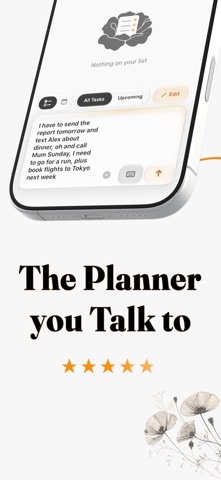


Description by YousrAllah Allouani Written by the developer, not by AppBrain. Click to read.
Speak, type, or add a photo. Cift separates a brain dump into tasks and calendar events, understands dates and times, groups related items, and files everything into categories you control.
Capture without forms:
Say "dentist Thursday at 3" and the task is ready with its date, time, and category. Speak naturally, type several things at once, or combine words and photos. No menus, rigid commands, or repetitive fields.
Turn photos into actions:
Add a screenshot, whiteboard, timetable, or handwritten list. Cift can turn what it sees into organized tasks and events while keeping the original image with the result for context.
One plan, four calendar views:
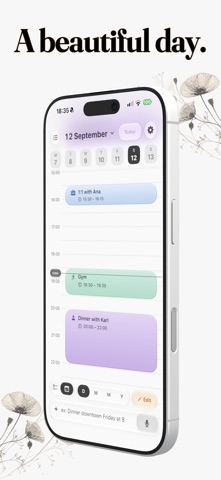
Move between day, week, month, and year using the calendar controls. Tasks and events share the same timeline, so your list and calendar never tell different stories. Pinch the day timeline to zoom the hours in or out.
Connect the calendars you use:
Bring in selected calendars from one or more Google accounts, with changes synced both ways. See Apple Calendar events alongside them, and connect Cift tasks to Apple Reminders.
Edit by saying what changed:
Swipe right on a task, group, or event, then describe the change in plain language. Select several tasks with two fingers, or edit the events in the day, week, or month you are viewing. Cift applies the changes directly.
Build a system that fits you:
Create categories, choose their colors, group related tasks, pin what matters, and add rich notes with headings, lists, fonts, and links. Open any note full screen when you need more room.
Keep today close:
Home Screen and Lock Screen widgets keep your plan visible. Plus members can check, add, and edit tasks from Apple Watch, with changes synced back to iPhone.
Private by design:
Cift stores your core planning data on your device. Connected calendar and reminder data also live in the services you choose to connect. Cift does not sell your data or show ads. Limited usage and reliability data help us fix problems, and are never tied to your name, email, or anything you write.
Cift is free to use. Cift Plus unlocks unlimited photo capture and Smart Editing, Smart Categories, Smart Details with auto-extracted context, Apple Watch actions, Apple and Google Calendar sync, Apple Reminders sync, Live Activities, and every future update. Choose monthly, yearly, or lifetime access.
Terms of Use (EULA): https://www.apple.com/legal/internet-services/itunes/dev/stdeula/