

ClassTable: Lecture Notes AI
ClassTable: Lecture Notes AI is made and published by CHING FENG WANG. AppBrain is an independent app data site and isn't affiliated with CHING FENG WANG. The app name, icon, screenshots and description belong to CHING FENG WANG and are shown as published on the App Store.
AppBrain's verdict
- Last updated
- June 12, 2026
Rankings
App Store top chartsApp Store Rankings for ClassTable: Lecture Notes AI
Competitors
Similar apps and more from CHING FENG WANGAlternatives to ClassTable: Lecture Notes AI


More from CHING FENG WANG


Releases
Updates seen on the App Store- Version
- 2.0
- Launched
- January 2012
No changelog data
User feedback
Ratings and reviews on the App StoreComments on ClassTable: Lecture Notes AI for iOS
We don't have enough comments to show example comments. Please check back later.
Technology
Found in the app by AppBrain- Price
- Free
- App size
- 8.10 MB
- Content rating
- Everyone
Technologies used by ClassTable: Lecture Notes AI
About the app and developer
About ClassTable: Lecture Notes AI
ClassTable: Lecture Notes AI is a productivity app developed by CHING FENG WANG.
User Ratings
The app has no ratings yet.
App Information
ClassTable: Lecture Notes AI is freely available from the App Store. The app size is 8.10 MB. The latest version available is 2.0. The last update was on June 12, 2026.
Technical Requirements
The app has a content rating of Everyone. The app has been available on the App Store since January 2012.
Developer information for CHING FENG WANG
Address:
Store listing
By CHING FENG WANG, from the App Store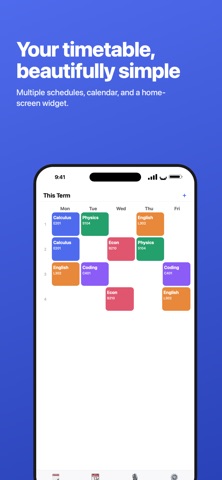

Description by CHING FENG WANG Written by the developer, not by AppBrain. Click to read.
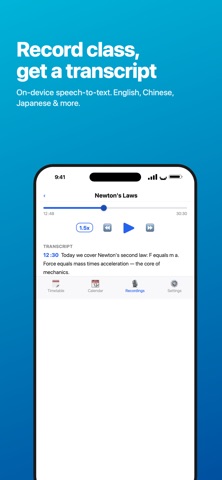
Hit record in class. Afterwards it transcribes automatically, then AI helps you summarize key points, build flashcards, and generate quizzes. No more crawling through recordings before exams.
FEATURES
• Record → Transcript: on-device speech recognition, multilingual (incl. English, Chinese, Japanese)
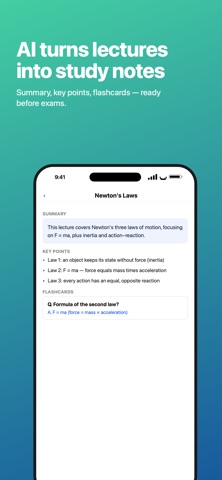
• AI lecture notes: summary, key points, key terms, to-dos
• Ask AI: ask about this lecture; answers are grounded in the transcript, with on-topic extras clearly labeled
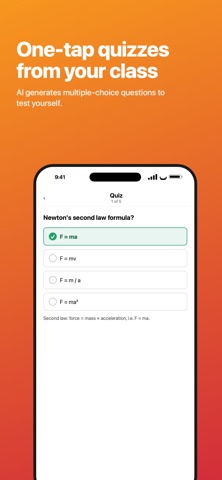
• AI quizzes: one tap to generate multiple-choice questions
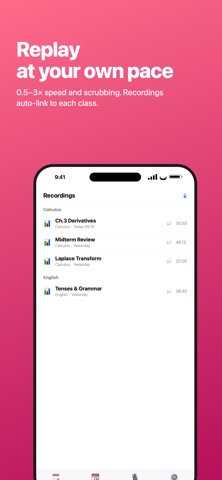
• Timetable × recordings: each recording auto-links to the class you're in; name topics, browse by course
• Import audio/video: turn existing lecture files into transcripts (video uses audio only)
• Powerful player: 0.5–3x speed, scrub, skip 15s
• Timetable / Calendar / Home-screen Widget
• iCloud sync across devices
FREE & PRO
Free: full timetable, recording, transcription, and player; 10 AI uses per month (notes/Ask AI/quiz combined).
Pro: unlimited AI notes, Ask AI, and quizzes — plus no ads.
SUBSCRIPTION
ClassTable Pro offers monthly, yearly, and one-time lifetime options; prices shown in-app.
• Subscriptions auto-renew 24 hours before the period ends unless canceled.
• Manage or turn off auto-renew in your App Store account settings.
• Privacy Policy: https://www.momosoft.one/Privacy.html
• Terms of Use (EULA): https://www.apple.com/legal/internet-services/itunes/dev/stdeula/