

ClassTable - School Schedule
ClassTable - School Schedule is made and published by GOKAKU SUPPLI, LIMITED LIABILITY CO. AppBrain is an independent app data site and isn't affiliated with GOKAKU SUPPLI, LIMITED LIABILITY CO. The app name, icon, screenshots and description belong to GOKAKU SUPPLI, LIMITED LIABILITY CO. and are shown as published on the App Store.
AppBrain's verdict
Established- Rating on App Store
- 4.37
- 19 ratings
- Last updated
- October 11, 2021
It doesn't have enough ratings yet to judge what users think.
Rankings
App Store top chartsApp Store Rankings for ClassTable - School Schedule
Competitors
Similar apps and more from GOKAKU SUPPLI, LIMITED LIABILITY CO.Alternatives to ClassTable - School Schedule





More from GOKAKU SUPPLI, LIMITED LIABILITY CO.







Also available on Google Play

Releases
Updates seen on the App Store- Version
- 2.4.0
- Launched
- April 2020
No changelog data
User feedback
Ratings and reviews on the App StoreComments on ClassTable - School Schedule for iOS
We don't have enough comments to show example comments. Please check back later.
Technology
Found in the app by AppBrain- Price
- Free
- App size
- 96.2 MB
- Content rating
- Everyone
Technologies used by ClassTable - School Schedule
About the app and developer
About ClassTable - School Schedule
ClassTable - School Schedule is an education app developed by GOKAKU SUPPLI, LIMITED LIABILITY CO.
User Ratings
ClassTable - School Schedule is rated 4.37 out of 5 stars. The rating is based on 19 ratings.
App Information
ClassTable - School Schedule is freely available from the App Store. The app size is 96.23 MB. The latest version available is 2.4.0. The last update was on October 11, 2021.
Technical Requirements
The app has a content rating of Everyone. The app has been available on the App Store since April 2020.
Developer information for GOKAKU SUPPLI, LIMITED LIABILITY CO.
GOKAKU SUPPLI, LIMITED LIABILITY CO.
Address:
Store listing
By GOKAKU SUPPLI, LIMITED LIABILITY CO., from the App Store
Description by GOKAKU SUPPLI, LIMITED LIABILITY CO. Written by the developer, not by AppBrain. Click to read.
⌘ School Schedule (Timetable) ⌘
◆ Create multiple timetables in one school Class Table!
◆ Manage your school schedule: classes, activities, or notes in a planner.
◆ Plot your class schedule on the timetable per period or by subject.
◆ Custom your school timetable to see colorful subjects for a more organized school schedule
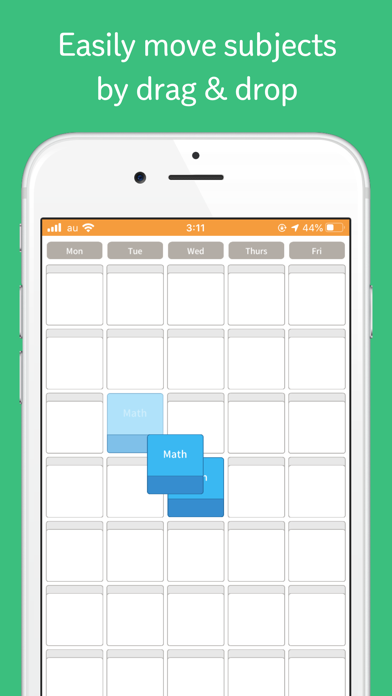
◆ Move a plotted subject by “drag and drop”. It’s that easy!
◆ Plot 5-9 subjects or classes in one day!
◆ Add Saturday or Sunday to the school timetable if you have activities for the whole week.
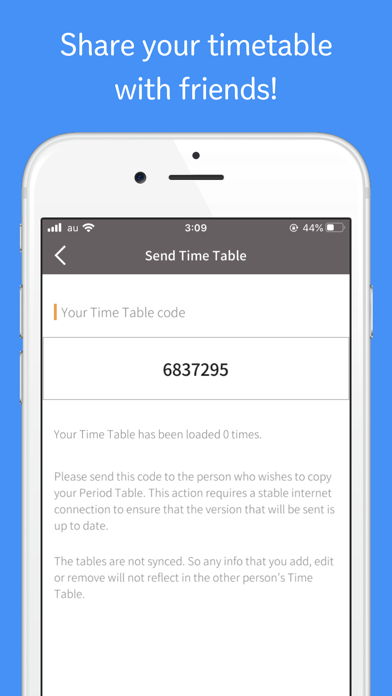
◆ Send your custom class timetable with your classes or list of subjects to your classmate or friend. After all, sharing is loving!
⌘ Classes or Subjects ⌘
◆ Customize your subject title or choose the general subjects on the list.
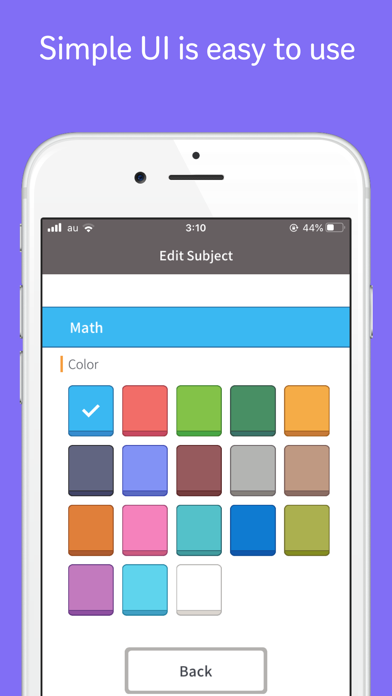
◆ Assign each subject with 18 different colors to easily identify it among the other subjects.
◆ Add notes, if you want, like the time of your class, your classroom number for each subject, or even your teacher’s name! It will be displayed on the timetable screen.
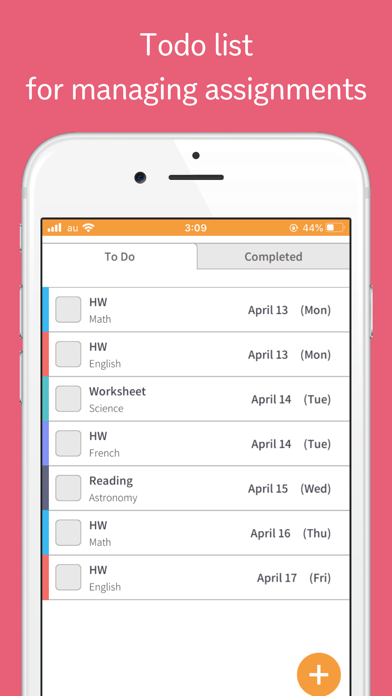
⌘ Tasks in To Do List ⌘
◆ List down your homework, exams, submissions, other tasks, or any activity for each subject in the To Do list.
◆ Add the deadline of the task to be reminded of your to-do! They will be listed by dates so you know which to-do to do first!
◆ Assign the homework by its subject and color! That’s cool in a school schedule!
◆ Simply tap on the box to check the task off the To Do list when you are done.
◆ See all your completed to-dos in the Completed tab and feel better about your accomplishments!
ClassTable is like a planner for school schedules. Any student from middle school, high school, or even college needs a student class schedule or a simple school timetable to manage or handle their daily school schedule where they can put each subject and to-do activities like their assignments or homeworks or even upcoming exams or tests.
You can have a colorful school timetable for your school schedule with a simple yet cool design that is easy to use.
This free class timetable app has NO ADS! That’s cooler.