

Claydo Studio
Claydo Studio is made and published by Arjun Gupte. AppBrain is an independent app data site and isn't affiliated with Arjun Gupte. The app name, icon, screenshots and description belong to Arjun Gupte and are shown as published on the App Store.
AppBrain's verdict
- Rating on App Store
- 2.90
- 10 ratings
- Last updated
- June 30, 2024
- Size
- 201.3 MB
It doesn't have enough ratings yet to judge what users think.
User feedback
Ratings and reviews on the App StoreComments on Claydo Studio for iOS
We don't have enough comments to show example comments. Please check back later.
Store listing
By Arjun Gupte, from the App Store


Description by Arjun Gupte Written by the developer, not by AppBrain. Click to read.
It is used by designers, hobbyists, teachers and kids to make toys, prototypes, home decor, Minecraft models.. the list is endless!
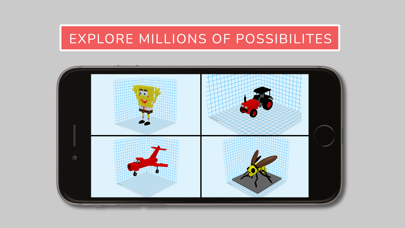
Model your design using simple shapes such as spheres, cubes and cylinders.. merge or subtract in order to get the right shape with a few taps.
Use the inbuilt Augmented Reality functionality to see your models in the real world, with an easy to use workflow and ability to resize and rotate the model intuitively.
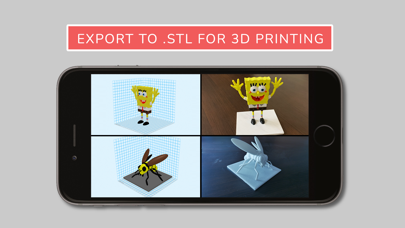
Export your Claydo creations to a 3D printer as .STL or .OBJ file formats which work seamlessly in apps like Maya and Blender.
Claydo's Apple Metal technology allows you to work with complex polygonal meshes in realtime using simple taps and gestures.
Handy measurement tools to export STL files with millimeter precision and with inbuilt 3d printer profiles.
1>Easy UI and workflow, get up and running in minutes
2>Augmented Reality functionality built in , with easy workflow
3>Export out precision models as STL files for 3d printing
4>Export out as .OBJ for use in DCC software like Maya/Blender/C4D
5>In-built Videos tutorials to get started fast, perfect for schools and teachers to introduce kids to 3d modelling.
6>Bundled models in .CLAY format which match the video tutorials.
7>Turntable mode for showcasing and sharing your creations as movies.
8>Fully COPPA and GDPR compliant, no log-in or registration required.
Claydo is built by Appy Monkeys, an app developer with years of experience in creating fun and intuitive creativity apps with over 5 million downloads on the App store and recipient of various awards such as Children's Tech Review and Purdue University's guide for STEM apps.
Safety and technology
Found in the app by AppBrain- Price
- Free
- App size
- 201.3 MB
- Content rating
- Everyone
Technologies used by Claydo Studio
Releases
Updates seen on the App Store- Version
- 3.0
- Launched
- August 2022
No changelog data
Alternatives
Similar apps and more from Arjun GupteAlternatives to Claydo Studio


 3D Model Viewer - AR & Print




More from Arjun Gupte








Rankings
App Store top chartsApp Store Rankings for Claydo Studio
About the app and developer
About Claydo Studio
Claydo Studio is a productivity app developed by Arjun Gupte.
User Ratings
Claydo Studio is rated 2.90 out of 5 stars. The rating is based on 10 ratings.
App Information
Claydo Studio is freely available from the App Store. The app size is 201.34 MB. The latest version available is 3.0. The last update was on June 30, 2024.
Technical Requirements
The app has a content rating of Everyone. The app has been available on the App Store since August 2022.
Developer information for Arjun Gupte
Address:
Frequently asked questions about Claydo Studio
Is Claydo Studio free?
Yes. Claydo Studio is free on the App Store.
Is Claydo Studio still available?
Yes. Claydo Studio is on the App Store, and the last update we saw was on June 30, 2024.
How large is Claydo Studio?
Claydo Studio is 201.34 MB.
Is Claydo Studio suitable for children?
App Store rates the content of Claydo Studio as suitable for everyone.
How do people rate Claydo Studio?
Claydo Studio scores 2.90 out of 5 stars, from 10 ratings on the App Store.
Who made Claydo Studio?
Claydo Studio was developed by Arjun Gupte. It is listed in the productivity category on the App Store.
What are the best alternatives to Claydo Studio?
People looking at Claydo Studio also look at these productivity apps: 3D Model Importer PBR Edition, Modeler 3D, 3D Model Viewer - AR & Print, Pikaslice - 3D Print Slicer, Stamp STL Maker.