AR Models Manager is made and published by
Gianluca Natalini.
AppBrain is an independent app data site and isn't affiliated with Gianluca Natalini.
The app name, icon, screenshots and description belong to Gianluca Natalini and are shown as
published on the App Store.
About AR Models Manager
AR Models Manager is a productivity app developed by Gianluca Natalini.
What is the rating of AR Models Manager?
AR Models Manager has no ratings yet.
Is AR Models Manager free?
AR Models Manager costs $1.99. The app size is 1.18 MB. The latest version available is 1.3. The last update was on June 7, 2024.
What are the requirements for AR Models Manager?
The app has a content rating of Everyone. The app has been available on the App Store since March 2018.
Description by Gianluca Natalini(from the App Store)
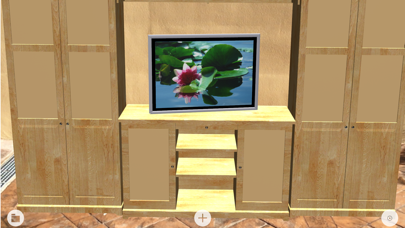
"AR Models Manager" turns your device into a three-dimensional model viewer in augmented reality for the design, study, simulation and detailed observation of 3D models.
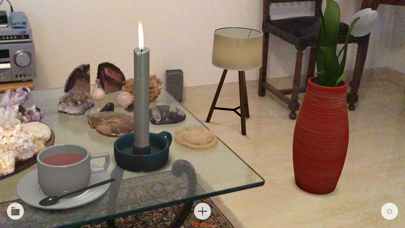
Build one or more 3D models (with textures, using for example Blender, FingerCAD, Finger3D, etc...), insert models in the scene, position them and visualize them in augmented reality: in your home/office/store/company (ex. in the air, on the floor, on a table, on a wall, in a piece of furniture, on any horizontal surface, etc...) or outside the home (ex. open sky, garden, park, etc...).
Build a fantasy world: - populate the scene with one or more 3D models built by you - insert a background - insert the sky
Walk in the scene moving between the models or inside the models (with your legs as if everything were real): - observe the 3D model in the smallest detail by walking around it, looking in all directions (front, side, back, top, bottom) - walk with your legs inside the model, like you are walking in an existing building - walk near the model to show more details (close up view) - walk away from the model to show the model completely or more models together (seen from afar) - turn around the model to looks at the side of interest - move over or under the model - walk in the model to look inside it (in all directions) - etc...
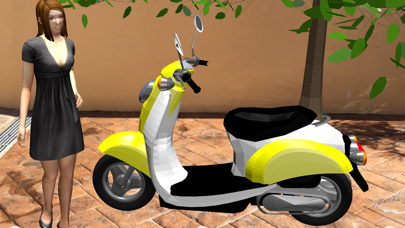
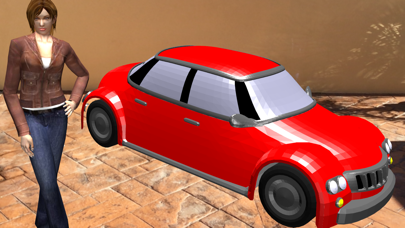
Background of the scene and landscape: - in the presence of light, the real world will be visualized together with 3D models in augmented reality (the models will replace or enrich parts of the real world) - you can add a background/sky to the scene (horizon) by inserting for example a cylinder or a cube (with texture) in the scene, with radius/side large enough to contain yourself (you will move inside the cylinder/cube) and the rest of the scene (the texture of the cylinder/cube will be your background/sky) - you can build models of mountains, trees, rivers, lakes, streams, etc... and insert them in the scene to enrich the landscape - you can add houses, cars, motorcycles, people, birds, etc... - you can add to the scene any object you want, designed by You using 3D modelers (or purchased on the Internet: all formats compatible with ARKit can be used such as OBJ (with MTL and TEXTURE with relative path), SCN, STL, etc...)
Interacting manually with 3D model you can: - move the model in the real world (pan gesture: dragging a finger on the model) - enlarge and reduce the model (pinch gesture: pinching the model) - rotate the model around its axis of rotation (rotation gesture: rotating the model with two fingers) - remove the model from the scene (long press gesture: holding a finger on the model for half a second) - add the model to the scene (clones) by touching the desired position (using a horizontal plane in the real world or feature points)
3D model import: - File sharing (iTunes) - Open In
Useful for example: - for retailers, to show the products on sale (3D catalog: show real products not yet present in the shop ex. eyeglasses, ornaments, favors, chandeliers, etc...) - to better visualize the model before 3D printing (the displayed model can be directly printed using 3D printers and specific printing software) - for filming (cinema) with real actors and fantasy worlds - for architecture ex. placing furniture and objects in a house, coloring walls, observing / studying / showing in detail a room / apartment / building not yet existing - for engineering ex. design houses and exploring them even before starting construction work - as a creative game (build, photograph or film fantasy worlds created by you) - etc…
UNIVERSAL APP: - You pay only once and run on all your devices
Each subscription will automatically renew 3 days before the expiration date for
the same time period. Subscriptions can be cancelled at any time before the renewal.