
djTurntables
djTurntables is made and published by Gianluca Natalini. AppBrain is an independent app data site and isn't affiliated with Gianluca Natalini. The app name, icon, screenshots and description belong to Gianluca Natalini and are shown as published on the App Store.
AppBrain's verdict
Established- Rating on App Store
- 1.40
- 5 ratings
- Last updated
- February 22, 2024
- Size
- 7.13 MB
It doesn't have enough ratings yet to judge what users think.
User feedback
Ratings and reviews on the App StoreComments on djTurntables for iOS
We don't have enough comments to show example comments. Please check back later.
Store listing
By Gianluca Natalini, from the App Store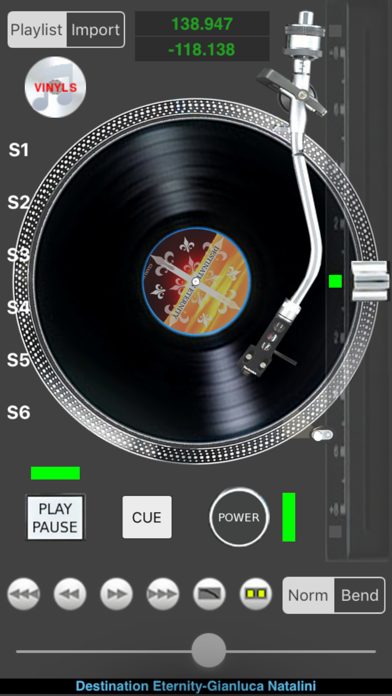
Description by Gianluca Natalini Written by the developer, not by AppBrain. Click to read.
Connect your device to a mixer and transform yourself into an "old style" DJ with djTurntables!
Features:
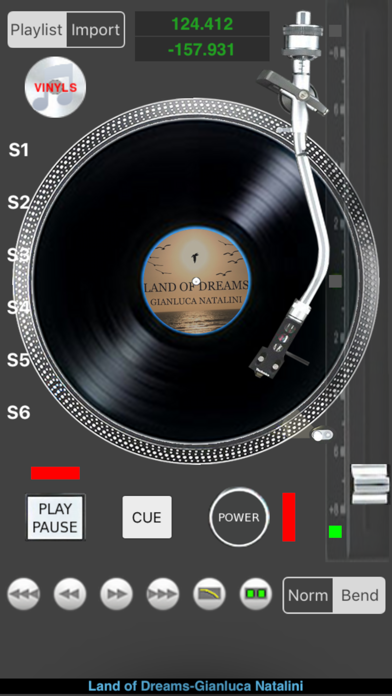
- Turntables simulator for professional DJs (designed and tested by professionals DJs)
- Speed regulator for the rotation of the vinyl (pitch adj)
- Display for the current position of track and time remaining at the end
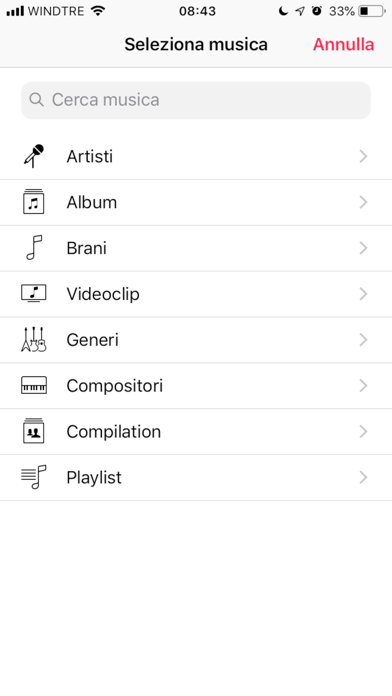
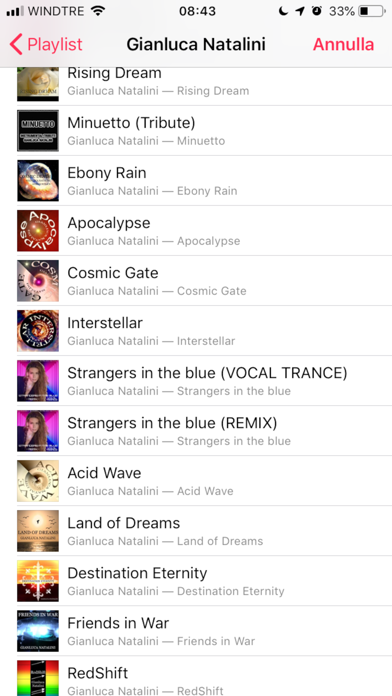
- Dj playlist (select songs from your iTunes library of the device using the "sound manager importer" of "djTurntables" )
- Procedure for import songs from your music library to the device "dj playlist" with a selection of songs by alphabetical order, by artist, playlist, etc ... (the same as the music software of your device)
- Direct interaction with the vinyl, with your fingers
- Artwork displayed on the vinyl
- Exact position of the track controlled by rotation of the vinyl (rotate vinyl with your fingers) or by pressing the FF / REV slow (+ - 1 sec.) or fast (+ - 10 sec.)
- Automatic restart of the song at the end of the song
- Play / Stop immediate
- Power on / power off (as in the analog turntables after power off the vinyl will rotate slower and slower until it stops, the song will sound more and more slowly)
- Immediate restart during the power off procedure by pressing power on and play button
- Immediate stop during the power off procedure by pressing the play / pause
- Immediate stop of the disk in a fixed position by pressing the pause button
- Immediate stop of the disk in a fixed position by stopping the vinyl with two fingers
- Cue function to store the actual track position, pushing the play button the song will restart from the cue position until the feature cue will be deactivated (repeatedly press play / pause for cue effect)
- Scratch function by interacting directly with vinyl rotation, touching the vinyl with your fingers
- Interacting on the vinyl you can push/pull the vinyl to correct the position of the track during the song play
- Multilevel Bending: directly proportional to the push / pull intensity given to the vinyl with your finger
- Very low latency for all the functions you can use (the software was written using the professional music library openAL)
- "iTunes File Sharing" to transfer the sounds of your playlist into the device directly by using MAC o PC (using iTunes software); with this feature you can backup on your MAC / PC the your preferred "dj playlist" and you can use them when you want
- 6 scratch effects
********************************************************
QUICK START GUIDE (LOAD A SONG):
1) Press on "Import" and after on the "white disk with the notes"
2) Select the song (from the device sound library) to import into the "dj Playlist" (repeat step 1 and 2 to import multiple songs)
3) Press on "Playlist" and after on the "white disk with the notes"
4) Select the song You want to play
5) Set POWER to ON
6) Click on "Play/Pause" button to play the song
7) Start Your DJ performance by interacting with Your fingers with "djTurntables"
********************************************************
Safety and technology
Found in the app by AppBrain- Price
- $0.99
- App size
- 7.13 MB
- Content rating
- Everyone
Technologies used by djTurntables
Releases
Updates seen on the App Store- Version
- 1.5.2
- Launched
- January 2011
No changelog data
Alternatives
Similar apps and more from Gianluca NataliniAlternatives to djTurntables





More from Gianluca Natalini




Rankings
App Store top chartsApp Store Rankings for djTurntables
About the app and developer
About djTurntables
djTurntables is a music app developed by Gianluca Natalini.
What is the rating of djTurntables?
djTurntables is rated 1.40 out of 5 stars, based on 5 ratings.
Is djTurntables free?
djTurntables costs $0.99. The app size is 7.13 MB. The latest version available is 1.5.2. The last update was on February 22, 2024.
What are the requirements for djTurntables?
The app has a content rating of Everyone. The app has been available on the App Store since January 2011.
Developer information for Gianluca Natalini
Address:
Frequently asked questions about djTurntables
Is djTurntables free?
No. djTurntables costs $0.99 on the App Store.
Is djTurntables still available?
Yes. djTurntables is on the App Store, and the last update we saw was on February 22, 2024.
How large is djTurntables?
djTurntables is 7.13 MB.
Is djTurntables suitable for children?
App Store rates the content of djTurntables as suitable for everyone.
How do people rate djTurntables?
djTurntables scores 1.40 out of 5 stars, from 5 ratings on the App Store.
Who made djTurntables?
djTurntables was developed by Gianluca Natalini. It is listed in the music category on the App Store.
What are the best alternatives to djTurntables?
People looking at djTurntables also look at these music apps: SilentBonusTrack, bismark m16, Winlive Synth Mobile, SoundColors - Music Visualizer, Tactile1800.