Download Android Apps and Games
AppBrain
  • Apps
  • Apps being viewed right now Trending apps today Most popular apps All-time most downloaded apps Top rated apps
  • Intelligence ▾
    Intelligence overview → Track any Android app or your whole market
    Track & analyze
    Keyword Tracker & OptimizerTrack & improve Play rankings App Performance ReportOne-off PDF for any app StatisticsFree Android & Play market stats
    Promote your app
    Featured Apps App Links
  • Intelligence
  • Pricing
  • Dashboard
  • Sign up
  • Log in
Last updated on: 2026-07-07
App Store Apps > Productivity > FingerCAD
FingerCAD icon

FingerCAD

4.0
Gianluca Natalini
1.00
4 reviews
$2.99

FingerCAD Screenshot 1 of 9
FingerCAD Screenshot 2 of 9
FingerCAD Screenshot 3 of 9
FingerCAD Screenshot 4 of 9
FingerCAD Screenshot 5 of 9
FingerCAD Screenshot 6 of 9
FingerCAD Screenshot 7 of 9
FingerCAD Screenshot 8 of 9
FingerCAD Screenshot 9 of 9
Download from the App Store

About FingerCAD

FingerCAD is an overall app developed by Gianluca Natalini.

Download Statistics

User Ratings

FingerCAD is rated 1.00 out of 5 stars. The rating is based on 4 ratings.

App Information

FingerCAD costs $2.99 to download. The APK download size is 4.47 MB. The latest version available is 4.0. The last update was on December 8, 2022.

Technical Requirements

The app has a content rating of Everyone. The app has been available on Google Play April 2010.

Description
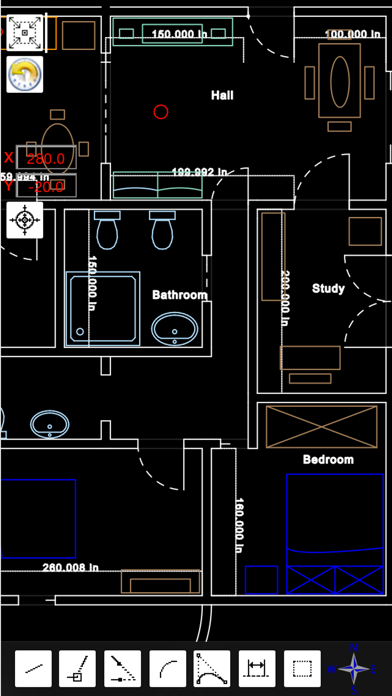
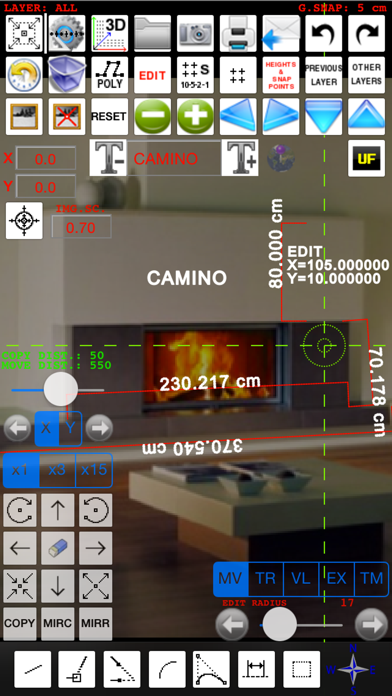
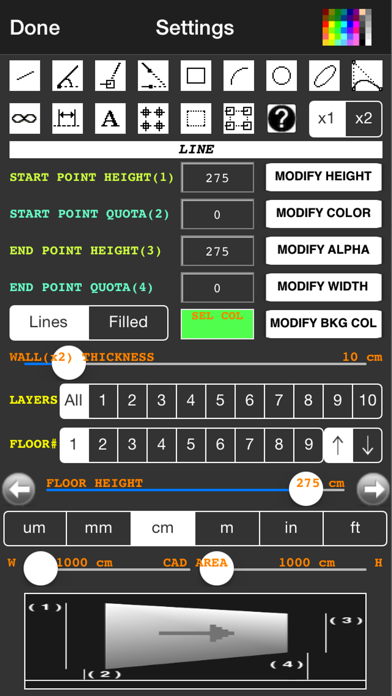
"FingerCAD" is the first CAD application for technical drawing with fingers assisted by computer for portable devices. With "FingerCAD" you can draw houses, bridges, planimetry of apartments, mechanical components, geometrical figures, everything that can be designed with a common PC CAD. Useful for the engineers on construction site, for architects, surveyors, designers, students etc.. The design possibilities with "FingerCAD" are endless and all this using only your portable device, during a travel or comfortably seated or standing at work. The ease of use makes it very useful and versatile. The final design can be saved using standard formats (ex. DXF) and can be sent via e-mail or printed. The zoom and pan, the customization of the drawing, the common cad tools, autosaving and the ability to continue operations even in subsequent sessions of use (at boot "FingerCAD" will load automatically the design saved in the previous session of use), possibility to add measurements and free text makes it truly unique. Each CAD object is treated as a separate object; You can then go back in time by removing the objects from last to first (also in next sessions of work), select and remove the undesired parts / incorrect objects. The "automatic acquisition of nearest vertices" facilitates the drawing of adjacent graphics objects and the function "2x" allows you to draw walls (double line) automatically (you can specify the thickness of the wall as desired). The three RGB components, alpha transparency, the freehand drawing, the ability to fill an object with colors, the color palette, the color picker, in addition to the common functions of a CAD give you the ability to add manual graphical effects at the overall design (also using freehand drawing).

MODIFY, COPY AND MOVE for CAD objects (also from one layer to another one).

AUTOMATIC CALCULATION OF THE MEASUREMENT OF THE AREA OF A GENERIC POLYGONAL 3D SURFACE.

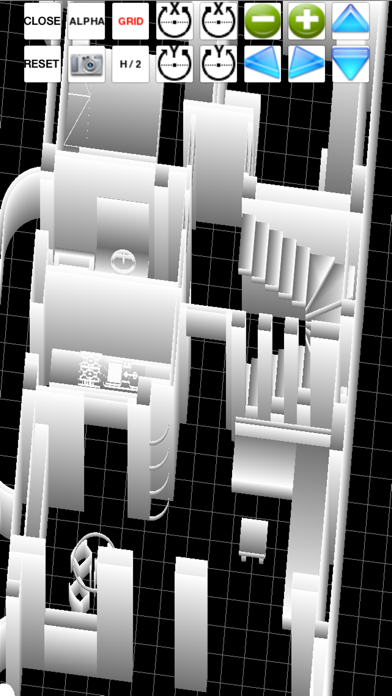
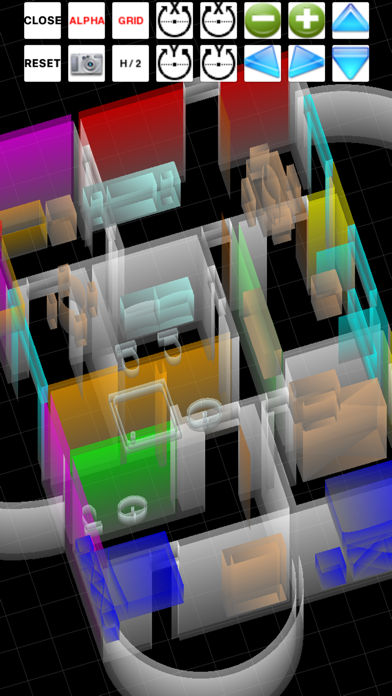
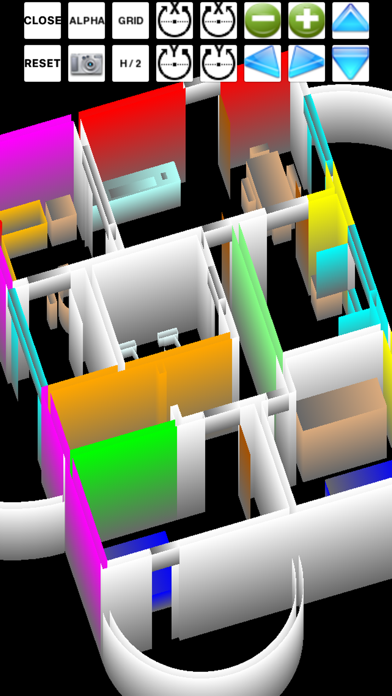
Virtual Reality Exploration: you can walk in the 3D model and observe it using first person view (Finger3D + FingerCAD).

HIGH PRECISION OF DRAWING: using the “under finger dynamic drawing preview “ you can see exactly where for example the initial / final point of a line will be placed (observing the preview window that shows the area of drawing not visible under the finger).

AUTO-PAN for work area: if you reach the border of the screen, FingerCAD shifts automatically the work area so you can continue to draw longest lines - you have not to use the "zoom out" to draw long lines.

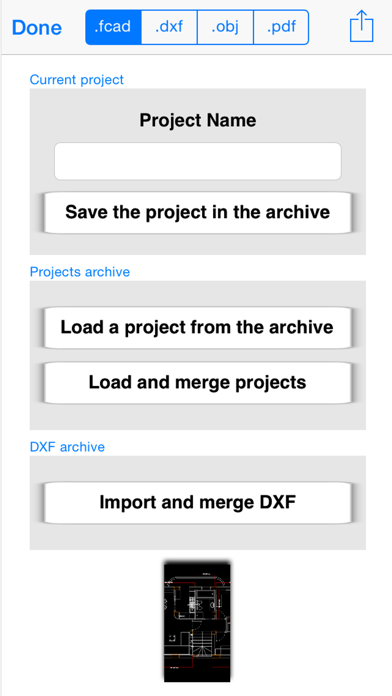
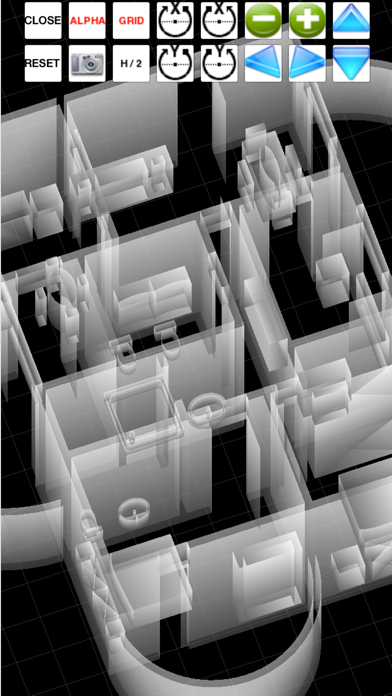
.OBJ 2D and 3D export routine: export the CAD design for 3D modeling softwares such as Finger3D, Blender, Maya 3D, etc... or print it using 3D printers

DXF export/import for AutoCad, qCad, SolidWorks, LibreCAD, ...

PDF export.

File formats conversions:
- from DXF to OBJ
- from DXF to PDF
- from DXF to IMAGE (JPG,PNG)

3D models can be displayed directly using the "FingerCAD 3D VIEWER".

DROPBOX / iCloud Drive file sharing (IN and OUT)

Ability to import DXF files from a WEB LINK and/or from an EMAIL ATTACHMENT.

Ability to PRINT the design (using AirPrint).

Other features:
- CAD (computer assisted design)
- Walls with adjustable thickness
- Snap to control points
- Free text
- UNDO/REDO for the graphics objects, from last to first
- Selection and ability to transform/move/delete selected objects
- Autosave
- Grid
- Snap to grid
- Adjustable grid
- Labels indicating the finger position on the cad area
- Many selectable unit of measurement
- Design multi-layer and multi-floor
- The selected objects can be moved or copied from one layer to another layer or from a floor to another floor
- Preview of other layers in the current layer
- Scale and rotate
- Extend
- Trim
- Mirror
- Send with an email the generated .dxf, .obj, .pdf files
- Ability to share .dxf, .obj, .pdf with other installed apps
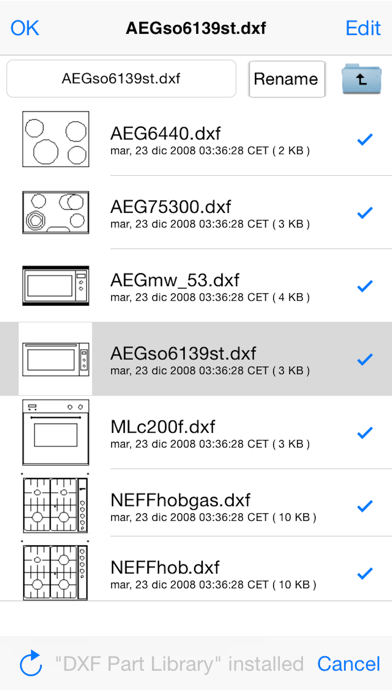
- DXF part library (architecture, communication, electrical, electronics, mechanical, misc, processing, templates, zipf_libs)
Show more Show less

More data about FingerCAD

Price $2.99
Rating 1.00 based on 4 ratings
Ranking Not ranked
Version 4.0
App download size 4.47 MB
Suitable for Everyone

Alternative downloads for the FingerCAD app

Timely Bid icon Timely Bid
Batista Residential Electric, INC.
1.8
$9.99
5 ratings
Hydraulics and Waterworks Calc icon Hydraulics and Waterworks Calc
V PUGAZHENTHI
4.2
$4.99
12 ratings
Taskfabric Cloud Projects icon Taskfabric Cloud Projects
taskfabric ltd
4.2
Free
5 ratings
bimCAD + Luftverbund App icon bimCAD + Luftverbund App
Hottgenroth Software AG
0.0
Free
ZenTrades icon ZenTrades
ZenTrades Inc.
2.8
Free
16 ratings
Firestop Locator icon Firestop Locator
Specified Technologies Inc.
4.2
Free
5 ratings
WK&T Control icon WK&T Control
WK&T
4.6
Free
34 ratings
Blaze - Kiln Log icon Blaze - Kiln Log
Stoned Studio LLC
5.0
Free
8 ratings

More from Gianluca Natalini
Basal Body Temperature Calc. icon Basal Body Temperature Calc.
Gianluca Natalini
1.3
$0.99
18 ratings
iTuningFork - Tone Generator icon iTuningFork - Tone Generator
Gianluca Natalini
1.6
$1.99
5 ratings
djTurntables icon djTurntables
Gianluca Natalini
1.4
$0.99
5 ratings
midi Sampler icon midi Sampler
Gianluca Natalini
2.6
$1.99
5 ratings
ArcadeBox icon ArcadeBox
Gianluca Natalini
4.5
$0.99
4 ratings
iWord PRO icon iWord PRO
Gianluca Natalini
2.8
$1.99
4 ratings
ME MIDI Sampler icon ME MIDI Sampler
Gianluca Natalini
2.0
$1.99
4 ratings
tapeRecorder icon tapeRecorder
Gianluca Natalini
2.3
$0.99
3 ratings

Changelog of FingerCAD

No changelog data

Developer information for Gianluca Natalini

Gianluca Natalini

Address:

Share FingerCAD

Comments on FingerCAD for iOS

We don't have enough comments to show example comments. Please check back later.

App Store Rankings for FingerCAD

This app is not ranked

Technologies used by FingerCAD

Timely Bid icon Timely Bid
Hydraulics and Waterworks Calc icon Hydraulics and Waterworks Calc
Taskfabric Cloud Projects icon Taskfabric Cloud Projects
bimCAD + Luftverbund App icon bimCAD + Luftverbund App
ZenTrades icon ZenTrades
Firestop Locator icon Firestop Locator
WK&T Control icon WK&T Control
Blaze - Kiln Log icon Blaze - Kiln Log

Back to top
AppBrain Intelligence premium content

Subscribe now to get full and unlimited access to AppBrain Intelligence. You'll have access to:

  • App Intelligence dashboard (performance timeline, competitor comparison, country rankings, insight cards)
  • Detailed ranking data per app
  • Full timeline per developer
  • Device market shares data per country
  • Unlimited keyword tracking
1 Month

$75/mo
(billed every month)

SAVE 0%
Subscribe
3 Months

$65/mo
($195 billed every 3 months)

SAVE 13%
Subscribe
1 Year

$57.50/mo
($690 billed every year)

SAVE 23%
Subscribe
Each subscription will automatically renew 3 days before the expiration date for the same time period. Subscriptions can be cancelled at any time before the renewal.

AppBrain is a directory focused on discovering great apps and games. We give statistics, rankings and search options that Google Play and the App Store don't have. All trademarks are owned by their respective owners. AppBrain doesn't offer APKs or binaries, and always lets users install the official version from Google Play or the App Store.

More apps

  • Top Android apps being viewed
  • Solar Walk 2 Ads+:Solar System
  • Smart Aisles - Product Deals
  • Age of Ishtaria - A.Battle RPG

Android Statistics

  • Android statistics
  • Google Play Developer stats
  • Trending Android Apps
  • Top popular Apps
  • Buy the best Android phone

About AppBrain

  • Contact
  • Privacy
  • Documentation
  • DMCA takedowns
  • Articles
  • Blog
  • Monetization tips: Understanding your eCPM
© 2010-2026 - AppBrain