

convert image to pdf: Tooly
convert image to pdf: Tooly is made and published by Dzidula Etonam Vossa. AppBrain is an independent app data site and isn't affiliated with Dzidula Etonam Vossa. The app name, icon, screenshots and description belong to Dzidula Etonam Vossa and are shown as published on the App Store.
AppBrain's verdict
- Last updated
- May 10, 2026
Rankings
App Store top chartsApp Store Rankings for convert image to pdf: Tooly
Competitors
Similar apps and more from Dzidula Etonam VossaAlternatives to convert image to pdf: Tooly


More from Dzidula Etonam Vossa


Releases
Updates seen on the App Store- Version
- 1.0.2
- Launched
- April 2026
No changelog data
User feedback
Ratings and reviews on the App StoreComments on convert image to pdf: Tooly for iOS
We don't have enough comments to show example comments. Please check back later.
Technology
Found in the app by AppBrain- Price
- Free
- App size
- 59.3 MB
- Content rating
- Everyone
Technologies used by convert image to pdf: Tooly
About the app and developer
About convert image to pdf: Tooly
convert image to pdf: Tooly is a productivity app developed by Dzidula Etonam Vossa.
User Ratings
The app has no ratings yet.
App Information
convert image to pdf: Tooly is freely available from the App Store. The app size is 59.34 MB. The latest version available is 1.0.2. The last update was on May 10, 2026.
Technical Requirements
The app has a content rating of Everyone. The app has been available on the App Store since April 2026.
Developer information for Dzidula Etonam Vossa
Address:
Store listing
By Dzidula Etonam Vossa, from the App Store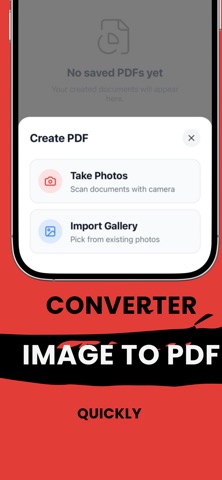


Description by Dzidula Etonam Vossa Written by the developer, not by AppBrain. Click to read.
KEY FEATURES:
Scan & Digitize in Seconds Capture stunningly clear images with your camera or import photos straight from your gallery. Effortlessly convert any visual into a crisp, clean PDF file.
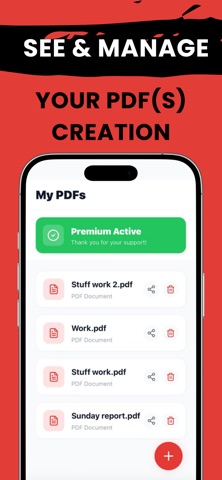
Organize & Manage Documents Keep all your important files exactly where you need them. Group multiple images into a single, comprehensive PDF and reorder them easily.
Share Instantly Need to send an invoice or share class notes? Export and share your customized PDFs seamlessly via email, messages, or cloud storage with just one tap.
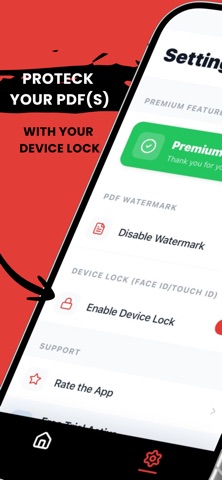
Secure & Private We value your privacy. Your files and photos are processed securely so you have peace of mind when scanning sensitive documents.
Whether you're a student, a busy professional, or simply looking to declutter your paper life, Image to PDF is the ultimate tool for scanning, organizing, and sharing.
Download now and step into a paperless world!
SUBSCRIPTION INFORMATION :
Title : Pro Weekly
Trial Period: 3 days free trial (New subscribers only).
Subscription Length: 1 week.
Price: $4.99 per week after the trial ends.
Billing: Payment will be charged to your Apple ID account at the end of the 3-day trial period unless canceled.
Renewal: Subscription automatically renews unless it is canceled at least 24 hours before the end of the current period
Title: Pro Yearly
Length: 1 year
Price: $29,99 $ per year
Billing: Payment will be charged to your Apple ID account at confirmation of purchase
Renewal: Subscription automatically renews unless canceled at least 24 hours before the end of the current period
App Terms of Use:
https://baltoapp.vercel.app/terms
App Privacy Policy :
https://baltoapp.vercel.app/privacy
https://www.apple.com/legal/internet-services/itunes/dev/stdeula/