Download Android Apps and Games
AppBrain
  • Apps
  • Apps being viewed right now Trending apps today Most popular apps All-time most downloaded apps Top rated apps
  • Intelligence ▾
    Intelligence overview → Track any Android app or your whole market
    Track & analyze
    Keyword Tracker & OptimizerTrack & improve Play rankings App Performance ReportOne-off PDF for any app StatisticsFree Android & Play market stats
    Promote your app
    Featured Apps App Links
  • Intelligence
  • Pricing
  • Dashboard
  • Sign up
  • Log in
Last updated on: 2026-08-04
App Store Apps > Navigation > CourseSpeed
CourseSpeed icon

CourseSpeed

13.0
David Jennings
5.00
3 reviews
Free

CourseSpeed Screenshot 1 of 10
CourseSpeed Screenshot 2 of 10
CourseSpeed Screenshot 3 of 10
CourseSpeed Screenshot 4 of 10
CourseSpeed Screenshot 5 of 10
CourseSpeed Screenshot 6 of 10
CourseSpeed Screenshot 7 of 10
CourseSpeed Screenshot 8 of 10
CourseSpeed Screenshot 9 of 10
CourseSpeed Screenshot 10 of 10
Download from the App Store

About CourseSpeed

CourseSpeed is an overall app developed by David Jennings.

How many times has CourseSpeed been downloaded?

What is the rating of CourseSpeed?

CourseSpeed is rated 5.00 out of 5 stars, based on 3 ratings.

Is CourseSpeed free?

CourseSpeed is free to download. The APK download size is 12.46 MB. The latest version available is 13.0. The last update was on March 11, 2026.

What are the requirements for CourseSpeed?

The app has a content rating of Everyone. The app has been available on Google Play March 2018.

Description
App Summary:

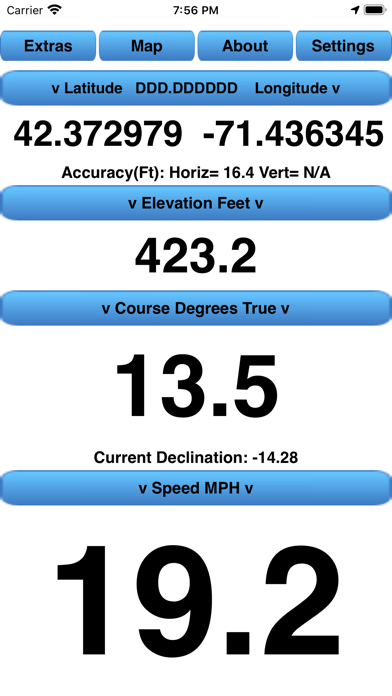
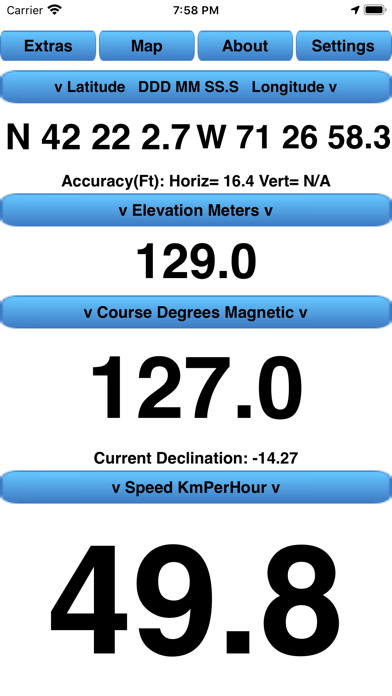
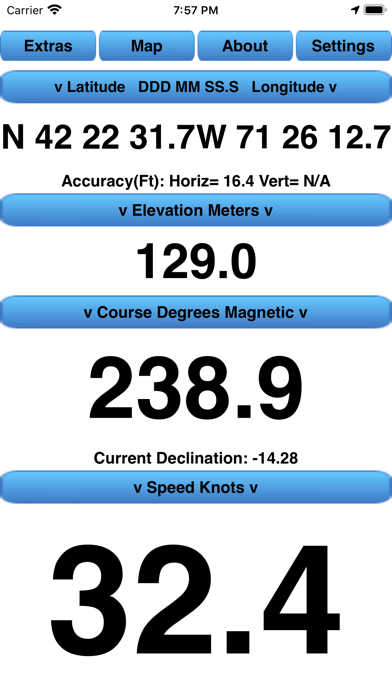
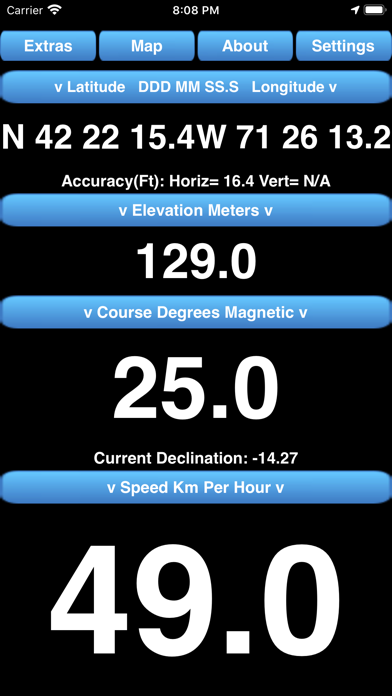
Although the CourseSpeed App was developed for boating, the App can be used anywhere, for example Boating, Hiking, Bike Riding, and Geocaching.

The app was developed to conveniently have Course, Speed, and Position available on one screen in sufficiently large fields to be seen several feet away from the iPhone as well as to show the current position on a map. However, it also provides other views that perform the following, additional useful functions:

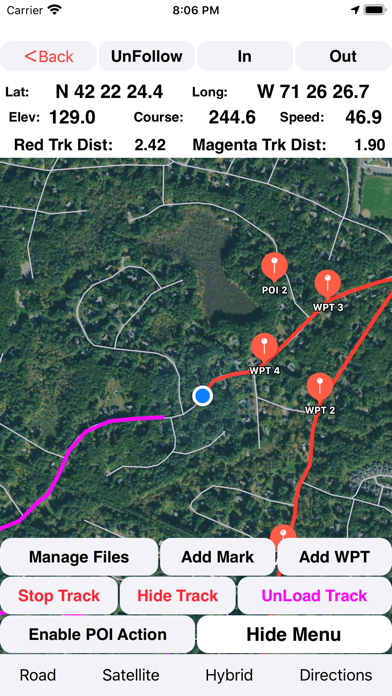
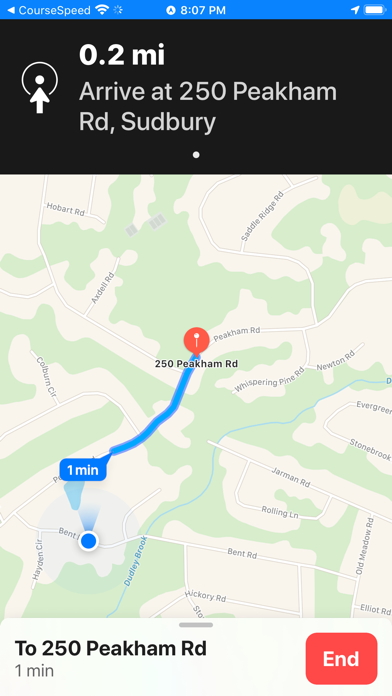
1. Allows the current position to be followed on any of three map types and, from the map, get Turn-by-turn navigation directions with voice prompts to anywhere. The current track history can be displayed along with user entered waypoints along the track line. Both the track history and waypoints can be saved to a history file. Saved history files can be loaded to the map later for reference.

2. Allows Point-Of-Interest map pins to be added to the map. These are also saved to a file and displayed whenever the App is started and are independent of the track history Waypoints. The Map Point-Of-Interest pins can be edited or deleted.

3. Saving track points in a GPS Exchange Format (GPX) file which can be moved to a computer. The GPX track may then be viewed on any mapping program/web site that reads GPX files.

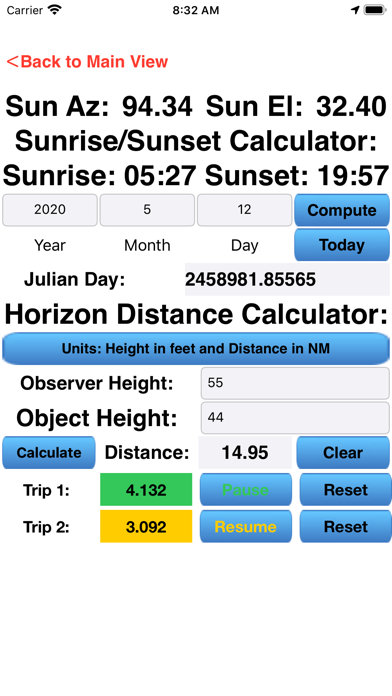
4. For the current location, displays the times of sunrise and sunset as well as the current Sun azimuth and elevation for the current day, or any other day with user date input.

5. Provides a Horizon Distance Calculator that calculates the distance an observer can see for any height of an observer and any height of an object.

6. Provides the capability to add a Mark point on the Map to which Speed-Made-Good and bearing is displayed. (Useful for sailors, geocachers, hikers)

7. Provides a Speed-Made-Good-To-Windward indication for sailers.

8. Provides an "Anchor Watch" function for boaters to determine if their anchor is "dragging".

9. Provides a Geocaching search function to use a user entered "Mark" as a geocache location.

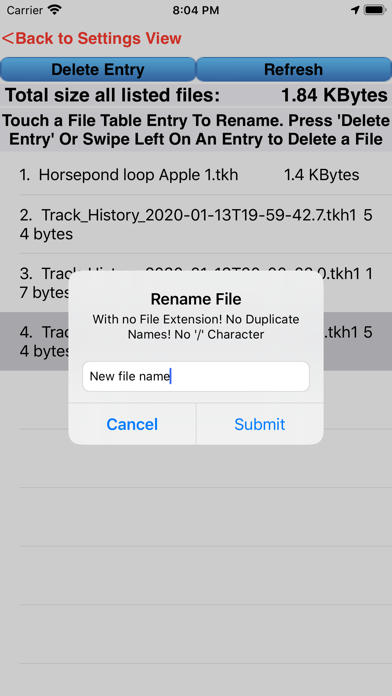
10. Allows the management of track history files, and GPX files; i.e. renaming or deleting them.

11. Allows the following settings to be saved automatically whenever the user changes them. The settings are selectable from either the "Settings" view or other views. All are saved to a file on the iPhone and restored when the App is restarted:

1 Speed smoothing enabled
2 Course smoothing enabled
3 Course smoothing type
4 Use fractional speeds when speed less than 10 enabled
5 Enabling the recording of a GPX format track file.
6 Latitude/Longitude display format
7 Elevation Display Mode
8 Course display format
9 Speed display format
10 Map type
11 Horizon Distance units
12 Enabling/disabling Speed-Made-Good function
13 Wind Direction
14 Anchor Distance

The CourseSpeed iPhone App supports Apple's "Light" and "Dark" modes.

The CourseSpeedWatch App is also available for use with a paired iPhone running the CourseSpeed App. The CourseSpeedWatch App functionality is a subset of the iPhone App functionality and contains only data fields and buttons but no mapping capability. The following data fields/buttons are visible on a single, scrolling, screen:

1 Position (Latitude & Longitude)
2 GPS receiver Accuracy (Horizontal & Vertical)
3 Course
4 Speed
5 Altitude
6 Trip 1 Odometer value
7 Trip 1 Odometer Start/Pause/Resume button
8 Trip 1 Odometer Reset button
9 Trip 2 Odometer value
10 Trip 2 Odometer Start/Pause/Resume button
11 Trip 2 Odometer Reset button
12 Distance to a user entered Mark
13 Bearing to a user entered Mark
14 Start/Stop/Clear track button
15 Save track button
16 Current track distance
17 Sunrise time
18 Sunset time

The CourseSpeedWatch App supports one watch face "complication" called "Sun Rise/Set".

A detailed description of all the functions and options is available from the App's "About" page and also on the web at santuit-sw.weebly.com (Then click on the CourseSpeed App and CourseSpeedWatch App)
Show more Show less

More data about CourseSpeed

Price Free to download
Rating 5.00 based on 3 ratings
Ranking Not ranked
Version 13.0
App download size 12.5 MB
Suitable for Everyone

Alternative downloads for the CourseSpeed app

MagVar icon MagVar
Robert Walker
5.0
$0.99
1 ratings
MapTool - GPS, Compass, Altitude, Speedometer, UTM, MGRS and Magnetic Declination icon MapTool - GPS, Compass, Altitude, Speedometer, UTM, MGRS and Magnetic Declination
Dan Iatco
4.9
$0.99
9 ratings
GPS Anti Spoof Pro icon GPS Anti Spoof Pro
Frank Reed
5.0
$19.99
7 ratings
Digital Bearing Compass icon Digital Bearing Compass
Thomas Oswald
4.3
$3.99
12 ratings
StarPilot icon StarPilot
Starpath Corp
4.9
$49.99
8 ratings
Celestial by Navimatics icon Celestial by Navimatics
Navimatics Corporation
3.3
$19.99
3 ratings
WMM 2025 icon WMM 2025
Robert Walker
5.0
$0.99
1 ratings
Executive Travel icon Executive Travel
JPM Publications SA
0.0
Free

Changelog of CourseSpeed

No changelog data

Developer information for David Jennings

David Jennings

Address:

Share CourseSpeed

Comments on CourseSpeed for iOS

We don't have enough comments to show example comments. Please check back later.

App Store Rankings for CourseSpeed

This app is not ranked

Technologies used by CourseSpeed

MagVar icon MagVar
MapTool - GPS, Compass, Altitude, Speedometer, UTM, MGRS and Magnetic Declination icon MapTool - GPS, Compass, Altitude, Speedometer, UTM, MGRS and Magnetic Declination

GPS Anti Spoof Pro icon GPS Anti Spoof Pro
Digital Bearing Compass icon Digital Bearing Compass
StarPilot icon StarPilot
Celestial by Navimatics icon Celestial by Navimatics
WMM 2025 icon WMM 2025
Executive Travel icon Executive Travel

Back to top
AppBrain Intelligence premium content

Subscribe now to get full and unlimited access to AppBrain Intelligence. You'll have access to:

  • App Intelligence dashboard (performance timeline, competitor comparison, country rankings, insight cards)
  • Detailed ranking data per app
  • Full timeline per developer
  • Device market shares data per country
  • Unlimited keyword tracking
1 Month

$75/mo
(billed every month)

SAVE 0%
Subscribe
3 Months

$65/mo
($195 billed every 3 months)

SAVE 13%
Subscribe
1 Year

$57.50/mo
($690 billed every year)

SAVE 23%
Subscribe
Each subscription will automatically renew 3 days before the expiration date for the same time period. Subscriptions can be cancelled at any time before the renewal.

AppBrain is a directory focused on discovering great apps and games. We give statistics, rankings and search options that Google Play and the App Store don't have. All trademarks are owned by their respective owners. AppBrain doesn't offer APKs or binaries, and always lets users install the official version from Google Play or the App Store.

More apps

  • Top Android apps being viewed
  • Melouk App
  • Exodus 90: Catholic Men's App
  • CropBytes: A Crypto Farm Game

Android Statistics

  • Android statistics
  • Google Play Developer stats
  • Trending Android Apps
  • Top popular Apps
  • Buy the best Android phone

About AppBrain

  • Contact
  • Privacy
  • Documentation
  • DMCA takedowns
  • Articles
  • Blog
  • Free webpage for your Android app
© 2010-2026 - AppBrain