

cPDF – PDF Editor & Signer
cPDF – PDF Editor & Signer is made and published by Katarzyna Drop. AppBrain is an independent app data site and isn't affiliated with Katarzyna Drop. The app name, icon, screenshots and description belong to Katarzyna Drop and are shown as published on the App Store.
AppBrain's verdict
- Last updated
- October 18, 2026
Rankings
App Store top chartsApp Store Rankings for cPDF – PDF Editor & Signer
Competitors
Similar apps and more from Katarzyna DropMore from Katarzyna Drop

Releases
Updates seen on the App Store- Version
- 2.0.4
- Launched
- April 2026
No changelog data
User feedback
Ratings and reviews on the App StoreComments on cPDF – PDF Editor & Signer for iOS
We don't have enough comments to show example comments. Please check back later.
Technology
Found in the app by AppBrain- Price
- $2.99
- App size
- 39.6 MB
- Content rating
- Everyone
Technologies used by cPDF – PDF Editor & Signer
About the app and developer
About cPDF – PDF Editor & Signer
cPDF – PDF Editor & Signer is an utilities app developed by Katarzyna Drop.
What is the rating of cPDF – PDF Editor & Signer?
cPDF – PDF Editor & Signer has no ratings yet.
Is cPDF – PDF Editor & Signer free?
cPDF – PDF Editor & Signer costs $2.99. The app size is 39.61 MB. The latest version available is 2.0.4. The last update was on October 18, 2026.
What are the requirements for cPDF – PDF Editor & Signer?
The app has a content rating of Everyone. The app has been available on the App Store since April 2026.
Developer information for Katarzyna Drop
Address:
Store listing
By Katarzyna Drop, from the App Store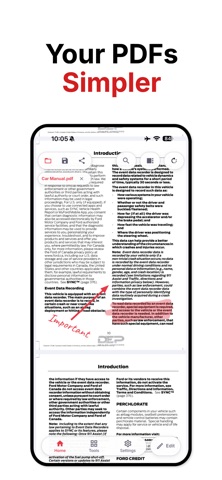





Description by Katarzyna Drop Written by the developer, not by AppBrain. Click to read.
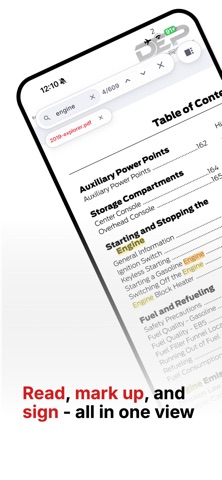
cPDF is a clean, fully offline PDF editor for iPhone and Mac. View, annotate, sign, merge, split, compress, organise, create PDFs from images, and fill in PDF forms — all directly on your device.
No account. No cloud. No subscription.
What you can do:
- Sign documents by drawing your own signature
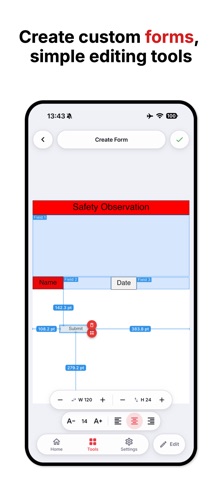
- Fill in and work with PDF forms
- Annotate with freehand ink, text, and highlights
- Convert images into PDF documents
- Merge multiple PDFs into one
- Split PDFs by page range
- Compress files before sending or sharing
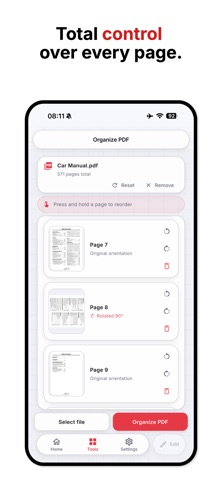
- Reorder, rotate, and delete pages
- Print using the native iOS and macOS print dialog
Your documents stay on your device. cPDF works fully offline, so your files are never uploaded to a server.
No login. No hidden fees. No ongoing subscription. Just a simple, capable PDF tool for everyday document work.