

Crazy Inventory
Crazy Inventory is made and published by Thomas Dubiel. AppBrain is an independent app data site and isn't affiliated with Thomas Dubiel. The app name, icon, screenshots and description belong to Thomas Dubiel and are shown as published on the App Store.
AppBrain's verdict
Established- Best rank
- #81
- Top Paid, Germany
- Rating on App Store
- 5.00
- 1 ratings
- Last updated
- November 3, 2024
It doesn't have enough ratings yet to judge what users think. Its best ranking is #81 in Top Paid, Business in Germany.
Rankings
App Store top charts- Highest rank
- #81
- Chart
- Top Paid
- Business
- Country
- Germany
Competitors
Similar apps and more from Thomas DubielAlternatives to Crazy Inventory


More from Thomas Dubiel


Releases
Updates seen on the App Store- Version
- 2.1.4
- Launched
- September 2014
No changelog data
User feedback
Ratings and reviews on the App StoreComments on Crazy Inventory for iOS
We don't have enough comments to show example comments. Please check back later.
Technology
Found in the app by AppBrain- Price
- $2.99
- App size
- 37.7 MB
- Content rating
- Everyone
Technologies used by Crazy Inventory
About the app and developer
About Crazy Inventory
Crazy Inventory is a business app developed by Thomas Dubiel.
User Ratings
Crazy Inventory is rated 5.00 out of 5 stars. The rating is based on one rating ratings.
App Information
Crazy Inventory costs $2.99. The app size is 37.74 MB. The latest version available is 2.1.4. The last update was on November 3, 2024.
Technical Requirements
The app has a content rating of Everyone. The app has been available on the App Store since September 2014.
Developer information for Thomas Dubiel
Address:
Store listing
By Thomas Dubiel, from the App Store

Description by Thomas Dubiel Written by the developer, not by AppBrain. Click to read.
The app is kept as simple as possible:
1) Create or import an inventory!
2) Add products to this inventory or select an imported product!
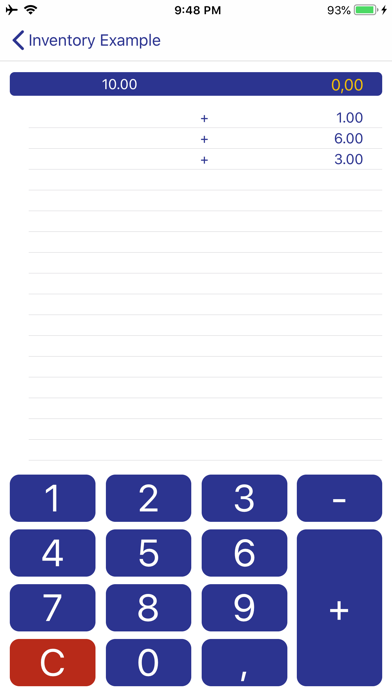
3) Collect counted amounts (positive or negative) until the amount was completely counted!
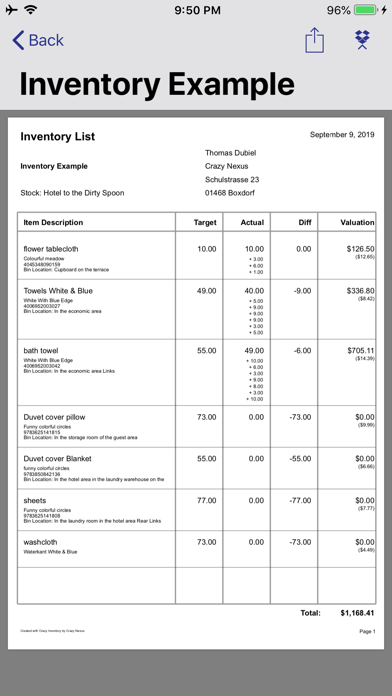
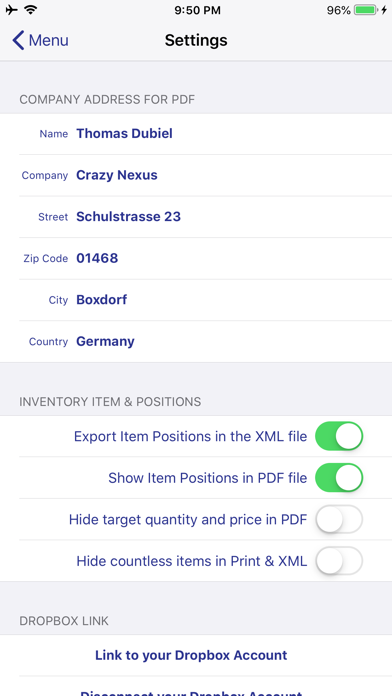
4) Export the inventory report or send it as pdf-data-file, labeled with your individual company address.
Ready!
■ You can create and delete inventories, products and counted amounts.
■ You can easily import the products you have to count.
■ You can search for articles within an inventory
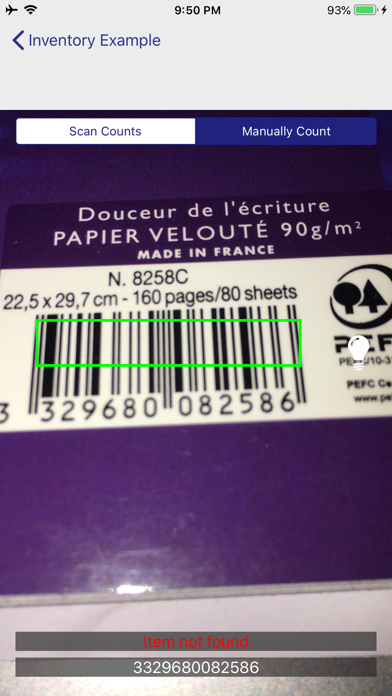
■ You can scan items via a barcode to find them quickly in the list
■ For processing an inventory you dont need an internet connection.
■ You can also get different products at one time and you dont need to sum up.
■ You can rearrange the list of your products.
■ You can acquire storage locations and storage areas.
■ You can record the inventory date in your inventory.
■ You dont need to sum up.
■ You will always have the overview of target and actual.
■ You have a steady balance between target and actual.
■ You can import and export the inventory and its counted amounts.
■ The import and export of your inventory into your dropbox ist carrie out as an xml file.
■ You can choose, whether the export contains the counted amounts only or the product's target and actual.
■ You can export your inventory as pdf data file into your dropbox.
■ You can send your inventories as pdf data files via e-mail.
■ You can identify the items in your journal according to order and value.
■ An internet connection is only required for for import or export of data.
■ You can use Crazy Inventory on your iPad or iPhone.
■ You can rename inventories